





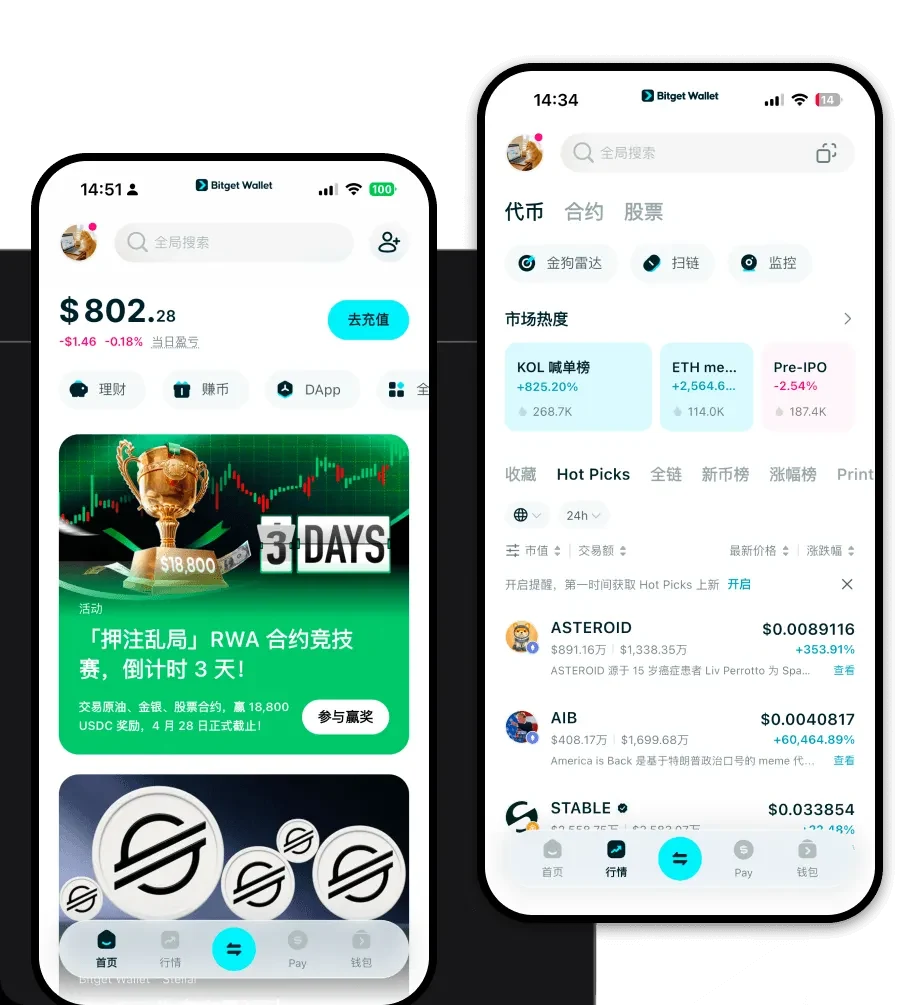
What is an MCS Wallet?
An MCS wallet is a specialized digital interface designed to interact with the MCS token, which is primarily built on EVM-compatible chains. This ensures that the token functions seamlessly within the broader decentralized finance ecosystem. MCS is a token often associated with specific Web3 ecosystems, frequently supported by major wallets like Bitget Wallet for secure storage, trading, and asset management within the crypto ecosystem. By using a wallet compatible with EVM standards, you ensure that your MCS tokens are stored in an environment that supports smart contract interactions, which is fundamental to the token's utility.
Download Bitget MCS Wallet
To start managing your assets effectively, you need a robust tool that balances security with usability. Bitget Wallet provides a comprehensive solution for both beginners and experienced traders. It offers full self-custody over your private keys, meaning you retain complete control over your funds at all times. Whether you are on the move or working from a desktop, Bitget Wallet supports iOS, Android, and browser extension versions to keep you connected. With its extensive multi-chain support, you can manage your MCS tokens alongside hundreds of other assets without switching applications. To get started, you can download Bitget Wallet and set up your secure gateway to the Web3 world.
Why Choose Bitget MCS Wallet?
Bitget Wallet stands out as a premier choice for MCS holders, particularly due to its deep integration with EVM ecosystems. Here is why it is the best wallet for MCS:
- Seamless EVM Compatibility: Bitget Wallet is architected for the Ethereum Virtual Machine, ensuring that all your MCS transactions and smart contract interactions are processed smoothly without compatibility errors.
- Advanced DeFi Aggregation: The wallet aggregates liquidity from hundreds of decentralized exchanges, ensuring you always get the best rates when trading MCS.
- Smart Contract Security: With a built-in security auditing system and a 300 million USD user protection fund, your interactions with MCS-related protocols are backed by robust financial safety nets.
- Intuitive Cross-Platform Interoperability: Whether you are using the mobile app or browser extension, your wallet state is synced, allowing for efficient management of your MCS portfolio across different devices.
How to Create an MCS Wallet
Creating your secure storage for MCS is a straightforward process designed to prioritize user safety. Follow these steps:
- Download and Install: Visit the official site to download Bitget Wallet for your preferred device (iOS, Android, or Chrome extension).
- Initialize Wallet: Open the app and select 'Create a New Wallet' to generate a new address.
- Backup Seed Phrase: Carefully record your 12-phrase recovery seed. Store this offline and never share it with anyone; this is the only way to recover your funds.
- Verify and Secure: Complete the verification prompt to ensure your seed phrase is backed up correctly, and set a strong transaction password or biometric lock.
- Access MCS: Once initialized, your wallet automatically supports EVM tokens. You can now import or receive your MCS tokens by copying your wallet address.
What Can You Do With an MCS Wallet?
The utility of your MCS token goes far beyond simple holding. With Bitget Wallet, you can actively participate in the DeFi economy:
- Trading: You can execute swaps for MCS directly within the wallet interface using the integrated DEX aggregator to find optimal market prices.
- Staking: By connecting your wallet to supported platforms, you can stake your MCS tokens to earn passive rewards and contribute to network security.
- Providing Liquidity: You can deposit your MCS into liquidity pools to facilitate decentralized trading, earning a share of transaction fees in return.
- Yield Farming: Utilize your MCS assets in various yield farming protocols to maximize your returns through automated market-making strategies.
- Governance Voting: Hold MCS in your wallet to participate in decentralized governance, allowing you to vote on future protocol upgrades and community proposals.
How MCS Wallets Are Different from Other Crypto Wallets
Not all wallets are created equal, especially when dealing with EVM-based tokens like MCS. Unlike wallets designed for UTXO chains (like Bitcoin), an MCS wallet utilizes an 'Account-based' model. This means that every transaction involves changing the state of an account rather than consuming unspent transaction outputs. This model is critical for DeFi, as it allows for the complex smart contract interactions required for staking and yield farming. Furthermore, because MCS operates on EVM chains, your wallet must manage 'Gas fees'—the native coin required to execute transactions. Bitget Wallet excels here by providing real-time gas estimation, ensuring your transactions are processed efficiently without overpaying.
