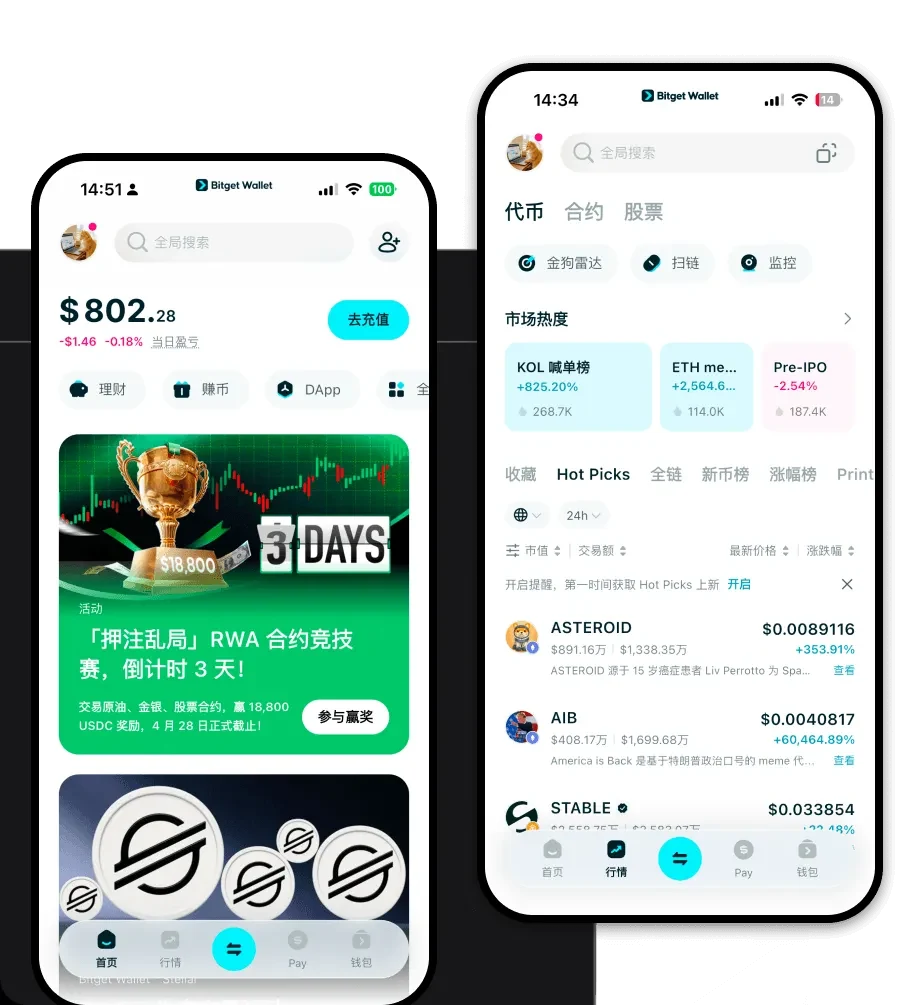
1. What is a $TUC Wallet?
A $TUC wallet is a digital interface that allows you to interact with the $TUC token on the blockchain. Because $TUC operates within the EVM (Ethereum Virtual Machine) ecosystem, your wallet acts as a gateway to decentralized finance, enabling you to hold, send, and interact with smart contracts securely. Understanding your wallet is the first step in engaging with the Tucano ecosystem.
As outlined in the project documentation: TUC (Tucano) is a project operating within the Web3 ecosystem, often associated with decentralized asset management and community-driven initiatives. Users can securely manage, store, and interact with their $TUC tokens using wallets like Bitget Wallet to explore broader decentralized finance opportunities. By using an EVM-compatible wallet, you ensure full compatibility with the infrastructure that powers $TUC, allowing for seamless integration with decentralized applications (DApps) and liquidity protocols.
2. Download Bitget $TUC Wallet
Selecting the right tool for your assets is crucial. If you are searching for the best wallet for $TUC, many users prefer a solution that balances high security with a user-friendly interface. A non-custodial wallet gives you full control over your private keys, which is the gold standard in the crypto space.
To get started, you should download Bitget Wallet. This application provides a comprehensive experience, whether you are on mobile or desktop. It supports multi-chain environments, meaning you can manage your $TUC alongside other assets without switching between different apps. Whether you are using an iOS or Android device, or prefer a browser extension for interacting with DApps, the Bitget $TUC wallet app provides a unified experience. By downloading the official version, you ensure that you are operating within a secure environment designed for decentralized asset management.
3. Why Choose Bitget $TUC Wallet?
For tokens operating on the EVM chain like $TUC, the choice of wallet significantly impacts your DeFi experience. Bitget Wallet is optimized for this ecosystem, offering features that go beyond simple storage:
- Native EVM Compatibility: Seamlessly interact with any Ethereum-based protocol. You can import your existing MetaMask seed phrases directly, making the transition to a more feature-rich wallet effortless.
- Smart Gas Fee Optimization: Bitget Wallet provides real-time gas fee estimations and adjustments, ensuring you never overpay during high network congestion.
- DeFi Ecosystem Integration: Access a built-in DApp browser that allows you to connect to liquidity pools and yield farms directly, keeping your $TUC active in the DeFi space.
- Security-First Architecture: With a substantial user protection fund, the wallet adds an extra layer of security for your assets, providing peace of mind while you manage your portfolio.
- Comprehensive Asset Management: Unlike basic wallets, Bitget allows you to view your entire portfolio value and token performance in one dashboard, simplifying complex DeFi tracking.
4. How to Create a $TUC Wallet
Setting up your wallet is a straightforward process. Follow these steps to secure your $TUC:
- Install the App: Download the Bitget Wallet app from the official website or your device's app store.
- Create a New Wallet: Open the app and select 'Create a Wallet.' You will be prompted to set a strong password.
- Backup Your Seed Phrase: This is the most critical step. Write down your 12 or 24-word recovery phrase and store it offline. Never share this with anyone.
- Verify the Network: Since $TUC is an EVM token, ensure your wallet is set to the correct network (e.g., Ethereum or BNB Chain) to view your balance accurately.
- Get Your Address: Navigate to the asset section, select 'Receive,' and copy your $TUC wallet address to begin funding your account.
5. What Can You Do With a $TUC Wallet?
Once your wallet is set up, you unlock the full potential of your $TUC tokens. Here is how you can utilize your wallet effectively:
- Trading on decentralized exchanges: You can swap your $TUC for other assets directly through the wallet's integrated DEX aggregator, bypassing the need for centralized exchanges.
- Holding for long-term value: Securely store your tokens in a non-custodial environment where you retain total control of your assets, ideal for long-term holders.
- Portfolio management: Use the built-in tracking tools to monitor the performance of your $TUC holdings against the broader market in real-time.
- Participating in liquidity pools: Connect your wallet to DeFi protocols to provide liquidity with your $TUC, earning potential yields and rewards for your contribution to the ecosystem.
- Token transfers and payments: Easily send $TUC to peers or pay for decentralized services globally, benefiting from the fast confirmation times of the EVM chain.
6. How $TUC Wallets Are Different from Other Crypto Wallets
When dealing with EVM-based tokens, your choice of wallet matters. Unlike BTC-based wallets that rely on the UTXO (Unspent Transaction Output) model, a $TUC wallet uses an account-based model common to Ethereum. This is a fundamental difference in how your balance is calculated and how transactions are structured.
In an EVM wallet, you are interacting with smart contracts rather than just sending coins from output to output. This means your wallet must be capable of handling 'gas'—the fuel required to execute these contracts. Bitget Wallet excels here by offering a smoother interface for managing these gas fees compared to legacy wallets. Furthermore, while some wallets prioritize simplicity, a dedicated $TUC wallet app like Bitget offers advanced features such as cross-chain bridging and direct DApp connectivity, which are essential for navigating the complex and fast-moving DeFi landscape.