





What is an Ordo Wallet?
An Ordo wallet is a digital storage solution specifically designed to interact with the Bitcoin blockchain, where the Ordo asset resides. Ordo is an ecosystem asset primarily associated with the Bitcoin Ordinals protocol, often utilized within the expanding landscape of BTC-based Web3 assets. As a digital asset, it requires secure storage and management solutions, such as those provided by Bitget Wallet, which supports the broader Web3 ecosystem.
Because Ordo operates on the Bitcoin network, it is distinct from tokens on Ethereum or Solana. It leverages the unique architecture of the Bitcoin blockchain, meaning your wallet must be capable of handling UTXO (Unspent Transaction Output) models and recognizing Ordinal inscriptions. A dedicated Ordo wallet is not just a place to hold tokens; it is a gateway to interacting with the immutable nature of Bitcoin-based digital artifacts.
Download Bitget Ordo Wallet
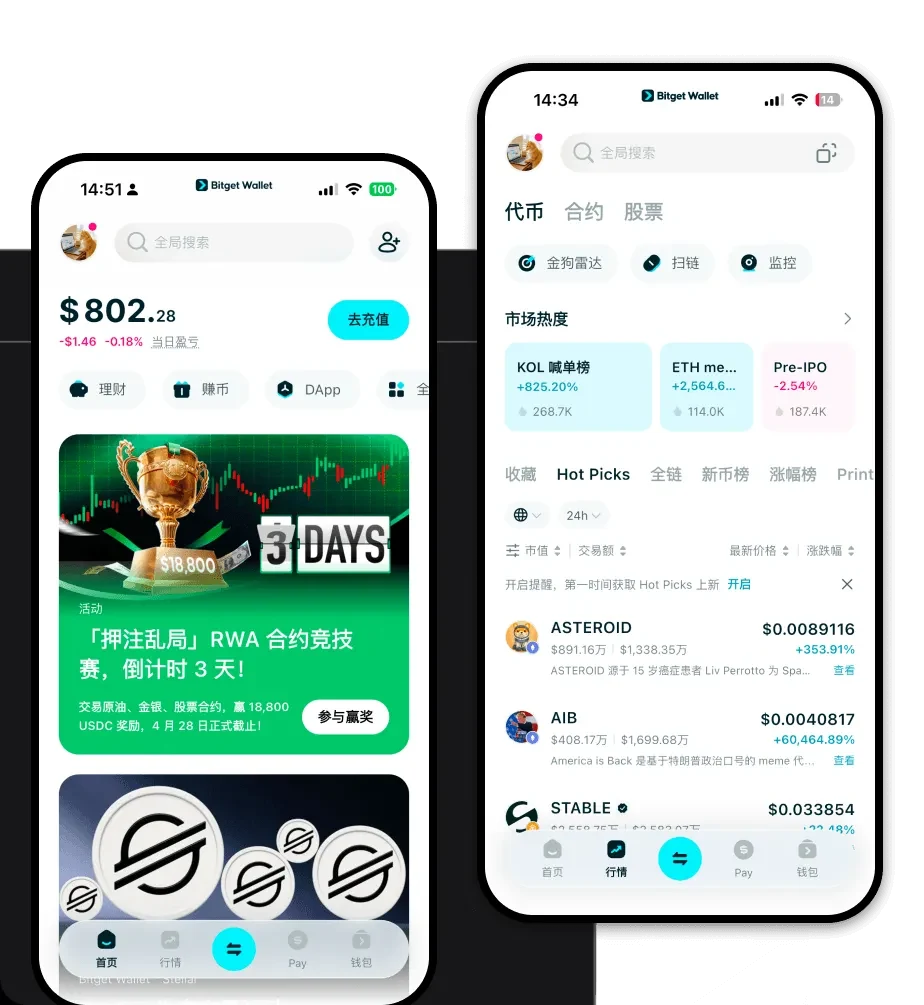
Managing your Ordo assets requires a reliable interface that balances security with usability. Bitget Wallet offers a comprehensive solution that serves as a powerful Ordo wallet app, designed to streamline how you interact with BTC-based assets. Whether you are a newcomer or a seasoned collector, the platform ensures you retain full control over your private keys through a self-custodial architecture.
To get started, you can download Bitget Wallet directly to your mobile device (iOS or Android) or add it as a browser extension for your desktop. This multis-platform approach ensures that your Ordo portfolio is synchronized and accessible whenever you need it. With support for over 130 public chains, Bitget Wallet is not limited to Bitcoin; it acts as a unified hub for your entire Web3 journey, allowing you to manage diverse assets without switching between multiple applications.
Why Choose Bitget Ordo Wallet?
Selecting the right wallet for Bitcoin-based assets is critical due to the unique technical requirements of the BTC network. Bitget Wallet excels by providing a native, secure environment for Ordinals and related assets.
- Bitcoin Network Security: Built with robust encryption, Bitget Wallet ensures your assets are protected by the underlying security of the Bitcoin network, minimizing exposure to centralized vulnerabilities.
- Ordinal Inscription Support: Unlike standard wallets that may struggle to display or manage Ordinal inscriptions, Bitget Wallet is optimized for the specific technical standards of the Ordinals protocol.
- Immutable Asset Management: Since Ordo relies on immutable on-chain data, the wallet provides a clear, reliable interface to verify your transaction history and ownership status without ambiguity.
- Rare Satoshi Utility: The wallet interface allows users to identify and manage rare satoshis, providing advanced tools for collectors who prioritize asset uniqueness within the BTC ecosystem.
- Decentralized Ownership: By maintaining a non-custodial model, Bitget Wallet ensures that you are the sole owner of your assets, giving you complete autonomy over your Ordo holdings.
How to Create an Ordo Wallet
Creating a wallet to store your Ordo tokens is a straightforward process that prioritizes your security. Follow these steps to set up your Bitget Wallet:
- Download and Install: Visit the official website to download Bitget Wallet for your preferred device.
- Initialize Your Wallet: Open the app and select 'Create a New Wallet.' The system will generate a unique mnemonic phrase for you.
- Secure Your Mnemonic Phrase: Carefully write down your recovery phrase and store it in an offline, secure location. Never share this with anyone, as it is the master key to your funds.
- Verify Setup: Confirm your recovery phrase as prompted by the application to finalize the wallet creation process.
- Access Your BTC Address: Navigate to the asset list, select Bitcoin (BTC), and you will be able to view your wallet address, which is used to receive Ordo and other BTC-based assets.
What Can You Do With an Ordo Wallet?
Having a capable wallet opens up various opportunities within the Bitcoin Web3 space. Beyond simple storage, a well-managed wallet allows you to actively participate in the ecosystem:
- Collecting digital artifacts: You can securely receive and display unique Ordinals, turning your wallet into a personal gallery for rare digital items.
- Trading on BTC marketplaces: Use your wallet to connect to leading Ordinals marketplaces, allowing you to buy, sell, or swap Ordo and other inscriptions seamlessly.
- Long-term asset holding: Store your Ordo assets with peace of mind, knowing that the wallet's security infrastructure is designed for high-value, long-term preservation.
- Portfolio diversification: Easily manage Ordo alongside other BTC-based assets, allowing you to rebalance your holdings directly within the app.
- Cross-chain asset bridging: Utilize the wallet's integrated bridging tools to interact with assets on other chains, ensuring your liquidity is never trapped in a single ecosystem.
How Ordo Wallets Are Different from Other Crypto Wallets
Not all crypto wallets are created equal, especially when comparing Bitcoin-based wallets to those designed for Ethereum or other EVM chains. The primary difference lies in the underlying architecture. While EVM wallets focus on account models, an Ordo wallet must handle the UTXO (Unspent Transaction Output) model inherent to Bitcoin. This means your wallet needs to be precise about how inputs and outputs are structured to ensure successful transactions.
Furthermore, while Ethereum-based wallets heavily emphasize gas fees for smart contract execution, Bitcoin wallets prioritize transaction throughput and the specific requirements of inscription data. Bitget Wallet bridges this gap by providing a user-friendly interface that masks the complexity of the UTXO model while retaining the high-security standards required for the Bitcoin network. Unlike generic wallets that may treat all tokens the same, an optimized Ordo wallet understands the nuance of rare satoshis and immutable data, providing a specialized experience that standard wallets simply cannot match.
