





What is an OGMOTH Wallet?
An OGMOTH wallet is a digital gateway designed to help you interact with the OGMOTH token within its specific blockchain ecosystem. As a meme-centric asset, OGMOTH requires a flexible and user-friendly interface that can handle the rapid pace of community-driven market activity. While OGMOTH operates on an 'Other' chain architecture, the core function of your wallet remains the same: it acts as your personal vault and dashboard for signing transactions, managing balances, and interacting with decentralized applications.
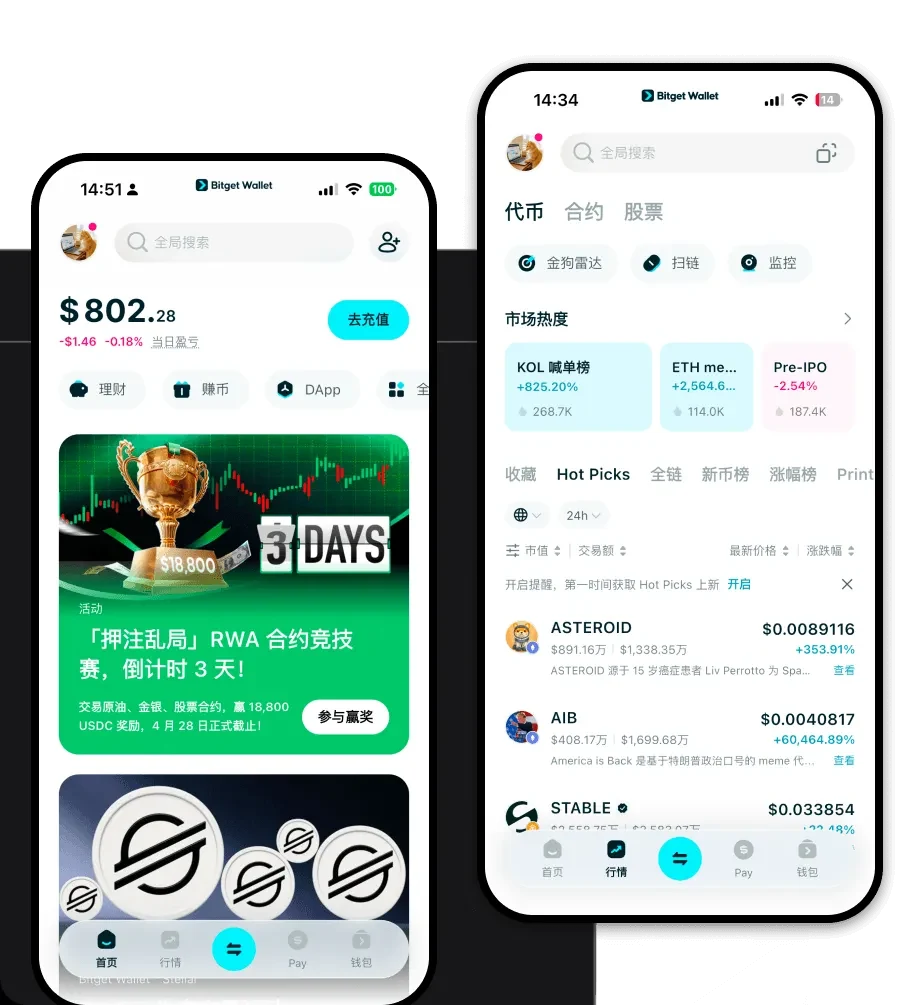
Are you looking for a reliable and secure crypto wallet for your OGMOTH? Bitget Wallet will be your best choice. Trusted by 40 million users, you can freely explore Web3 on Bitget Wallet. Start your journey now! By choosing a robust platform like Bitget Wallet, you ensure that your OGMOTH holdings are protected by institutional-grade security while remaining accessible whenever you need to trade or engage with the broader meme coin market.
Download Bitget OGMOTH Wallet
Getting started with your OGMOTH journey is simple and secure. To begin, you need a platform that doesn't just store your assets but empowers you to move them across chains with minimal friction. Bitget Wallet provides a comprehensive, non-custodial solution where you, and only you, hold the private keys to your digital assets. This is the cornerstone of true Web3 ownership.
Bitget Wallet is designed for versatility, offering native applications for iOS and Android, as well as a powerful browser extension for desktop users who prefer managing their portfolio while navigating decentralized exchanges. Whether you are a mobile-first trader or a desktop power user, you can download Bitget Wallet to gain immediate access to over 130+ blockchains and millions of tokens. The setup is designed to be intuitive, allowing you to import existing wallets or create a new one in seconds, ensuring you never miss a market opportunity.
Why Choose Bitget OGMOTH Wallet?
Selecting the right wallet for a meme token like OGMOTH is critical, especially given the high volatility and community-driven nature of these assets. Bitget Wallet stands out by providing tools specifically engineered for the fast-paced meme coin sector:
- Real-time Market Insights: Since OGMOTH relies heavily on social media sentiment and market hype, Bitget Wallet integrates live market data directly into the app, allowing you to track price movements and trends without switching tabs.
- Advanced Security Protocols: With a $300 million User Protection Fund, Bitget Wallet provides an extra layer of defense for your assets, giving you peace of mind even when dealing with highly volatile speculative assets.
- Seamless Multi-Chain Liquidity: Meme coins often jump between chains to find liquidity; Bitget’s built-in DEX aggregator and cross-chain bridge allow you to swap assets across different networks instantly with optimized gas fees.
- Intuitive DApp Browser: Easily connect to decentralized platforms and community sites related to OGMOTH, allowing for seamless interaction with community-driven initiatives and NFT marketplaces.
- Non-Custodial Control: Your private keys are stored locally on your device, ensuring that you maintain full sovereignty over your OGMOTH holdings, free from the risks associated with centralized exchanges.
How to Create an OGMOTH Wallet
Creating your OGMOTH wallet on Bitget is a streamlined process designed for both beginners and experienced traders. Follow these steps to secure your assets:
1. Download and Install: Visit the official website to download Bitget Wallet for your preferred device (iOS, Android, or Browser Extension).
2. Create a New Wallet: Open the app and select 'Create a Wallet.' You will be prompted to set a strong, unique password for the application.
3. Backup Your Seed Phrase: This is the most critical step. The app will generate a 12 or 24-word recovery phrase. Write this down on paper and store it in a secure, offline location. Never share this with anyone.
4. Verify Your Backup: The app will ask you to re-enter the seed phrase to ensure you have correctly noted it down.
5. Add OGMOTH: Once your wallet is active, navigate to the token list, search for 'OGMOTH,' and add it to your dashboard to begin tracking your balance and conducting transactions.
What Can You Do With an OGMOTH Wallet?
Holding OGMOTH in a specialized wallet opens up a variety of opportunities tailored to the meme coin ecosystem. Here is how you can utilize your wallet:
- Trading: You can execute rapid buys and sells on decentralized exchanges directly through the Bitget Wallet interface, ensuring you can capitalize on price swings instantly.
- Speculation: By keeping your OGMOTH in a personal wallet, you are ready to move funds quickly when market sentiment shifts, which is essential for speculative asset management.
- Community Participation: Use your wallet address to connect to OGMOTH-related community sites, participate in governance voting, or engage in exclusive meme-coin airdrops and events.
- Holding for Long-term Potential: With the security of a non-custodial wallet, you can confidently store your tokens for the long term, protecting them from exchange hacks while waiting for potential market upside.
How OGMOTH Wallets Are Different from Other Crypto Wallets
Not all wallets are created equal, especially when dealing with assets like OGMOTH. Unlike traditional banking apps or custodial exchange wallets, an OGMOTH-ready wallet like Bitget is built for the Web3 era. The primary difference lies in the underlying architecture and user experience.
For assets that rely on high-frequency trading and community sentiment, standard wallets often struggle with slow transaction speeds or high fees. Bitget Wallet solves this by utilizing an advanced aggregation layer. While some wallets are limited to a single chain, Bitget supports over 130+ chains, meaning if OGMOTH decides to bridge or expand its ecosystem, your wallet is already compatible. Furthermore, while some legacy wallets require complex manual configurations for custom tokens, Bitget Wallet uses a smart-detection system to automatically recognize and display your OGMOTH balance and transaction history, providing a seamless experience regardless of the technical complexity of the underlying chain.
