





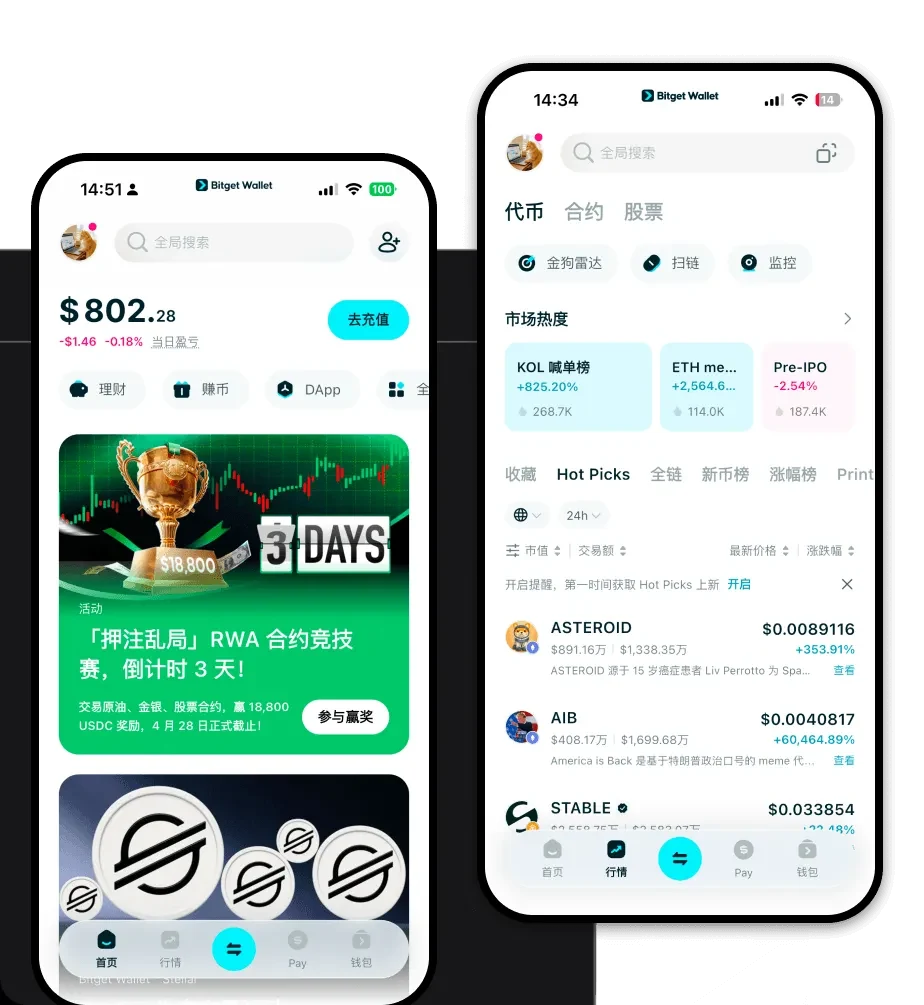
What is a Mirokai Wallet?
A Mirokai wallet is a digital storage solution specifically designed to facilitate the management, transfer, and interaction of the Mirokai token within the EVM (Ethereum Virtual Machine) blockchain ecosystem. Because Mirokai operates on EVM-compatible networks, it requires a wallet that can interact seamlessly with smart contracts and decentralized applications (DApps) built on Ethereum-compatible standards.
Mirokai is a digital asset supported by the Bitget Wallet ecosystem, designed for users seeking a reliable and secure environment for their crypto holdings. As part of the broader Web3 experience, Mirokai benefits from the infrastructure provided by Bitget Wallet, which is trusted by over 40 million users globally. By utilizing a compatible wallet, you ensure that your Mirokai tokens are stored in a non-custodial environment where you maintain full control over your private keys, distinct from centralized exchange balances.
Download Bitget Mirokai Wallet
Getting started with your Mirokai assets requires a robust, user-friendly interface that bridges the gap between complex blockchain interactions and everyday usability. Bitget Wallet provides a comprehensive, all-in-one platform that simplifies your experience. Whether you are migrating from other platforms or starting your Web3 journey, the wallet offers full self-custody over your assets, meaning you are the sole owner of your private keys.
You can easily download Bitget Wallet across all major platforms, including iOS, Android, and as a browser extension. The app's architecture is designed to support over 130 public chains, ensuring that your Mirokai tokens are not isolated but part of a wider, multi-chain financial ecosystem. This cross-platform accessibility allows you to manage your portfolio on the go from your smartphone or perform complex DeFi operations directly from your desktop browser.
Why Choose Bitget Mirokai Wallet?
Choosing the right tool for managing meme-based assets is critical, especially given the fast-paced nature of EVM networks. Bitget Wallet stands out for several technical and user-centric reasons:
- Native EVM Compatibility: Bitget Wallet is built to handle the nuances of EVM chains, ensuring that gas fee estimation is accurate and transaction speeds are optimized for the volatile nature of meme token trading.
- Advanced Security Infrastructure: With a $300 million user protection fund, the wallet provides a safety net that is rare in the self-custody space, offering peace of mind while you explore high-liquidity meme markets.
- Seamless DApp Integration: The built-in DApp browser allows you to interact with decentralized exchanges directly, making it significantly easier to swap tokens without navigating between multiple sites.
- Comprehensive Asset View: Unlike basic wallets, Bitget displays real-time market data and liquidity indicators for tokens like Mirokai, helping you make informed decisions based on current market depth.
How to Create a Mirokai Wallet
Creating your Bitget wallet is a straightforward process that takes only a few minutes. Follow these steps to prepare your wallet for Mirokai:
- Download and Install: Visit the official website to download the Bitget Wallet app for your specific device (iOS, Android, or Browser Extension).
- Create a New Wallet: Open the app and select 'Create a New Wallet.' The system will generate a 12-word seed phrase.
- Secure Your Seed Phrase: Write down your recovery phrase and store it in an offline, secure location. Never share this with anyone, as it is the master key to your funds.
- Verify and Set Password: Complete the verification process requested by the app and set a strong, unique password for local access.
- Import or Add Token: Once your wallet is active, go to the 'Add Tokens' section. Since Mirokai is an EVM token, you can simply search for the contract address to add it to your main dashboard for easy monitoring.
What Can You Do With a Mirokai Wallet?
The utility of your Mirokai wallet extends far beyond simple storage. Because of the token's community-driven nature and the wallet's robust feature set, you can engage in the following activities:
- Trading: Use the integrated DEX aggregator within Bitget Wallet to swap assets for Mirokai instantly, ensuring you get the best market rates and lowest slippage across multiple liquidity pools.
- Speculative Holding: Securely store your Mirokai long-term, benefiting from the wallet's cold storage capabilities and hardware wallet integration for enhanced asset safety.
- Wallet Storage: Utilize the wallet as a secure digital vault, keeping your Mirokai segregated from your more active trading funds to prevent accidental loss or exposure.
- Community Participation: Connect your wallet to community-driven governance platforms or meme-token launchpads to participate in voting or early-access opportunities, leveraging the wallet's DApp browser to sign transactions securely.
How Mirokai Wallets Are Different from Other Crypto Wallets
When managing Mirokai on an EVM chain, the architectural differences between wallets become apparent. Unlike wallets designed for UTXO-based chains (like Bitcoin), which focus on individual transaction inputs and outputs, a Mirokai-compatible wallet like Bitget is designed for an account-based model. This means the wallet tracks your 'balance' and 'nonce' rather than unspent transaction outputs, which is essential for interacting with smart contracts.
Furthermore, Bitget Wallet optimizes for the specific gas-fee dynamics of the EVM ecosystem. While other wallets might struggle with network congestion or miscalculate transaction fees—leading to failed transactions—Bitget provides real-time gas fee adjustments. This is particularly important for meme coins, where transaction speed is often a deciding factor in successfully capturing market movements. By prioritizing high-performance interactions and intuitive UI, Bitget bridges the gap between complex blockchain mechanics and the need for a simple, reliable Mirokai wallet app.
