





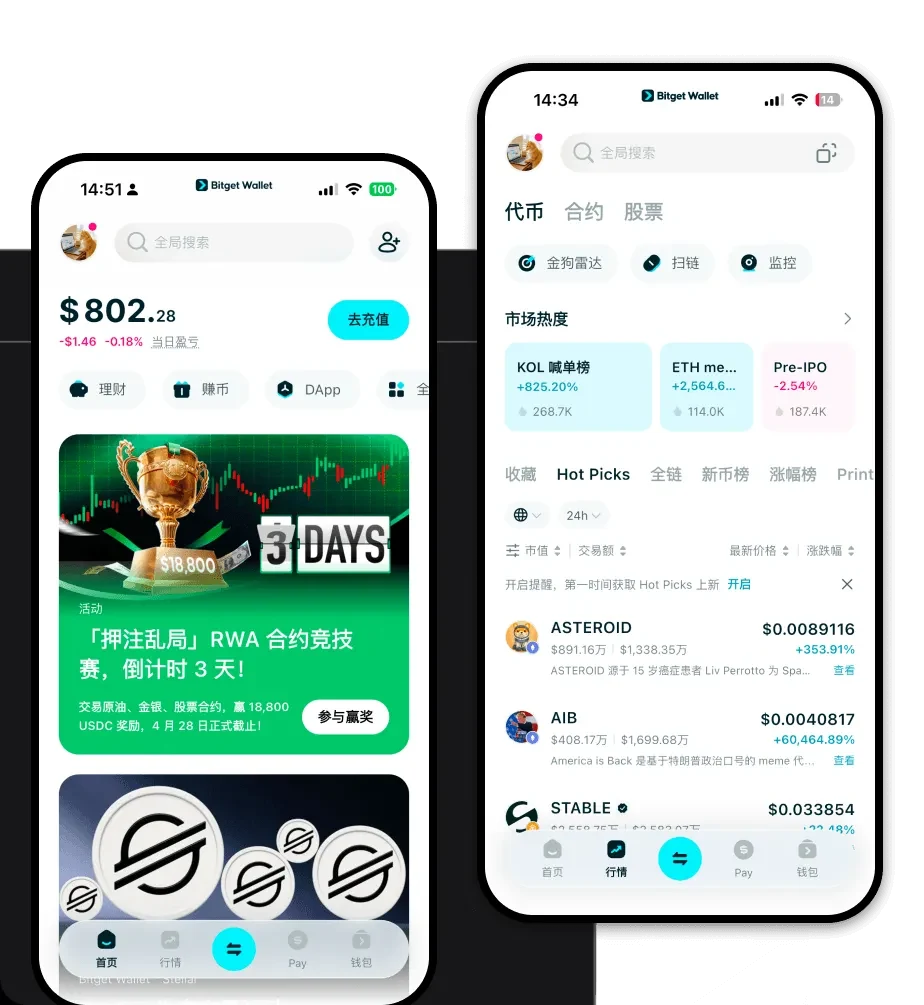
1. What is a mccraft Wallet?
In the rapidly evolving world of digital finance, having a reliable gateway to your assets is essential. McCRAFT is a digital asset that can be securely stored and managed using the Bitget Wallet, a platform trusted by 40 million users for exploring Web3 ecosystems. Because mccraft operates on the EVM (Ethereum Virtual Machine) blockchain, it requires a wallet that is fully compatible with Ethereum-based standards. This ensures that you can interact with decentralized applications, smart contracts, and the broader DeFi ecosystem without compatibility issues.
A mccraft wallet is essentially a digital interface that allows you to interact with the blockchain. It does not store the tokens themselves—those live on the blockchain—but rather, it stores the private keys that prove your ownership and allow you to authorize transactions. By using a specialized wallet for your mccraft tokens, you gain full control over your assets, ensuring that you are the sole custodian of your digital wealth.
2. Download Bitget mccraft Wallet
Getting started with your digital asset journey requires a secure and user-friendly application. To interact with your tokens effectively, you should download Bitget Wallet. This application is designed to be the best wallet for mccraft, offering a seamless experience across multiple devices. Whether you prefer managing your assets on the go via your smartphone or through a desktop browser, the app provides a unified interface.
The Bitget Wallet is available for iOS, Android, and as a browser extension, ensuring that your mccraft wallet app is always within reach. The installation process is straightforward: visit the official website, choose your preferred platform, and follow the prompts to install. Once installed, you will be able to manage your assets with full self-custody, meaning you hold your own private keys, providing a significant layer of security compared to centralized exchange accounts.
3. Why Choose Bitget mccraft Wallet?
When selecting the best wallet for mccraft, the choice of platform is critical, especially given the technical nature of EVM-compatible tokens. Bitget Wallet stands out for several key reasons:
- EVM Compatibility: As an EVM-based asset, mccraft benefits from Bitget Wallet's native support for Ethereum-style address formats and smart contract interactions, ensuring zero friction when moving tokens or interacting with DApps.
- Community-Driven Focus: Bitget Wallet integrates social and community features, making it easier to track the sentiment and growth of meme-centric assets like mccraft.
- High Liquidity Access: The wallet aggregates hundreds of decentralized exchanges (DEXs) and cross-chain bridges, ensuring that you can always find the best market rates for your tokens.
- Robust Security Architecture: With a 300 million USD user protection fund and advanced encryption, Bitget provides institutional-grade security for your personal assets.
- Decentralized Trading Efficiency: The built-in swap functionality allows for rapid execution of trades, which is essential for volatile meme tokens where every second counts.
4. How to Create a mccraft Wallet
Setting up your wallet is the first step toward true financial autonomy. Follow these five steps to create your mccraft wallet:
1. Download and Install: Use the official link to download the Bitget Wallet application on your preferred mobile device or browser.
2. Create a New Wallet: Open the app and select the 'Create a new wallet' option. You will be prompted to set a strong, unique password to protect your local device access.
3. Backup Your Seed Phrase: This is the most critical step. The app will generate a 12 or 24-word recovery phrase. Write this down on paper and store it in a secure, offline location. Never share this with anyone.
4. Verify Your Phrase: The application will ask you to re-enter the words to confirm that you have saved them correctly.
5. Add mccraft: Once your wallet is set up, use the search function in the asset management tab to add 'mccraft' to your token list. You will then see your unique mccraft wallet address, which you can use to receive funds.
5. What Can You Do With a mccraft Wallet?
Owning mccraft in a non-custodial wallet opens up a variety of possibilities within the crypto ecosystem:
Trading on decentralized exchanges: You can use the built-in swap feature in your wallet to trade mccraft for other tokens directly on the blockchain without needing a centralized intermediary.
Holding in non-custodial wallets: By keeping your tokens in your own wallet, you ensure that you retain full control over your assets, removing the risk associated with third-party exchanges.
Speculative investment: As a meme-category token, mccraft is often used for speculative purposes; having a fast, responsive wallet allows you to react quickly to market movements and community trends.
Liquidity provision: You can contribute your mccraft tokens to liquidity pools on decentralized finance platforms, allowing you to earn potential rewards based on the trading volume generated by the pool.
6. How mccraft Wallets Are Different from Other Crypto Wallets
Understanding the architecture of your wallet is vital. Because mccraft is an EVM-based token, it relies on the 'Account Model' used by Ethereum, which differs significantly from the UTXO (Unspent Transaction Output) model used by Bitcoin. In an EVM wallet, your balance is associated with an address, not a series of outputs, which makes complex smart contract interactions possible.
Furthermore, EVM wallets require you to manage 'Gas Fees'—the transaction costs paid to miners or validators to process your operations. Bitget Wallet simplifies this by providing real-time gas fee estimations and optimization, ensuring you don't overpay for your transactions. Unlike older wallet models that might be static, a modern EVM-compatible wallet like Bitget is dynamic, constantly updating to support the latest DeFi protocols and cross-chain innovations, providing a much higher degree of flexibility for meme-token enthusiasts.
