





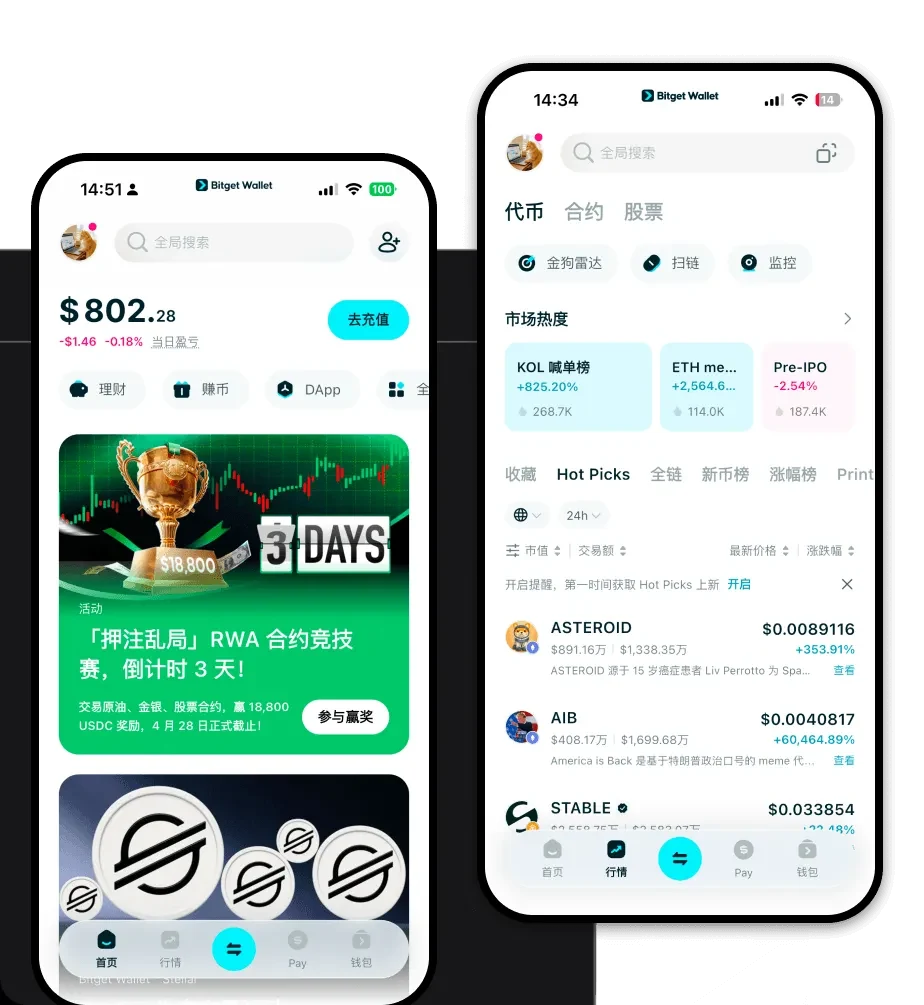
What is a GXQ Wallet?
A GXQ wallet is a digital interface that allows you to store, manage, and interact with GXQ tokens, which operate on the Ethereum Virtual Machine (EVM) blockchain. Because GXQ functions within the EVM ecosystem, it requires a wallet that is fully compatible with Ethereum-based smart contracts, gas fee structures, and decentralized finance protocols.
GXQ is a digital asset supported by the Bitget Wallet ecosystem, designed for secure storage and management within the Web3 space. It leverages the reliability of Bitget Wallet, which serves over 40 million users, to provide users with a secure gateway for exploring decentralized applications and managing their crypto holdings.
Download Bitget GXQ Wallet
Choosing the right tool is essential for managing your assets effectively. To get started, you need to download Bitget Wallet, which serves as a robust and secure GXQ wallet app. Whether you are using a mobile device or a desktop, the wallet provides a unified experience across platforms.
You can download Bitget Wallet directly from the official website to ensure you are getting the authentic application. It offers full support for multi-chain assets, allowing you to manage GXQ alongside other tokens without switching apps. The wallet utilizes a private-key, self-custody model, meaning you maintain full control over your assets at all times. It is available on iOS, Android, and as a browser extension, making it the best wallet for GXQ users who value accessibility and security.
Why Choose Bitget GXQ Wallet?
When selecting the best wallet for GXQ, the integration with the EVM ecosystem and the specific needs of meme token holders are paramount. Bitget Wallet stands out for several technical and functional reasons:
- EVM Compatibility & DeFi Integration: As an EVM-based token, GXQ benefits from Bitget Wallet’s deep integration with decentralized exchanges (DEXs). This ensures you can approve smart contract interactions and swap tokens with minimal friction compared to generic wallets.
- Optimized Gas Fee Management: The wallet provides real-time gas fee estimations and acceleration features, which are critical for meme token traders who need to execute transactions quickly during periods of high network volatility.
- Meme-Friendly Trading Interface: The platform is designed to handle high-frequency interactions, providing a clear dashboard to monitor the price action and market liquidity of your GXQ holdings in real-time.
- Robust Security Architecture: With over 300 million USD in user protection funds, Bitget Wallet ensures that your assets are shielded against common vulnerabilities, providing peace of mind while you explore the Web3 space.
- DApp Browser Access: You can easily connect to decentralized applications to stake or provide liquidity for GXQ without leaving the secure environment of your wallet.
How to Create a GXQ Wallet
Setting up your GXQ wallet is a straightforward process designed to prioritize your security from the very first step. Follow these instructions to get started:
Step 1: Install the App. Visit the official Bitget Wallet download page and install the application on your preferred device (iOS, Android, or browser extension).
Step 2: Create a New Wallet. Open the app and select 'Create a New Wallet.' You will be prompted to set a strong, unique password for your local device access.
Step 3: Secure Your Seed Phrase. The app will generate a 12 or 24-word recovery phrase. Write this down on paper and store it offline; never share this with anyone, as it is the only way to recover your funds if you lose access to your device.
Step 4: Configure for EVM. Since GXQ is an EVM token, your wallet is automatically configured to support it. You do not need to manually add custom RPCs, as the wallet supports all mainstream EVM chains by default.
Step 5: Receive GXQ. Once your wallet is set up, click on 'Receive' or 'Add Token' to get your GXQ wallet address. Copy this address and use it to withdraw your GXQ from exchanges or receive them from other wallets.
What Can You Do With a GXQ Wallet?
A GXQ wallet is more than just a storage container; it is a gateway to active participation in the crypto economy. Here is how you can utilize your wallet:
- Trading on decentralized exchanges: You can connect your wallet to platforms like Uniswap or other DEXs to swap GXQ for other assets, taking advantage of the liquidity available in the EVM ecosystem.
- Secure wallet storage: By using a self-custodial wallet, you ensure that your GXQ remains under your exclusive control, protected from the risks associated with centralized exchange failures.
- Portfolio management: You can use the built-in tracking tools to view the real-time value of your GXQ holdings, monitor profit and loss trends, and manage your asset allocation across different chains.
- Cross-chain asset interaction: If you hold GXQ on different chains or need to move value into the EVM ecosystem, you can utilize the wallet’s built-in cross-chain bridges to interact with assets seamlessly.
How GXQ Wallets Are Different from Other Crypto Wallets
The distinction between wallets often comes down to the underlying blockchain architecture. Unlike wallets built for UTXO-based chains (like Bitcoin), which focus on individual transaction inputs and outputs, a GXQ wallet built for the EVM operates on an account-based model. This means your wallet functions more like a bank account where your balance is a state variable updated by smart contracts.
This EVM-centric design allows for much faster transaction processing and lower fees when interacting with complex DeFi protocols compared to legacy chains. Furthermore, while some wallets require manual configuration of network parameters, a high-quality GXQ wallet app like Bitget automatically manages gas fees and network congestion, ensuring that your meme token transactions are processed efficiently even when the network is busy.
