What is a CNS Wallet?
A CNS wallet is a digital tool designed to store, manage, and interact with CNS (Centra) tokens. CNS is a cryptocurrency that was historically associated with the Centra Tech project, an initiative that aimed to provide crypto debit cards. It is important to note that this project faced significant regulatory and legal issues in the past. Users should exercise extreme caution as it is often considered a legacy or inactive token. Because CNS operates on the EVM (Ethereum Virtual Machine) blockchain as an ERC-20 standard token, a compatible wallet must support Ethereum-based assets to facilitate any potential interactions.
Download Bitget CNS Wallet
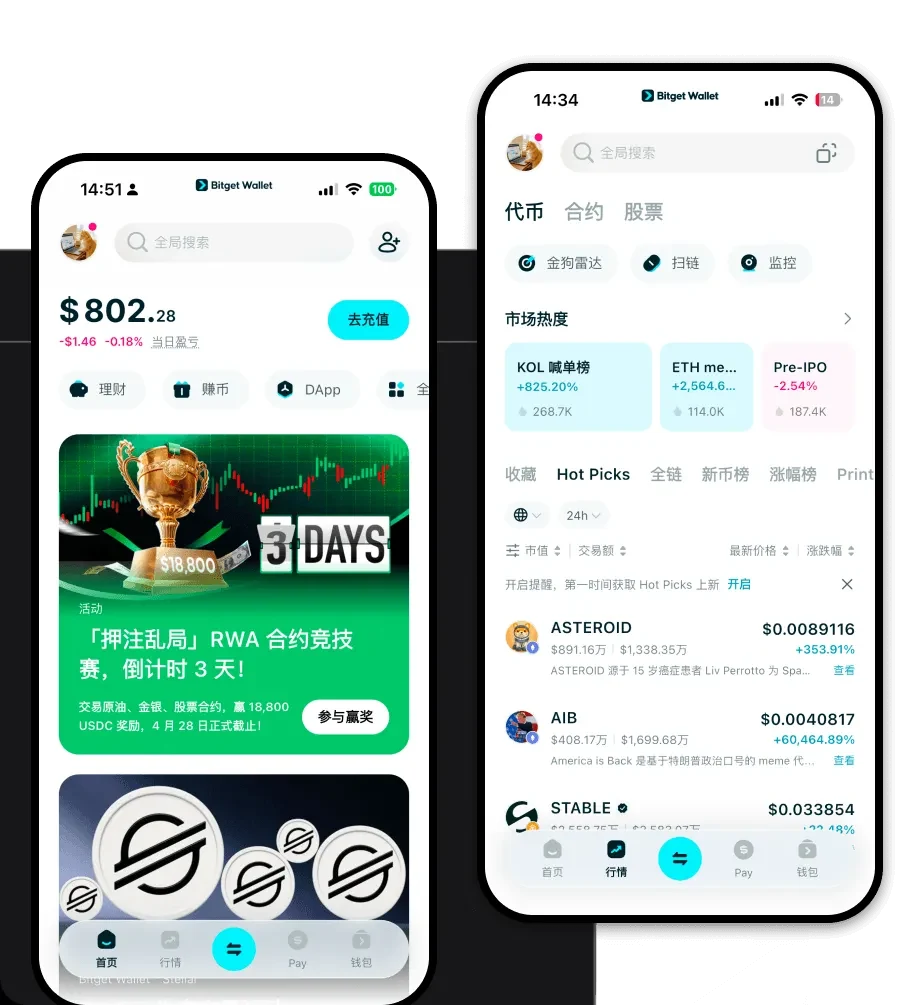
To effectively manage your digital assets, you need a reliable interface. You can download Bitget Wallet to experience a secure, non-custodial gateway to the Web3 world. Bitget Wallet is designed to provide full control over your private keys, ensuring that you remain the sole owner of your assets. Whether you are using an iOS device, an Android smartphone, or a desktop browser extension, the application offers a unified experience. With its extensive multi-chain support, it seamlessly integrates with the EVM ecosystem, allowing you to manage your tokens alongside thousands of other assets in a single, intuitive interface.
Why Choose Bitget CNS Wallet?
Choosing the right wallet for EVM-based tokens like CNS requires a focus on compatibility and security. Bitget Wallet is optimized for the infrastructure demands of the modern crypto landscape:
- EVM Ecosystem Compatibility: Since CNS is an ERC-20 token, Bitget Wallet provides native support for the Ethereum Virtual Machine, ensuring smooth interaction with smart contracts and decentralized protocols.
- Advanced Security Protocols: With a 300 million USD user protection fund, Bitget Wallet offers a robust safety net, crucial when dealing with legacy or older project tokens.
- Optimized Gas Fee Management: The wallet features smart gas fee estimation, helping you navigate the Ethereum network efficiently when managing your transactions.
- Seamless DApp Integration: Access a wide array of decentralized applications directly through the built-in browser, allowing for easy interaction with the DeFi space.
How to Create a CNS Wallet
Setting up your wallet is a straightforward process designed to prioritize your security while maintaining accessibility:
- Download and Install: Visit the official website to download Bitget Wallet for your preferred device (iOS, Android, or Browser Extension).
- Create a New Wallet: Open the app and select 'Create a New Wallet.' You will be prompted to set a strong, unique password for app-level protection.
- Backup Your Seed Phrase: The app will generate a 12-word recovery phrase. Write this down on paper and store it offline; never share this phrase with anyone, as it acts as the master key to your funds.
- Verify and Setup: Confirm your recovery phrase within the app to finalize the creation process.
- Import or Add CNS: Since CNS is an ERC-20 token, simply search for the token address within the 'Asset' management tab to add it to your main dashboard for easy viewing.
What Can You Do With a CNS Wallet?
Using a versatile wallet allows you to engage with your assets in several ways, even for legacy projects:
- Trading: You can utilize the built-in DEX aggregator within Bitget Wallet to swap assets, provided there is sufficient liquidity available for the token on decentralized exchanges.
- Holding: Bitget Wallet serves as a secure vault for your long-term holdings, giving you peace of mind with its non-custodial architecture and robust security fund.
- Wallet Storage: You can use the application as your primary storage solution, keeping your CNS tokens organized alongside your other EVM-compatible assets in one convenient location.
How CNS Wallets Are Different from Other Crypto Wallets
When dealing with tokens like CNS, the underlying blockchain architecture matters. Unlike UTXO-based chains (like Bitcoin), which rely on unspent transaction outputs, CNS operates on the EVM account-based model. This means your wallet balance is stored as an account state, which simplifies the process of checking balances and interacting with smart contracts. Furthermore, while some chains require complex resource management (like CPU/NET/RAM on EOS), EVM-compatible wallets like Bitget focus primarily on gas fee management. This allows for a more streamlined experience where transaction speed and cost are dictated by the current congestion of the Ethereum network, rather than complex resource staking requirements.