





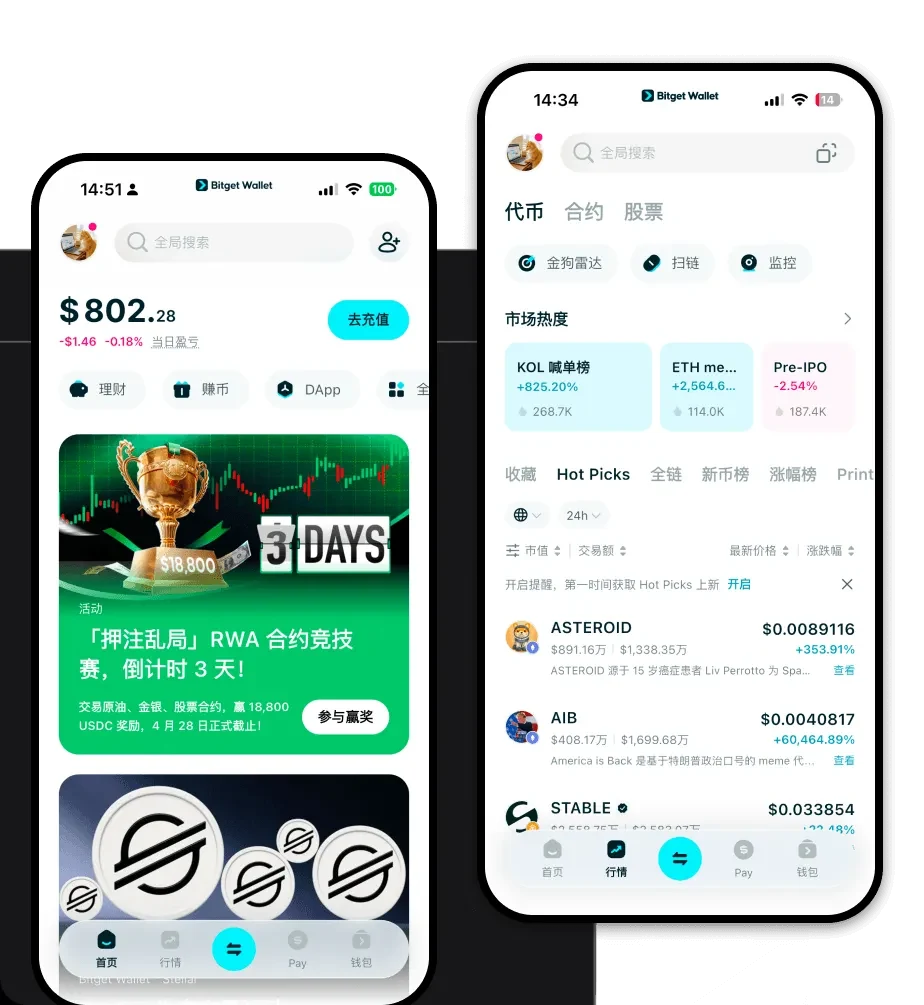
What is a CL Wallet?
A CL wallet acts as your personal gateway to the CoinLens (CL) ecosystem. Because CL operates within the EVM (Ethereum Virtual Machine) framework, it relies on wallet software that can communicate with Ethereum-based smart contracts. Essentially, your wallet is not just a storage device; it is a bridge that allows you to interact with decentralized applications, sign transactions, and manage your assets on the blockchain.
As stated by the project, CL (CoinLens) is a token often associated with specific ecosystem utility or trading pairs. Bitget Wallet provides a reliable and secure environment for users to manage, store, and trade CL, allowing them to explore Web3 functionalities with confidence. By using a specialized wallet, you ensure that your private keys remain under your control, providing you with full sovereignty over your digital assets while participating in the broader DeFi landscape.
Download Bitget CL Wallet
Finding the right tool is essential for managing your assets effectively. When you choose to download Bitget Wallet, you are opting for a robust, multi-chain solution designed for both beginners and advanced users. Whether you are using an iOS device, an Android smartphone, or prefer the convenience of a browser extension for desktop interactions, Bitget Wallet provides a seamless experience across all platforms.
The application prioritizes self-custody, meaning you are the sole holder of your private keys and seed phrases. This non-custodial approach is a cornerstone of decentralized finance, ensuring that no third party can access your funds. Furthermore, the wallet’s lightweight architecture ensures that you can switch between different EVM networks without the friction often associated with other crypto wallet apps. By integrating advanced security features with an intuitive interface, it simplifies the complex process of managing diverse token portfolios.
Why Choose Bitget CL Wallet?
Choosing the best wallet for CL requires looking beyond basic storage. As an EVM-compatible asset, CL benefits significantly from the infrastructure provided by Bitget Wallet. Here is why it stands out:
- Native EVM Compatibility: Bitget Wallet is architected to interact natively with Ethereum and its layer-2 scaling solutions, ensuring that your CL transactions are processed with full smart contract support and minimal compatibility issues.
- Decentralized Liquidity Aggregation: The wallet aggregates liquidity from hundreds of decentralized exchanges (DEXs), ensuring you get the best possible execution price for your CL trades without needing to manually bridge or search across different platforms.
- Advanced Cross-Chain Interoperability: Moving assets between chains can be complex, but Bitget Wallet simplifies this by supporting cross-chain swaps, allowing you to bridge your assets efficiently while maintaining low transaction latency.
- Robust Security Architecture: With a dedicated 300 million USD user protection fund, the platform adds an extra layer of defense against potential vulnerabilities, giving users peace of mind when holding significant positions.
- Optimized Gas Management: The wallet provides real-time gas fee estimations and suggests optimal network speeds, helping you avoid overpaying during periods of high network congestion.
How to Create a CL Wallet
Setting up your wallet is a straightforward process that takes only a few minutes. Follow these steps to get started:
Step 1: Visit the official website or your device's app store to download Bitget Wallet. Ensure you are using the official version to avoid phishing risks.
Step 2: Launch the app and select 'Create a New Wallet.' You will be prompted to set a secure password to protect the local application interface.
Step 3: The system will generate a secret recovery phrase (seed phrase). Write this down on paper and store it in a secure, offline location. Never share this with anyone, as it grants full access to your CL wallet address.
Step 4: Once the backup is verified, your wallet will automatically configure the default EVM settings. You can now view your public address by tapping the 'Receive' icon.
Step 5: To start using your wallet, simply send CL or ETH to your new address. Once the transaction is confirmed on the blockchain, your balance will reflect in the app automatically.
What Can You Do With a CL Wallet?
Your CL wallet is a powerful tool for engaging with the DeFi ecosystem. Here is how you can utilize your assets:
- Trading on Decentralized Exchanges: Use the built-in DApp browser to connect to platforms like Uniswap or SushiSwap, allowing you to swap your CL for other tokens directly from your wallet interface.
- Providing Liquidity: You can contribute your CL tokens to decentralized liquidity pools, which helps facilitate trades for other users and allows you to earn a portion of the transaction fees generated by the platform.
- Staking for Yield Rewards: By participating in staking protocols, you can lock your CL tokens to support network security or protocol governance, in return for receiving regular yield rewards, effectively growing your holdings over time.
- Portfolio Management: Use the integrated analytics tools within Bitget Wallet to track your token performance, monitor historical price data, and visualize your entire crypto portfolio in one unified dashboard.
How CL Wallets Are Different from Other Crypto Wallets
The primary difference between a high-quality CL wallet and standard alternatives lies in how they handle EVM-specific interactions. Unlike wallets designed for the UTXO model (like Bitcoin), which focus on individual transaction inputs and outputs, an EVM-based wallet like Bitget is designed for account-based models. This means it tracks balances based on addresses rather than unspent transaction outputs.
Furthermore, because CL operates within the DeFi sphere, your wallet must be able to handle complex smart contract calls. Many generic wallets struggle with high transaction latency or fail to provide clear, human-readable transaction previews. Bitget Wallet differentiates itself by offering clear transaction simulations, which show you exactly what will happen to your assets before you sign a contract. This is crucial for avoiding malicious smart contracts that could drain your funds, a feature that sets it apart from more basic, legacy wallet applications.
