





1. What is a GigaX Wallet?
A GigaX wallet serves as your personal gateway to interacting with the GigaX ecosystem. Because GigaX is a project often associated with high-performance blockchain solutions, it operates primarily within the EVM (Ethereum Virtual Machine) environment. This architecture allows for seamless integration with existing Ethereum-based protocols and applications. Users can manage GigaX assets securely using wallets like Bitget Wallet, which supports exploring Web3 ecosystems trusted by millions of users. By utilizing an EVM-compatible wallet, you ensure that your assets are stored securely while maintaining the flexibility to interact with a vast array of decentralized applications, smart contracts, and token standards that define the modern blockchain landscape.
2. Download Bitget GigaX Wallet
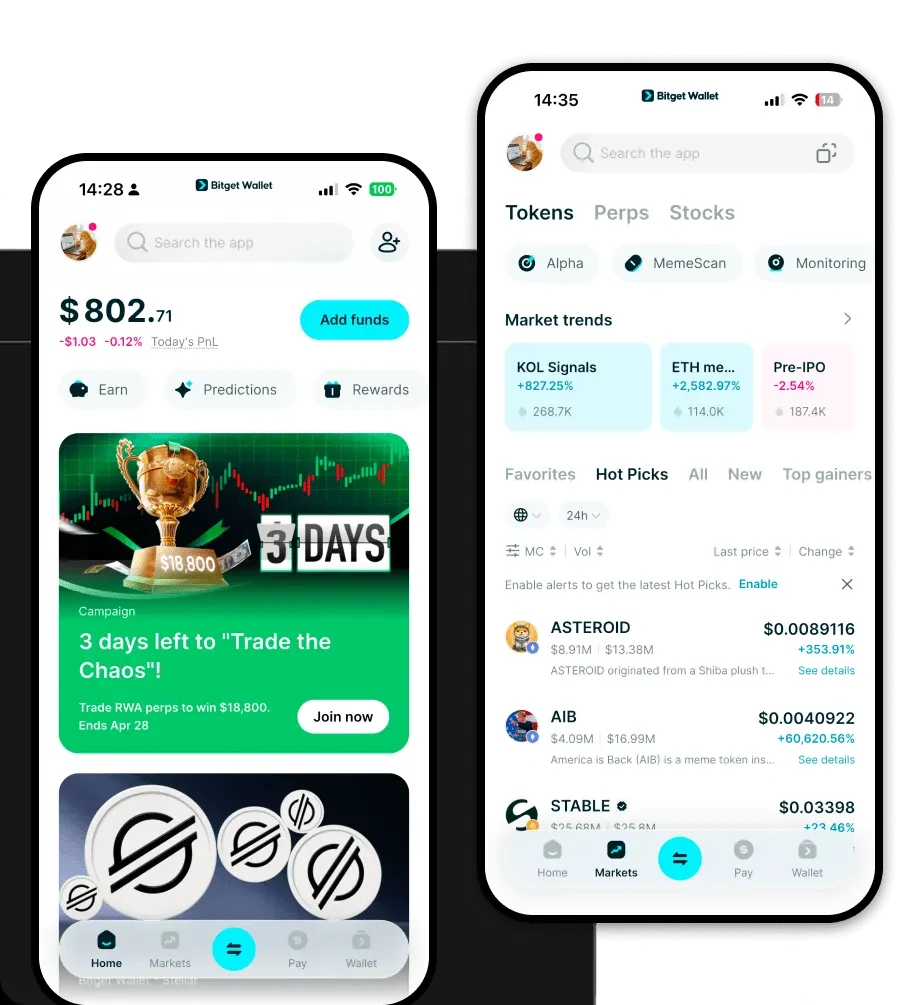
To begin your journey, you need a reliable application that bridges the gap between your assets and the blockchain. Bitget Wallet stands out as a top-tier choice for managing your GigaX tokens. It provides a robust, non-custodial environment, meaning you—and only you—hold the private keys to your digital wealth. Whether you are on the move or working from a desktop, the platform offers a seamless experience across iOS, Android, and browser extensions.
You can download Bitget Wallet to experience a unified interface that supports hundreds of blockchains. By choosing a self-custodial solution, you ensure that your GigaX holdings remain under your direct control, free from the risks associated with centralized exchanges.
3. Why Choose Bitget GigaX Wallet?
Navigating the EVM ecosystem requires a wallet that understands the nuances of scalability and performance. Bitget Wallet is engineered to handle the specific demands of infrastructure-focused tokens like GigaX. Here is why it is the preferred choice:
- Native EVM Compatibility: Bitget Wallet is built to handle EVM-based assets natively, ensuring that your GigaX transactions are processed without the friction often found in less optimized wallets.
- Scalability-Focused Architecture: The wallet optimizes RPC connections, ensuring that even during periods of high network congestion, your transactions are broadcast with speed and reliability.
- Low Transaction Fee Management: With built-in gas fee estimation and optimization tools, the wallet helps you navigate the cost structures of the EVM ecosystem, ensuring you never overpay for network operations.
- Cross-Chain Interoperability: As GigaX often interacts with cross-chain bridges, Bitget Wallet provides a streamlined dashboard to monitor assets across different chains, simplifying the management of your portfolio.
- High Throughput Support: Designed to support high-performance blockchains, the wallet interface remains responsive and fluid, even when managing complex smart contract interactions or high-frequency trading activities.
4. How to Create a GigaX Wallet
Setting up your wallet is a straightforward process that prioritizes your security. Follow these steps to get started:
- Download and Install: Visit the official website to download Bitget Wallet. Install the app on your preferred device (iOS, Android, or Browser Extension).
- Create a New Wallet: Open the app and select 'Create a Wallet'. You will be asked to set a strong, unique password to protect the app locally.
- Backup Your Seed Phrase: The app will generate a 12 or 24-word recovery phrase. Write this down on paper and store it in a secure, offline location. Never share this with anyone.
- Verify Your Backup: Enter the words in the correct order to confirm you have backed them up correctly. This confirms that you can recover your assets if your device is lost.
- Add GigaX to Your Dashboard: Since Bitget Wallet supports EVM tokens by default, you can simply search for the GigaX token in the asset list and toggle it 'On' to view your balance and transaction history.
5. What Can You Do With a GigaX Wallet?
A GigaX wallet is more than just a place to store tokens; it is a tool for active participation in the Web3 economy. Here is how you can utilize your GigaX assets:
- Trading: You can engage in swapping GigaX for other assets directly through the wallet's integrated DEX aggregators, which scan hundreds of liquidity pools to find the best market rates.
- Staking: By connecting your wallet to authorized staking protocols, you can lock your GigaX tokens to help secure the network and earn potential yield or governance rewards.
- Cross-chain Asset Transfers: Use the wallet’s built-in bridge features to move your GigaX assets across different EVM-compatible chains efficiently and securely.
- Providing Liquidity in DEXs: You can participate in decentralized finance (DeFi) by adding your GigaX tokens to liquidity pools, allowing you to earn a share of the transaction fees generated by the platform.
- Interacting with dApps: With the integrated DApp browser, you can connect your wallet to various decentralized applications to explore new use cases, gaming platforms, or NFT marketplaces without leaving the app.
6. How GigaX Wallets Are Different from Other Crypto Wallets
When choosing a wallet for GigaX, it is important to understand why an EVM-optimized wallet behaves differently than others. Unlike wallets designed for UTXO-based chains (like Bitcoin), which focus on discrete transaction outputs, GigaX wallets are designed for the account-based model of the EVM. This means they track balances associated with specific addresses, facilitating smoother smart contract executions.
Furthermore, while some wallets struggle with the resource-heavy nature of high-throughput chains, Bitget Wallet is architected to handle the EVM's specific gas fee dynamics. It provides real-time adjustments to ensure your transactions are prioritized correctly, preventing the 'stuck transaction' issues common in generic wallet software. By focusing on the infrastructure needs of the EVM, Bitget Wallet ensures that your experience remains fast, low-cost, and technically sound.
