





What is an ms Wallet?
An ms wallet is a specialized digital interface designed to interact with the EVM (Ethereum Virtual Machine) blockchain, where your ms tokens reside. Because ms operates within the robust EVM framework, you need a wallet that understands smart contract interactions, gas fee estimations, and decentralized asset management protocols.
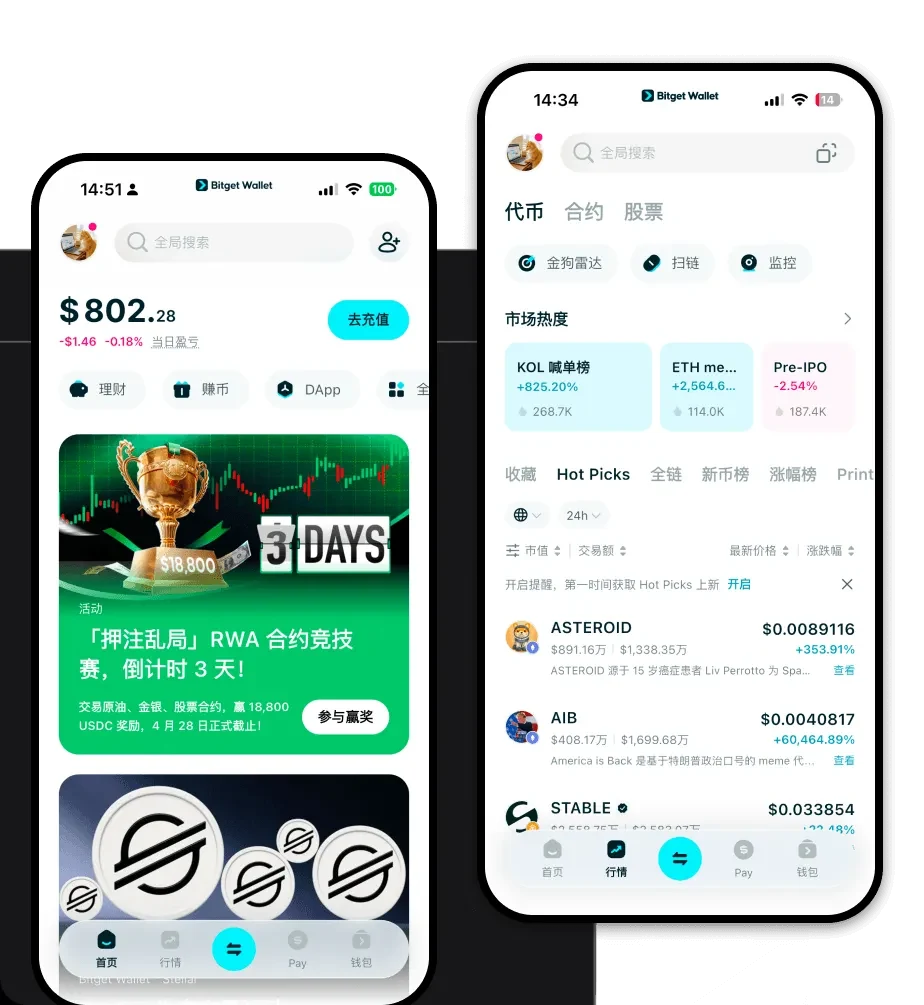
Bitget Wallet provides a reliable and secure crypto wallet solution. Trusted by 40 million users, it enables users to explore the Web3 ecosystem, manage digital assets, and interact with decentralized applications seamlessly. It serves as your personal gateway to the broader Web3 landscape, ensuring that your ms tokens are not just stored, but are actively participating in the decentralized economy.
Download Bitget ms Wallet
Getting started with your digital journey requires a secure entry point. When you download Bitget Wallet, you are choosing a platform that prioritizes user control and cross-platform accessibility. Whether you are using an iOS device, an Android smartphone, or prefer the convenience of a browser extension for your desktop, the experience remains consistent and fluid.
The application is designed for both newcomers and power users, offering a non-custodial environment where you retain complete control over your private keys. With built-in multi-chain support, you aren't just limited to one ecosystem; you can manage your ms tokens alongside other assets, ensuring your portfolio is organized and accessible at all times.
Why Choose Bitget ms Wallet?
When selecting the best wallet for ms, the infrastructure of the wallet matters as much as the token itself. Bitget Wallet stands out for several technical and user-centric reasons:
- EVM Compatibility: Built natively for the EVM ecosystem, providing seamless interaction with smart contracts and rapid transaction processing.
- Non-Custodial Security: You own your keys and your assets, backed by a robust $300 million user protection fund that adds an extra layer of defense against malicious actors.
- Integrated dApp Browser: Easily access decentralized exchanges, yield farms, and lending platforms directly within the app without needing to switch interfaces.
- Cross-Chain Swap Capability: Move your assets across different chains effortlessly, ensuring you are never locked into a single ecosystem.
- Optimized Gas Management: Advanced algorithms help you navigate network congestion, ensuring your ms transactions are processed efficiently.
How to Create an ms Wallet
Creating your secure ms wallet is a straightforward process that ensures your assets are protected from the start:
- Install the App: Download the official Bitget Wallet application from the App Store, Google Play, or the official website.
- Initialize Your Wallet: Open the app and select 'Create New Wallet' to generate a new set of keys.
- Secure Your Seed Phrase: You will be given a recovery phrase. Write this down on paper and store it in a safe, offline location; never share this with anyone.
- Add ms Token: Once your wallet is set up, go to the asset list, use the search function to find 'ms', and toggle the switch to add it to your dashboard.
- Verify Your Address: Click on the 'Receive' button within the ms token view to see your unique ms wallet address, which you can use to deposit funds.
What Can You Do With an ms Wallet?
Owning an ms wallet opens up a world of utility beyond simple holding. Here is how you can maximize your asset usage:
- Asset Management: Monitor your ms holdings and overall portfolio performance in real-time with an intuitive, aggregated dashboard.
- dApp Interaction: Connect your wallet to your favorite decentralized applications to participate in governance or utilize DeFi services without leaving the interface.
- Token Swapping: Use the built-in decentralized exchange aggregator to swap your ms for other tokens at the best available rates.
- NFT Storage: Securely view, manage, and transfer your NFTs, which are automatically recognized and displayed within your wallet gallery.
- Staking Participation: Engage directly with staking protocols to lock your ms tokens and earn passive rewards, contributing to the network's security and your own yield.
How ms Wallets Are Different from Other Crypto Wallets
It is important to understand that not all wallets are built the same. While a Bitcoin wallet focuses on the UTXO (Unspent Transaction Output) model—prioritizing simple balance tracking and cold storage security—an ms wallet, being EVM-based, is built on the account model. This means your wallet acts like a bank account with a specific address and a nonce to track transactions, which allows for complex smart contract execution.
Unlike wallets designed for resource-heavy chains like EOS, an ms wallet is optimized for gas-based transaction fees. This allows for more predictable costs and faster settlement times within the Ethereum-compatible ecosystem. Furthermore, the Bitget ms wallet app provides a higher level of integration with dApps compared to generic wallets, which often require cumbersome manual connection steps.
