





What is a NIKO Wallet?
A NIKO wallet acts as your personal gateway to interacting with the NIKO cryptocurrency. NIKO is a meme-themed cryptocurrency that has gained traction within the Solana ecosystem, often associated with community-driven initiatives and viral social media presence. Users can manage and trade their NIKO tokens securely through wallets like Bitget Wallet, which offers full support for the Solana network and its diverse range of Web3 assets.
Because NIKO operates on the Solana blockchain, it benefits from the network's unique architecture. A proper NIKO wallet is not just a storage location; it is an interface that allows you to sign transactions, interact with decentralized applications (DApps), and view your asset balances directly on the ledger without relying on centralized exchanges.
Download Bitget NIKO Wallet
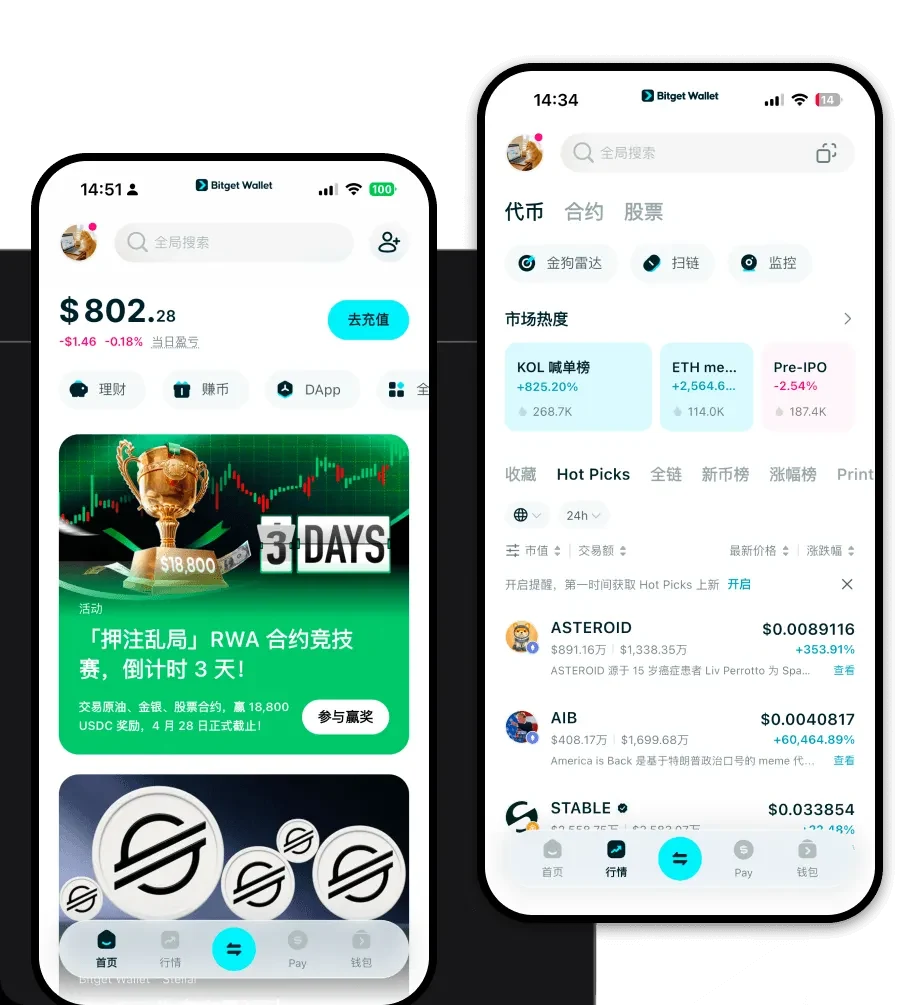
To start managing your tokens, you need a tool that bridges simplicity with robust security. Bitget Wallet stands out as a top-tier choice for NIKO holders due to its seamless integration with the Solana ecosystem. Whether you are using a mobile device or a desktop browser, the interface is designed to make complex blockchain interactions intuitive.
You can download Bitget Wallet to get started. The application provides comprehensive multi-chain support, ensuring that you can manage not only your NIKO tokens but also other Solana-based assets and tokens from over 130 other blockchains in one place. By utilizing private key self-custody, Bitget Wallet puts the control of your assets entirely in your hands, offering versions for iOS, Android, and browser extensions to suit your preferred trading environment.
Why Choose Bitget NIKO Wallet?
Choosing the right wallet for a meme coin like NIKO is critical, especially when dealing with the high-speed nature of Solana. Here is why Bitget Wallet is the best wallet for NIKO:
- Native Solana Optimization: Engineered to leverage Solana’s high throughput, ensuring that your NIKO transactions are processed rapidly without the bottlenecks seen on legacy networks.
- Cost-Effective Trading: With Solana’s characteristically low transaction fees, Bitget Wallet allows you to move your NIKO assets frequently without incurring the heavy gas costs associated with other chains.
- DEX Aggregation: Access high liquidity on DEXs directly through the wallet’s built-in swap feature, allowing you to trade NIKO at the best available market rates.
- Robust Security: Backed by a $300 million user protection fund, the wallet provides institutional-grade security for your meme coin portfolio, protecting you against common Web3 vulnerabilities.
- Community-Centric Features: Stay updated with the latest NIKO trends and community-driven initiatives through the integrated DApp browser.
How to Create a NIKO Wallet
Setting up your wallet is a straightforward process designed for both newcomers and experienced traders:
1. Download and Install: Visit the official website to download the Bitget Wallet app for your specific device (iOS, Android, or browser extension).
2. Create a New Wallet: Open the app and select 'Create a Wallet.' You will be prompted to set a strong password for your device.
3. Backup Your Seed Phrase: This is the most crucial step. Write down your 12 or 24-word recovery phrase on paper and store it in a secure, offline location. Never share this with anyone.
4. Access Your Solana Address: Once the wallet is initialized, navigate to the asset list and select 'Solana' or 'NIKO.' Your NIKO wallet address will be visible, which you can use to receive tokens.
5. Verify and Fund: You are now ready to deposit NIKO or SOL to cover transaction fees. Always verify the address before sending funds.
What Can You Do With a NIKO Wallet?
Owning a NIKO wallet unlocks a variety of utilities within the Solana ecosystem:
- Trading: Use your wallet to execute buy and sell orders on decentralized exchanges, taking advantage of NIKO's market volatility.
- Speculative Holding: Securely store your NIKO tokens in a non-custodial environment, ensuring you remain the sole owner of your assets during market cycles.
- Liquidity Provision: Participate in decentralized finance by providing your NIKO tokens to liquidity pools, which helps facilitate trading for others while potentially earning rewards.
- Community Participation: Use your wallet to connect to community governance platforms or exclusive NIKO-themed DApps where token holders can vote or engage.
- Social Tipping: Send small amounts of NIKO directly to other users as a form of social tipping or appreciation within the vibrant Solana community.
How NIKO Wallets Are Different from Other Crypto Wallets
A wallet designed for NIKO is distinct because it is optimized for the Solana network rather than EVM-based chains like Ethereum. While Ethereum wallets focus on managing 'gas' for complex smart contract execution, a NIKO wallet must prioritize speed and low latency.
Unlike wallets that struggle with network congestion, a NIKO-compatible wallet on Solana utilizes the network's Proof-of-History (PoH) consensus mechanism to provide near-instant finality. Furthermore, because Solana does not use the same gas fee structure as EVM chains, your NIKO wallet interface will reflect a simplified fee model, making micro-transactions—such as tipping or small trades—economically viable. By choosing a specialized wallet like Bitget, you avoid the compatibility issues that often arise when trying to force a meme token into a wallet that isn't optimized for high-performance, low-fee ecosystems.
