





What is a Teslacles Wallet?
A Teslacles wallet is a digital interface that allows you to interact with the Teslacles token, a vibrant asset within the meme coin ecosystem. Because Teslacles operates on an EVM (Ethereum Virtual Machine) compatible chain, it requires a wallet that can handle complex smart contracts and interact seamlessly with decentralized finance protocols. Whether you are a casual holder or a liquidity provider, having the right wallet is the first step in your journey.
Are you looking for a reliable and secure crypto wallet for your Teslacles? Bitget Wallet will be your best choice. Trusted by 40 million users, you can freely explore Web3 on Bitget Wallet. Start your journey now!
As an EVM-based asset, Teslacles utilizes the standard account-based model, meaning your wallet address acts as your unique identity on the blockchain. Bitget Wallet simplifies this experience, ensuring that your interactions with the Teslacles ecosystem—from simple transfers to complex DApp interactions—are handled with precision and security.
Download Bitget Teslacles Wallet
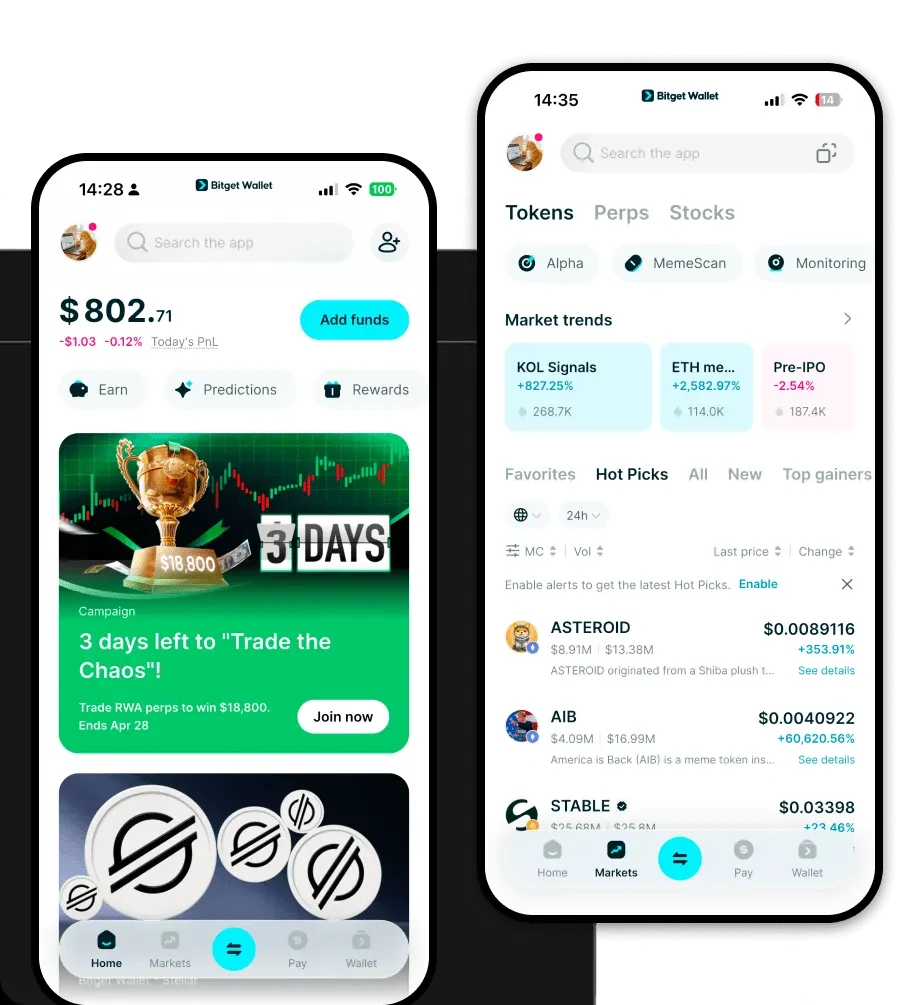
Getting started with your Teslacles journey is straightforward. To begin, you can download Bitget Wallet directly from the official website, or via the Apple App Store and Google Play Store. Bitget Wallet is designed for the modern user, offering a unified experience across iOS, Android, and browser extensions.
The platform prioritizes self-custody, giving you full control over your private keys. This is crucial for meme coin enthusiasts who value ownership. By using the Bitget Wallet app, you gain access to a multi-chain environment that supports over 130 blockchains, ensuring that your Teslacles are always accessible alongside your other assets. The setup process is intuitive, allowing you to import existing wallets or generate a new, secure address in seconds.
Why Choose Bitget Teslacles Wallet?
Choosing the right wallet for a meme coin like Teslacles is about more than just storage; it is about performance and integration. Here is why Bitget Wallet stands out for Teslacles users:
- Seamless EVM Compatibility: Since Teslacles is built on an EVM-compatible chain, Bitget Wallet offers native support that mirrors the MetaMask experience but with enhanced features, ensuring you never run into compatibility issues when connecting to DApps.
- Smart Gas Fee Management: Meme coin trading often requires speed. Bitget Wallet provides advanced gas fee estimation, helping you optimize transactions so your trades go through during high-volatility periods without overpaying.
- High-Speed Decentralized Trading: With built-in DEX aggregation, you can execute trades for Teslacles with minimal slippage and high liquidity, ensuring you get the best price available across the market.
- Viral Social Sentiment Integration: Bitget Wallet tracks market trends, allowing you to monitor the social sentiment around Teslacles directly within the interface, keeping you ahead of the curve.
- Enterprise-Grade Security: With a $300 million user protection fund, Bitget Wallet provides a layer of security that protects your assets against unforeseen protocol risks, giving you peace of mind.
How to Create a Teslacles Wallet
Creating your wallet to manage Teslacles is a simple five-step process designed to keep your assets secure:
1. Download and Install: Visit the official link to download the Bitget Wallet app. Ensure you are using the verified version from the official store to maintain security.
2. Initialize the Wallet: Open the app and select 'Create a New Wallet'. You will be asked to set a strong, unique password to protect the app locally on your device.
3. Secure Your Recovery Phrase: This is the most critical step. The app will generate a 12-to-24-word recovery phrase. Write this down on physical paper and store it in a secure, offline location. Never share this with anyone.
4. Add Teslacles to Your Dashboard: Once your wallet is active, use the 'Add Token' feature. Paste the official Teslacles contract address (ensure it is the correct EVM contract) to make the token visible in your main portfolio view.
5. Verify and Use: Your wallet is now ready. You can copy your wallet address to receive Teslacles or interact with DEXs to start trading.
What Can You Do With a Teslacles Wallet?
Managing your Teslacles goes beyond simple storage. With Bitget Wallet, you can engage in several key activities:
- Trading on decentralized exchanges: Use the integrated DApp browser to connect to platforms like Uniswap or other DEXs to swap your Teslacles for ETH or other tokens instantly.
- Holding for speculative gain: Securely store your tokens in a self-custodial environment, knowing that your keys are under your control while you wait for market growth.
- Providing liquidity in pools: If you are an advanced user, you can use your Teslacles to provide liquidity in decentralized pools, earning a share of the transaction fees generated by the protocol.
- Cross-chain transfers: Move your assets across different networks effortlessly using the built-in bridge features, allowing you to leverage Teslacles on various EVM chains.
- Portfolio tracking: Use the real-time analytics dashboard to monitor your Teslacles holdings, visualize your profit and loss, and keep track of your overall crypto net worth.
How Teslacles Wallets Are Different from Other Crypto Wallets
When comparing wallets for Teslacles, it is important to understand the technical nuances. Unlike UTXO-based wallets (like those for Bitcoin), which require managing 'unspent outputs,' a Teslacles wallet uses the EVM account-based model. This means every transaction involves a nonce and a balance check, which Bitget Wallet manages automatically in the background.
Furthermore, while many standard wallets are basic storage tools, Bitget Wallet acts as a comprehensive Web3 gateway. It optimizes for the high-frequency trading nature of meme coins. Where other wallets might lag during high network congestion, Bitget’s infrastructure is designed to handle the rapid-fire transaction requirements of the EVM ecosystem. By choosing a specialized wallet, you benefit from lower slippage, faster transaction propagation, and a user interface specifically tuned for the volatile and fast-paced world of meme coin speculation.
