






1
/
4
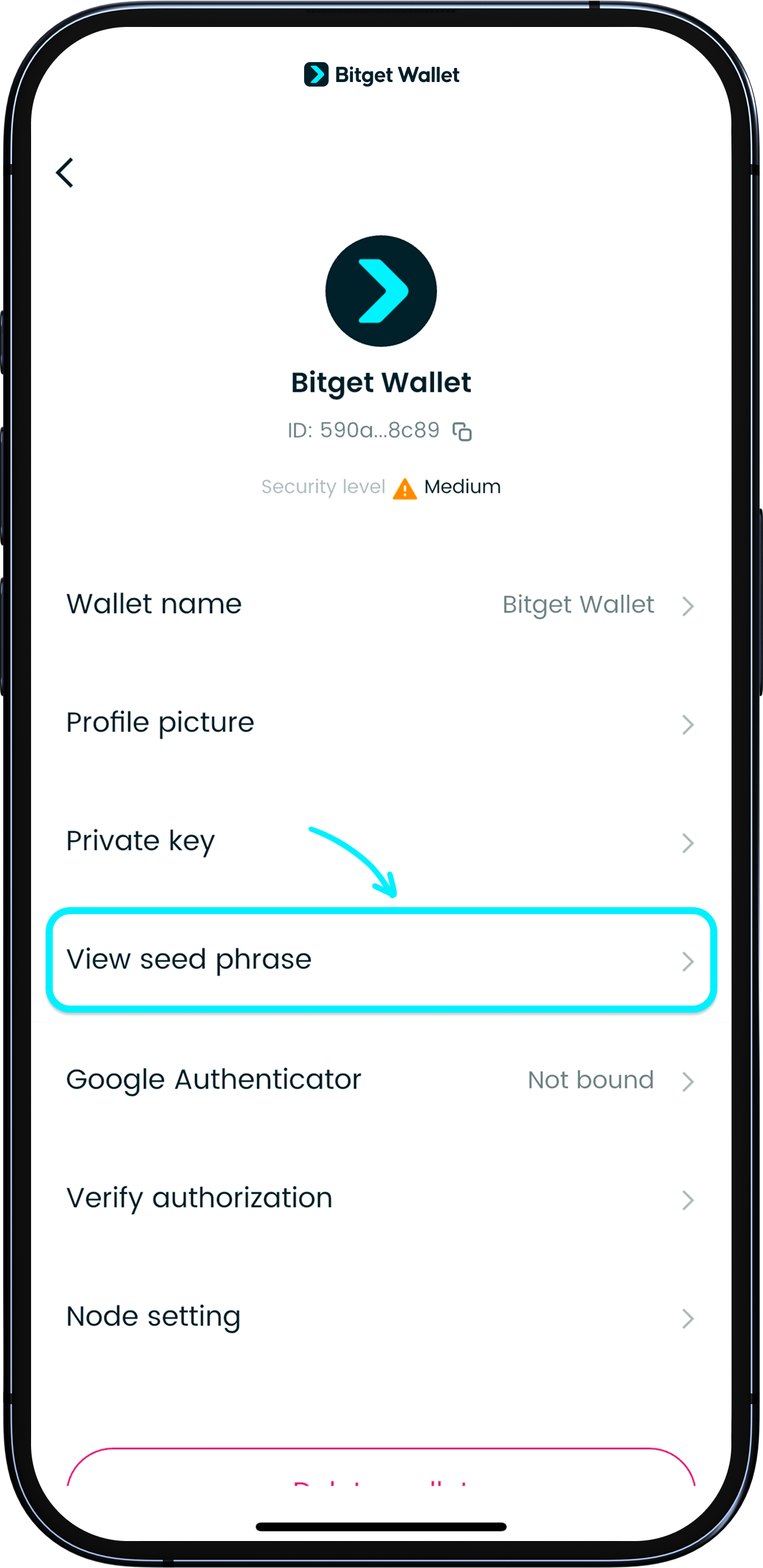
Import with seed phrase/private key
Already have a wallet? No problem! You can bring it over to Bitget Wallet.
In your existing wallet app, locate your seed phrase or private key. This is usually found on the wallet management page.
Already have a wallet? No problem! You can bring it over to Bitget Wallet.
In your existing wallet app, locate your seed phrase or private key. This is usually found on the wallet management page.
1
/
4
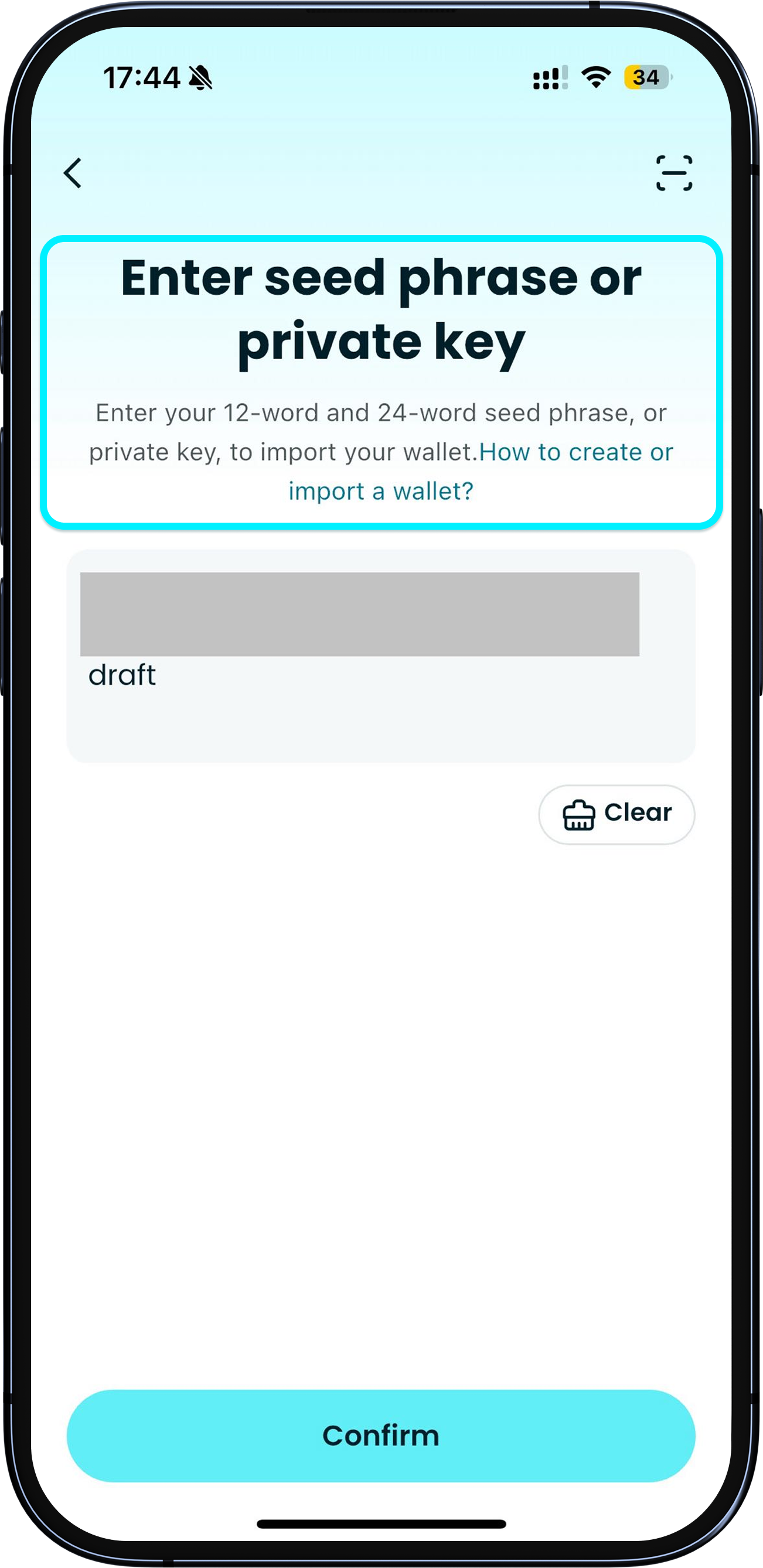
Import with seed phrase/private key
When you're ready, open "Bitget Wallet", tap "Import wallet", enter your full seed phrase or private key, then tap "Confirm".
1
/
4
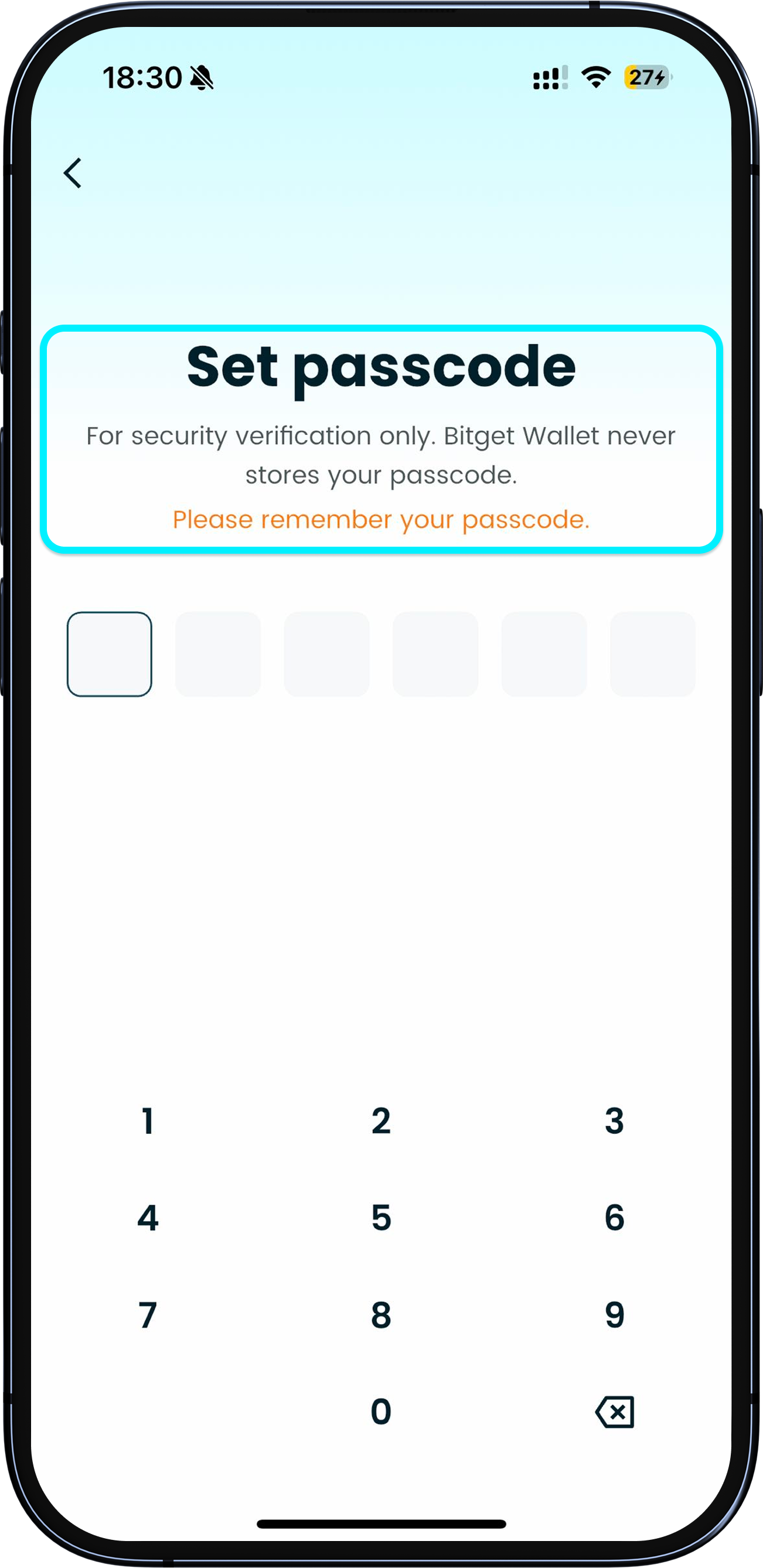
Set a wallet passcode
Set your wallet passcode. This is bound to your device and used to verify your identity and authorize transactions/signing. Be sure to remember it.
1
/
4
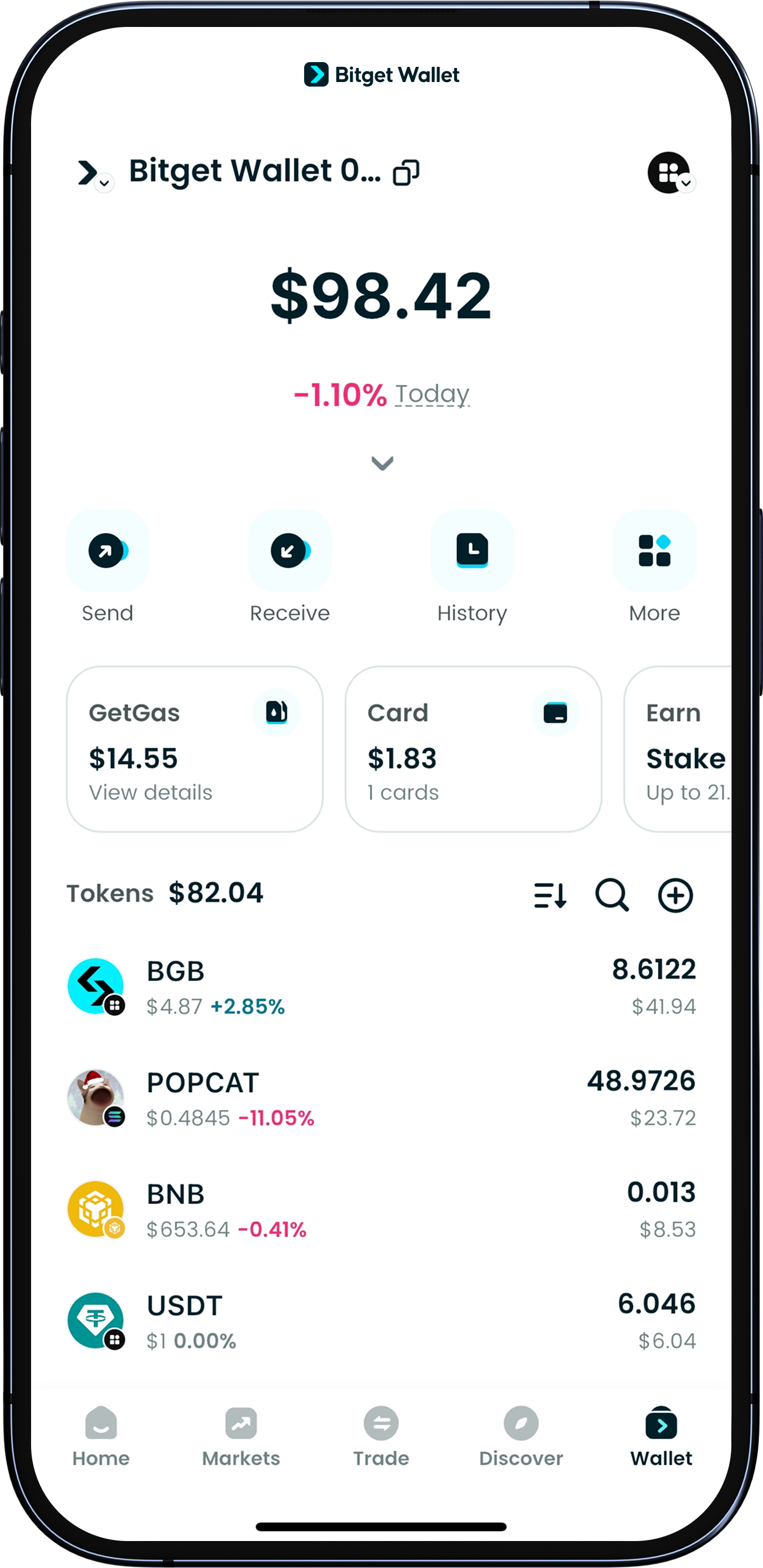
View assets
After successfully importing, verify if your total assets and the assets of each chain in your new wallet match that of your previous one.
And there you go, you're all set! If you don't think you'll use your old wallet anymore, consider removing it from your previous app to keep everything secure. Always remember to manage your backups securely.