





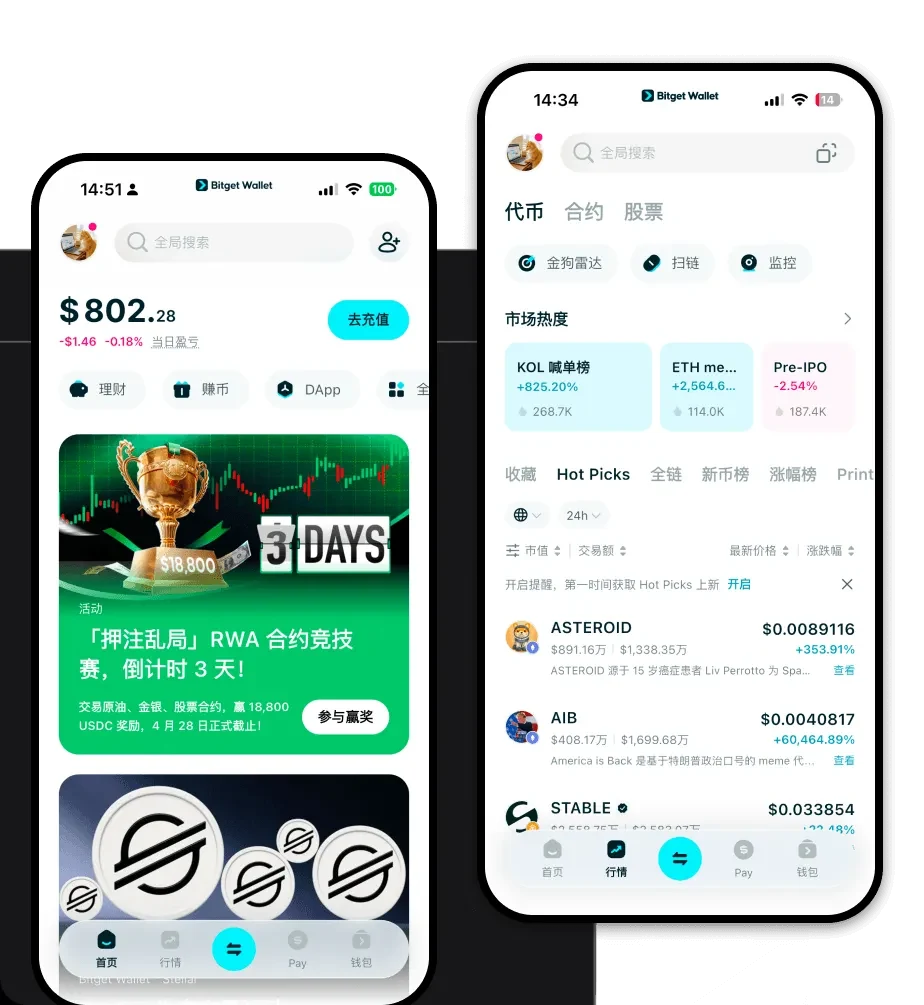
1. What is a CHC Wallet?
A CHC wallet is a digital gateway designed to interact with the EVM-compatible networks where your CHC tokens reside. Because CHC operates on the EVM (Ethereum Virtual Machine) chain, it requires a wallet that can interpret smart contracts, manage gas fees in native tokens, and interact with decentralized applications (dApps) seamlessly. CHC is a digital asset supported by Bitget Wallet, a secure and reliable crypto wallet trusted by 40 million users, enabling seamless Web3 exploration and asset management.
2. Download Bitget CHC Wallet
To start your journey with CHC, you need a robust, non-custodial gateway that offers more than just basic storage. Bitget Wallet stands out by providing a decentralized experience where you maintain full control over your private keys. Whether you are a mobile-first user or prefer managing assets from your desktop, Bitget Wallet ensures cross-platform accessibility.
You can download Bitget Wallet across iOS, Android, and as a browser extension. It is engineered to support over 130 public chains, ensuring that your CHC tokens are always accessible alongside your other multi-chain assets. By choosing this wallet, you are opting for a platform that prioritizes user sovereignty while providing the tools necessary for an efficient Web3 experience.
3. Why Choose Bitget CHC Wallet?
When dealing with EVM-based infrastructure assets like CHC, you need a wallet that understands the nuances of the Ethereum ecosystem. Bitget Wallet is optimized to handle these complexities with ease:
- EVM Compatibility: Designed specifically for EVM chains, it allows for instant recognition of your CHC tokens and seamless interaction with any smart contract on the network.
- High Security Standards: With a dedicated $300 million user protection fund and advanced encryption, Bitget Wallet provides a fortified environment for your digital assets.
- Seamless Web3 Integration: Access the vast world of DeFi and dApps directly through the wallet’s built-in browser, eliminating the need for fragmented navigation.
- Smart Gas Management: The wallet intelligently estimates gas fees for CHC transactions, helping you avoid failed transactions and optimize your network costs.
4. How to Create a CHC Wallet
Creating your wallet is a straightforward process that grants you immediate access to your CHC holdings. Follow these steps:
- Download and Install: Visit the official Bitget Wallet website and download the application for your preferred device (iOS, Android, or Browser Extension).
- Create a New Wallet: Open the app, select 'Create Wallet,' and set a strong, unique password to secure your local access.
- Backup Your Seed Phrase: The app will generate a 12-word recovery phrase. Write this down on paper and store it securely—this is your only way to recover your CHC if you lose your device.
- Verify Setup: Follow the on-screen prompts to verify your recovery phrase, ensuring you have correctly noted it down.
- Add CHC: Once your wallet is active, navigate to the asset list and add CHC by importing the token contract address or searching for it directly within the wallet's token list to see your balance.
5. What Can You Do With a CHC Wallet?
A CHC wallet is more than just a place to hold funds; it is an active tool for engaging with the infrastructure layer of Web3:
- Asset Storage: You can securely store your CHC tokens in a non-custodial environment where you retain total ownership of your private keys.
- Token Trading: Leverage the built-in DEX aggregator to swap CHC for other assets at the best available market rates without leaving your wallet interface.
- Portfolio Management: Monitor the real-time value and performance of your CHC holdings through an intuitive dashboard that tracks your entire EVM portfolio.
- Web3 dApp Interaction: Connect your wallet seamlessly to decentralized platforms to participate in governance, staking, or liquidity provision associated with CHC and its ecosystem.
6. How CHC Wallets Are Different from Other Crypto Wallets
Not all wallets are created equal, especially when dealing with EVM assets. While some wallets are basic storage containers, a Bitget CHC wallet is built for high-frequency interaction. Because CHC is an EVM token, it relies on the account-based model rather than the UTXO model used by Bitcoin. This means your wallet must be constantly synced to the state of the blockchain to track your balance and transaction history accurately.
Unlike wallets designed for UTXO chains, which focus on transaction inputs and outputs, your CHC wallet is optimized for gas fee estimation and smart contract interaction. It manages the complexities of 'approvals' and 'allowances'—crucial security features when interacting with DeFi protocols—which simple wallets often struggle to display clearly. By using Bitget, you benefit from a interface that simplifies these complex EVM interactions, making your CHC transactions faster and more transparent.
