



What is a BEN Wallet?
A BEN wallet is a digital asset management tool designed to interact with the BEN token, a cryptocurrency operating on the EVM (Ethereum Virtual Machine) blockchain. Because BEN is built on the Ethereum ecosystem, it requires a wallet that supports ERC-20 tokens and decentralized finance (DeFi) protocols. As a user, having a reliable wallet is the first step toward participating in the ecosystem of this specific asset.
BEN is a meme-based cryptocurrency associated with the Ben.eth ecosystem. It is primarily community-driven and relies on social media engagement and viral trends for its market presence, rather than specific utility protocols.
Because BEN relies heavily on viral social sentiment and community participation, the speed and accuracy of your wallet interface are critical. A proper BEN wallet allows you to not only store your assets but also interact with the decentralized exchanges (DEXs) where BEN is traded, ensuring that you can respond to market volatility in real-time.
Download Bitget BEN Wallet
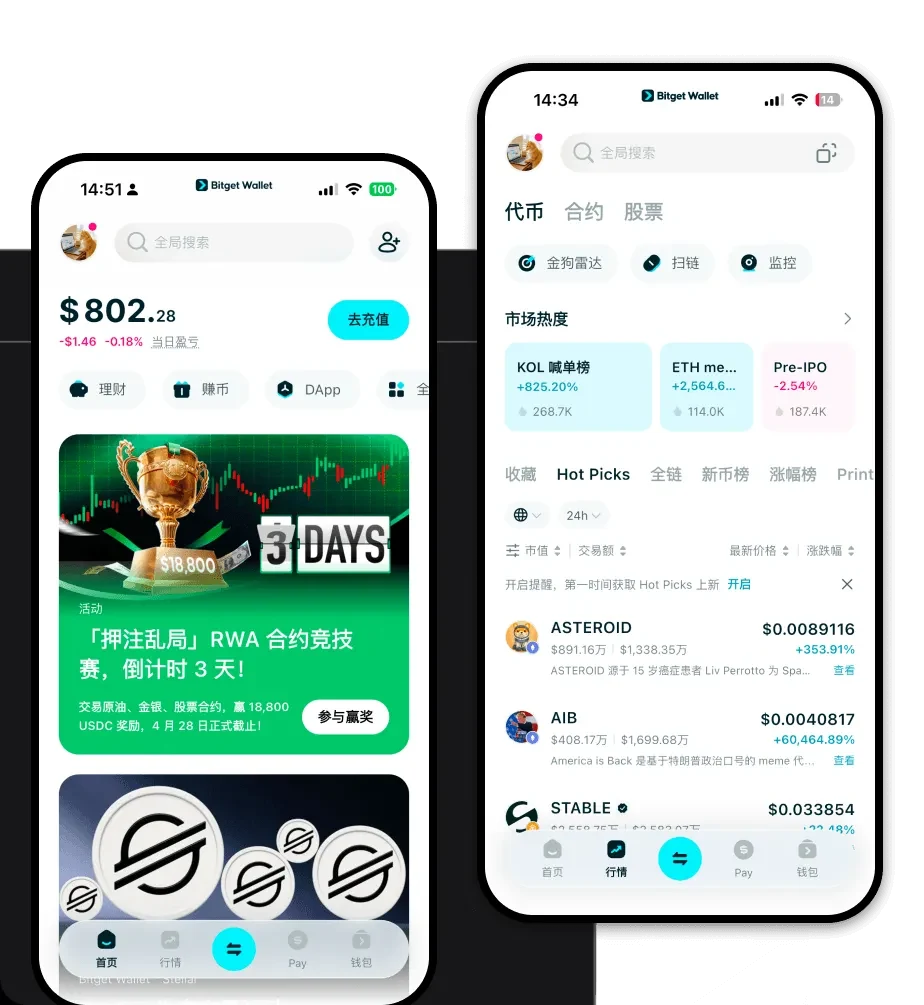
To experience the most streamlined way to manage your assets, you should download Bitget Wallet. This application serves as a comprehensive gateway to the blockchain, offering a seamless experience for both novice and experienced crypto users. Whether you prefer managing your portfolio on the go or from your desktop, Bitget Wallet provides a robust, multi-chain environment that supports over 130 blockchains and millions of tokens, including BEN.
By choosing this BEN wallet app, you retain full control over your private keys, ensuring that you are the sole custodian of your funds. The platform is available as a mobile application for iOS and Android, as well as a browser extension, making it the most versatile choice for those looking to engage with the EVM ecosystem. Its user-centric design removes the technical barriers often associated with decentralized wallets, making it the best wallet for BEN holders who value accessibility and security.
Why Choose Bitget BEN Wallet?
When dealing with volatile meme coins, your choice of wallet can significantly impact your experience. Bitget Wallet is engineered to handle the complexities of the EVM ecosystem while prioritizing user safety. Here is why it stands out:
EVM Compatibility and DeFi Integration: Bitget Wallet is built for the EVM environment, allowing for instant interaction with hundreds of DEXs and liquidity pools. This is essential for trading BEN, as it ensures you can access the deepest liquidity available.High-Performance Trading Interface: Meme tokens like BEN are characterized by high volatility. Bitget Wallet’s optimized interface ensures that your transactions are broadcast quickly, giving you a competitive edge when market conditions change rapidly.Comprehensive Security Framework: With a 300 million USD user protection fund, Bitget Wallet offers an extra layer of security that goes beyond standard self-custody. This provides peace of mind when holding assets that are driven by viral sentiment.Native Multi-Chain Support: While BEN is your focus today, Bitget Wallet allows you to manage assets across 130+ chains, meaning you can consolidate your entire crypto portfolio into one application without needing to switch between different wallet providers.Advanced Market Insights: The wallet integrates real-time market data, allowing you to track the performance of your BEN holdings alongside other trending meme coins, all within a single dashboard.How to Create a BEN Wallet
Creating your BEN wallet address is a straightforward process that takes only a few minutes. Follow these steps to get started:
1. Download and Install: Visit the official website to download Bitget Wallet on your preferred device (iOS, Android, or Browser Extension).
2. Create a New Wallet: Upon opening the app, select the option to create a new wallet. You will be prompted to set a secure password for the app interface.
3. Secure Your Recovery Phrase: The app will generate a 12-word recovery phrase. Write this down on paper and store it in a secure, offline location. Never share this with anyone, as it is the key to your BEN wallet address.
4. Configure Network Settings: Since BEN operates on the EVM, ensure that the Ethereum network (or the specific network where your BEN tokens reside) is toggled on in your asset list.
5. Add BEN Token: Click the '+' icon to add custom tokens. Paste the official BEN contract address to ensure the wallet displays your balance correctly.
What Can You Do With a BEN Wallet?
Owning a wallet is not just about storage; it is about active participation in the ecosystem. Here is how you can utilize your BEN wallet:
Trading: You can use the built-in swap feature to instantly exchange ETH or other stablecoins for BEN, taking advantage of the wallet’s aggregated DEX liquidity.Speculative Investment: By using the wallet to monitor your portfolio, you can track the performance of your BEN holdings against fluctuating market prices, allowing for informed buy or sell decisions.Community Participation: Your wallet address serves as your digital identity, allowing you to connect to various community-driven platforms and social engagement sites that support the Ben.eth ecosystem.Holding for Social Status: Many holders view their BEN tokens as a reflection of their involvement in the meme coin culture, and holding them in a secure, reputable wallet allows you to manage these assets as part of your overall digital status.How BEN Wallets Are Different from Other Crypto Wallets
Not all wallets are created equal, especially when dealing with the EVM ecosystem. Many standard wallets are basic storage units, but a specialized wallet like Bitget is designed for the nuances of EVM accounts. Unlike Bitcoin wallets that utilize the UTXO (Unspent Transaction Output) model, EVM wallets use an account-based model. This means your wallet tracks a balance directly, which is crucial for the complex smart contract interactions required by meme coins.
Furthermore, gas fee management is a significant differentiator. Because BEN operates on chains that require gas for every transaction, Bitget Wallet provides intuitive gas fee estimation and optimization, preventing you from overpaying during periods of high network congestion. While other wallets might leave you struggling with manual network configurations, Bitget simplifies the process, ensuring that whether you are swapping tokens or connecting to a DApp, your interaction is smooth, cost-effective, and secure.


