





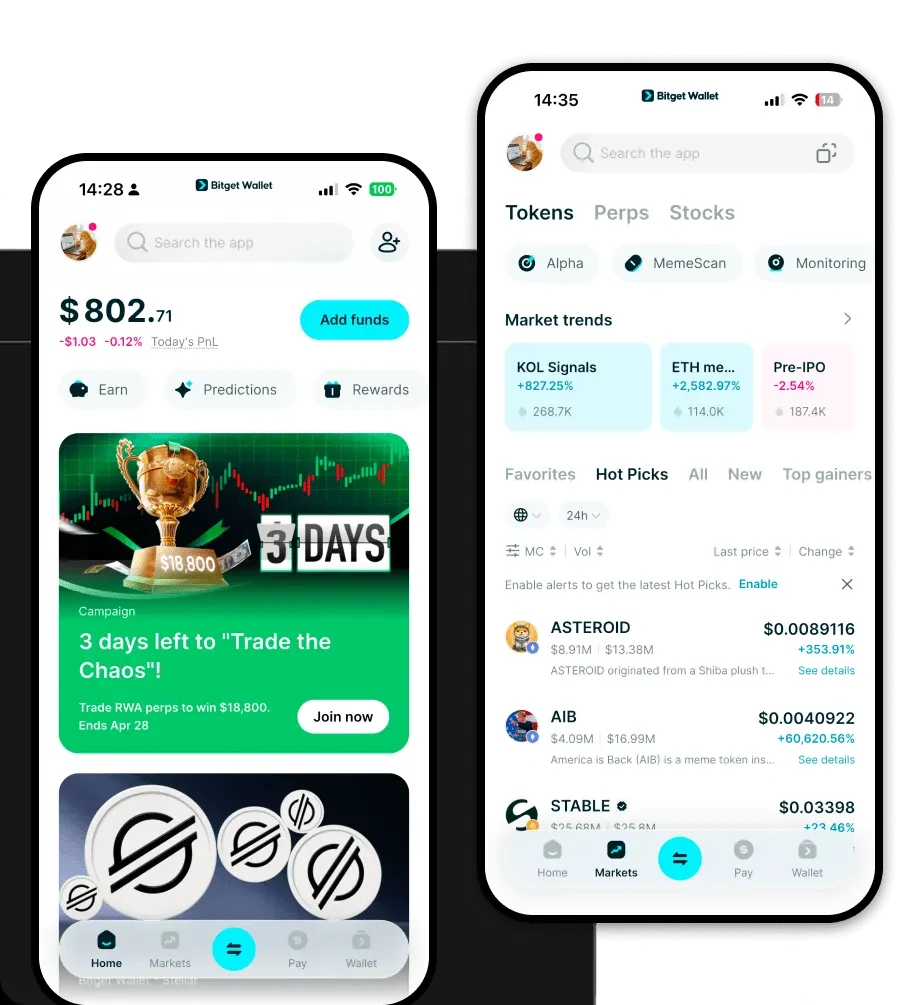
1. What is a TPH Wallet?
A TPH wallet is a specialized digital interface designed to securely store, manage, and interact with TPH tokens. Because TPH operates on the EVM (Ethereum Virtual Machine) blockchain, a compatible wallet is essential for executing smart contract interactions and managing your private keys effectively. TPH is a digital asset supported by Bitget Wallet, a secure and reliable crypto wallet trusted by 40 million users to explore Web3 ecosystems.
2. Download Bitget TPH Wallet
Getting started with your TPH journey requires a reliable entry point. To ensure full compatibility with the EVM ecosystem and seamless access to your assets, we recommend users download Bitget Wallet. It provides a robust, self-custodial environment where you retain total control over your private keys and seed phrases.
Bitget Wallet is available across all major platforms, ensuring you can manage your TPH whether you are at your desk or on the go. You can access the official download Bitget Wallet page to install the mobile app on iOS or Android, or add the browser extension to your desktop. By choosing this platform, you benefit from comprehensive multi-chain support, allowing you to view and manage TPH alongside your other EVM-based assets in a single, unified interface.
3. Why Choose Bitget TPH Wallet?
For TPH holders operating within the DeFi space, the choice of wallet is critical. Bitget Wallet stands out by optimizing the EVM experience through specific features tailored for high-frequency users:
- Native EVM Compatibility: Designed from the ground up to support Ethereum-based tokens, ensuring that TPH transactions are processed smoothly with accurate gas fee estimations and transaction tracking.
- Advanced Interoperability: Seamlessly connect with hundreds of decentralized exchanges (DEXs) and liquidity protocols, allowing you to swap TPH without leaving your wallet interface.
- Decentralized Asset Management: Unlike centralized exchanges, Bitget Wallet is non-custodial, meaning your TPH assets remain under your direct control, protected by your own private keys.
- Cross-Platform Integration: Whether you prefer the convenience of a mobile app for on-the-go trading or a browser extension for deep DeFi engagement, the wallet synchronizes perfectly across all your devices.
- Proactive Security Layer: With over $300 million in the User Protection Fund, Bitget Wallet provides an extra safety net that monitors for malicious DApps and suspicious smart contracts.
4. How to Create a TPH Wallet
Setting up your wallet to hold TPH is a straightforward process designed for both beginners and experienced DeFi users:
- Installation: Visit the official website and download the Bitget Wallet app or extension suitable for your device.
- Wallet Initialization: Open the application and select 'Create a New Wallet' to generate a new set of private keys.
- Backup Your Seed Phrase: Carefully write down your 12-word recovery phrase on a physical piece of paper and store it in a secure location; never share this with anyone.
- EVM Network Selection: Since TPH is an EVM-based asset, ensure the Ethereum or relevant EVM chain is enabled in your wallet's asset list so that your TPH address becomes visible.
- Importing or Receiving: You can now copy your unique TPH wallet address from the main dashboard to receive tokens or import an existing wallet using your private key if you have one from another provider.
5. What Can You Do With a TPH Wallet?
A TPH wallet is more than just a storage vessel; it is a gateway to the DeFi ecosystem. With Bitget Wallet, you can engage in the following activities:
- Trading: Use the built-in DEX aggregator to swap TPH for other assets directly within the wallet interface at competitive market rates.
- Staking: Lock your TPH tokens into verified staking protocols to participate in network governance and earn potential yield rewards.
- Providing Liquidity: Deposit TPH into decentralized liquidity pools to help facilitate trades for others, earning a share of the transaction fees in return.
- Holding Assets in Cold/Hot Wallets: Securely keep your TPH in a hot wallet for active trading or connect with hardware wallet integrations for long-term cold storage protection.
- Cross-Chain Transfers: Utilize built-in cross-chain bridges to move your TPH assets between different EVM-compatible chains efficiently and with minimal friction.
6. How TPH Wallets Are Different from Other Crypto Wallets
When managing TPH, it is vital to understand that not all wallets are built the same. Because TPH is an EVM-based asset, it relies on the account-based model rather than the UTXO model found in Bitcoin. This means your TPH wallet address functions as a smart contract-capable account, allowing for complex interactions with DeFi protocols.
Unlike wallets designed for non-EVM chains, a TPH wallet must handle gas fees—the transaction costs paid to miners or validators to process your moves on the blockchain. Bitget Wallet simplifies this by providing real-time gas monitoring, ensuring your TPH transfers are executed at the optimal price. Furthermore, while some wallets struggle with the high interoperability demands of DeFi, Bitget Wallet is specifically engineered to handle the smart contract signatures required for staking and liquidity provision, providing a much smoother experience than generic or exchange-based wallets.
