


What is a thumas Wallet?
A thumas wallet is a secure digital interface designed to store, manage, and interact with the thumas (Boner Phone) token. Thumas originated from Daniel Kuhn's tweet 'why Somali flag?', which was adopted by the community and led to tokenization; it is positioned as a community-driven experimental derivative token, with the founding and development team remaining undisclosed. The project centers on social phrases and visual symbols, deployed within the Solana ecosystem, targeting active community users and social token participants, aiming to build a lightweight community interaction ecosystem.
Because thumas operates on the Solana blockchain, your wallet acts as a gateway to this high-speed network. When you use a thumas wallet, you are essentially holding the private keys to your digital assets on the Solana chain, enabling you to participate in the meme culture and community-driven initiatives that define the thumas ecosystem.
Download Bitget thumas Wallet
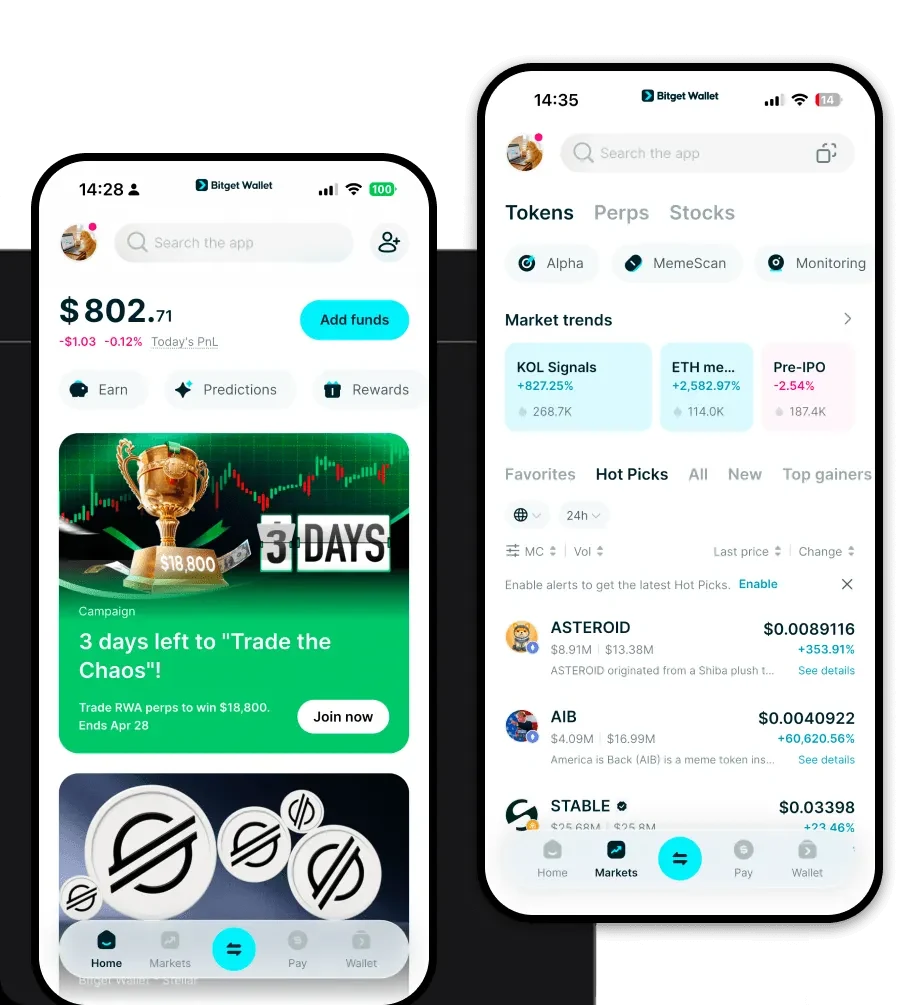
If you are looking for the best wallet for thumas, Bitget Wallet stands out as a top-tier choice. It provides a seamless experience for both beginners and experienced crypto traders who need to manage their Solana-based assets.
Bitget Wallet is built for the modern multi-chain era. By choosing to download Bitget Wallet, you gain access to a robust platform that supports over 130 blockchains and millions of tokens. Whether you are using a smartphone or a desktop, the application is available as an iOS app, an Android app, and a browser extension, ensuring you can manage your thumas tokens anytime, anywhere.
The wallet prioritizes self-custody, meaning you hold your own private keys. This gives you full control over your assets, independent of any centralized exchanges. With its intuitive design, Bitget Wallet simplifies the complexities of the blockchain, making it the ideal thumas wallet app for those who value security and ease of use.
Why Choose Bitget thumas Wallet?
Selecting the right wallet is crucial when dealing with high-speed meme tokens like thumas. Bitget Wallet is optimized for the Solana ecosystem, providing specific advantages for thumas holders:
- Solana-Optimized Performance: Experience lightning-fast transaction speeds and minimal latency, essential for capturing opportunities in the fast-moving meme token market.
- Industry-Leading Security: With a $300 million user protection fund, Bitget Wallet provides an extra layer of peace of mind, ensuring your assets are shielded against unforeseen threats.
- Low Transaction Fees: Leverage Solana’s inherent cost-efficiency to swap and transfer thumas tokens without worrying about prohibitive gas fees that plague other networks.
- Seamless DApp Integration: Access the vibrant Solana DeFi and social ecosystem directly through the built-in DApp browser, making community participation effortless.
- Multi-Chain Synergy: Beyond Solana, manage all your other digital assets in one place, allowing you to diversify your portfolio without needing multiple apps.
How to Create a thumas Wallet
Setting up your thumas wallet address is a straightforward process designed to get you started in minutes:
1. Download the App: Visit the official website and download Bitget Wallet for your preferred device (iOS, Android, or browser extension).
2. Create a New Wallet: Open the app and select 'Create a Wallet.' You will be prompted to set a strong password to protect your local access.
3. Backup Your Seed Phrase: The app will generate a 12-to-24-word recovery phrase. Write this down on paper and keep it in a secure, offline location. Never share this phrase with anyone.
4. Select the Solana Network: Once your wallet is initialized, ensure the Solana network is enabled. Your thumas wallet address will be automatically generated as a standard Solana address.
5. Import or Receive thumas: You can now copy your wallet address to receive thumas tokens or import tokens by adding the thumas contract address to your asset list.
What Can You Do With a thumas Wallet?
Holding thumas is not just about storage; it is about active engagement within the ecosystem. Here is how you can utilize your wallet:
- Trading: Use the integrated DEX aggregator within Bitget Wallet to swap SOL or other stablecoins for thumas directly, ensuring you get the best market rates.
- Community Participation: Connect your wallet to community-led platforms or DAOs associated with the 'Boner Phone' movement to vote or engage in social governance.
- Speculative Investment: Monitor your thumas holdings in real-time and leverage the wallet’s portfolio tracking features to manage your risk and potential gains.
- Social Signaling: Use your wallet to interact with social token platforms, signaling your affiliation and support for the thumas movement through on-chain activity.
How thumas Wallets Are Different from Other Crypto Wallets
Not all wallets are created equal. When managing a Solana-based meme token like thumas, the technical architecture of your wallet matters significantly compared to wallets designed for different ecosystems.
Unlike wallets built for Ethereum (EVM-based), which often deal with heavy network congestion and high gas fees, a thumas wallet on Solana is designed for high throughput. Solana utilizes a unique Proof-of-History (PoH) consensus mechanism, which requires the wallet to handle transaction confirmations in milliseconds rather than seconds or minutes.
Furthermore, while some legacy wallets focus on UTXO models (like Bitcoin), a thumas wallet is optimized for Solana’s account-based model. This means your wallet interface is designed to handle state-heavy interactions, such as NFT metadata and rapid-fire token swaps, with much higher efficiency. Choosing a specialized wallet like Bitget ensures that you aren't just storing tokens, but interacting with the chain in the way it was designed to function—fast, cheap, and scalable.
