


What is a SHAK Wallet?
SHAK (Shake Shack Inc) is a derivative memecoin operating on the Solana blockchain. Unlike traditional financial assets, SHAK functions as a community-driven experiment, utilizing a unique mechanism where transaction fees are theoretically allocated to purchase Shake Shack (SHAK) stock, aiming to bridge crypto incentives with traditional equity markets. The project features a total supply of 1 billion tokens with 100% of liquidity burned, ensuring a deflationary liquidity mechanism. It is an anonymously, community-driven initiative, explicitly clarifying that it has no official affiliation with the actual Shake Shack corporate brand. To interact with this token, you need a SHAK wallet—a digital interface that allows you to store, send, and receive your tokens on the Solana network.
Download Bitget SHAK Wallet
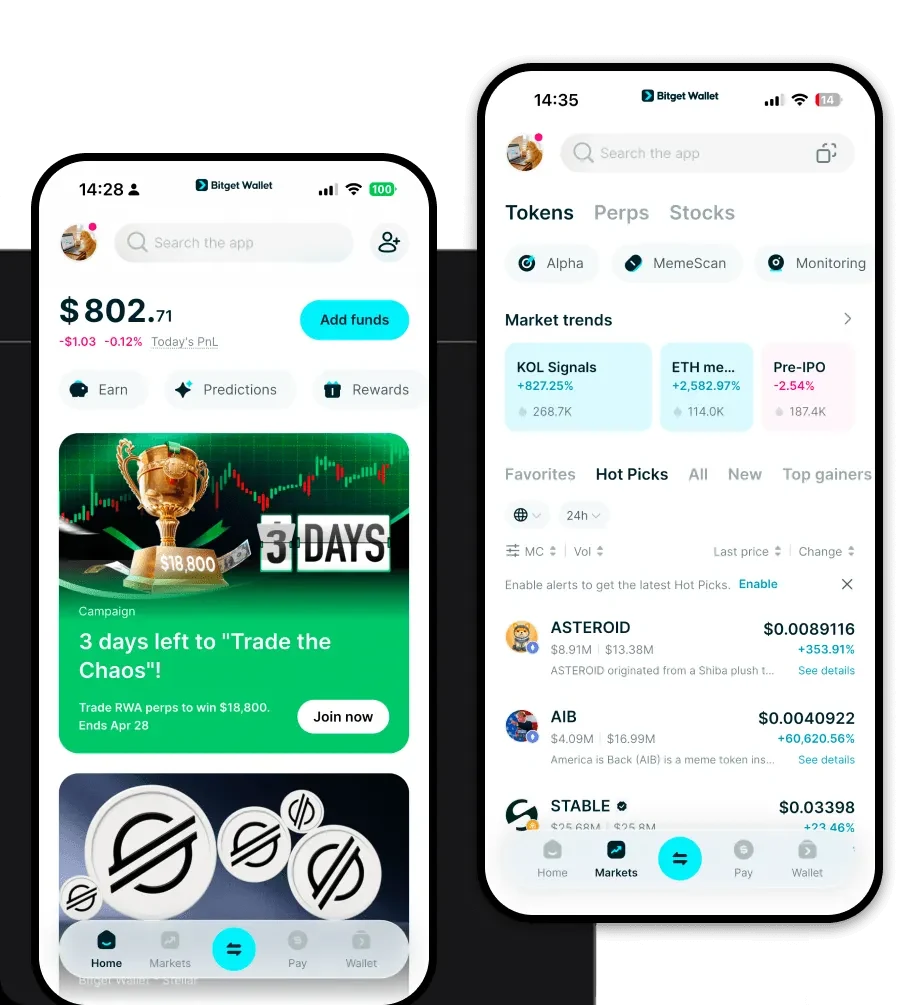
Finding a reliable place to store your memecoins is the first step toward active participation. The Bitget Wallet stands out as a premier solution, offering a non-custodial, multi-chain experience that prioritizes user control and security. By choosing to download Bitget Wallet, you gain access to an interface that is fully compatible with the Solana blockchain, allowing you to manage your SHAK holdings alongside thousands of other tokens.
Whether you are using an iOS device, an Android smartphone, or prefer a desktop browser extension, the Bitget SHAK wallet app provides a seamless experience. Its decentralized nature means that you, and only you, hold the private keys to your digital assets. This self-custody model is essential for any crypto enthusiast who values privacy and autonomy in the fast-paced memecoin market.
Why Choose Bitget SHAK Wallet?
When dealing with volatile assets like SHAK, the choice of your wallet provider is critical. Bitget Wallet is engineered to handle the high demands of the Solana ecosystem while providing robust security features. Here is why it is the best wallet for SHAK:
- Solana Ecosystem Integration: As a high-throughput blockchain, Solana requires a wallet that can keep up with rapid transaction speeds; Bitget offers native support that ensures your trades are processed without lag.
- Advanced User Protection: With a 300 million USD user protection fund, Bitget provides an extra layer of security and peace of mind that standard software wallets often lack.
- Low Transaction Fees: By optimizing for the Solana network's low-cost environment, the wallet allows you to execute trades and transfers without burning your capital on gas fees.
- Intuitive DApp Browser: The built-in DApp browser allows you to connect directly to decentralized exchanges where SHAK is traded, making your participation in the market fluid and straightforward.
- Community-Driven Support: The wallet interface is constantly updated to support the latest trends, including the unique stock-crypto hybrid narrative that projects like SHAK represent.
How to Create a SHAK Wallet
Getting started with your SHAK wallet address is a straightforward process designed for both beginners and experienced traders. Follow these steps to set up your account:
1. Download and Install: Visit the official website or your app store to download Bitget Wallet. Ensure you are using the official version to maintain maximum security.
2. Create a New Wallet: Open the application and select 'Create a New Wallet.' You will be prompted to set a strong, unique password for your device.
3. Back Up Your Seed Phrase: The application will generate a 12-word recovery phrase. Write this down on paper and store it in a secure, offline location. Never share this with anyone, as it is the only way to recover your funds.
4. Access the Solana Network: Navigate to the token management section and ensure the Solana network is enabled. Your wallet will automatically generate a Solana-compatible address.
5. Add SHAK Token: Use the contract address for SHAK to import the token into your asset list. Once added, your SHAK wallet address will be ready to receive tokens from decentralized exchanges or other wallets.
What Can You Do With a SHAK Wallet?
Owning a wallet is just the beginning. Once you have your SHAK tokens stored securely, you can engage with the project in several meaningful ways:
Speculative Trading: You can use your wallet to connect to decentralized exchanges (DEXs) on the Solana network to trade SHAK, capitalizing on market movements and the unique hybrid stock narrative.
Community Participation: By holding SHAK in your personal wallet, you become an active member of the project's ecosystem, often a prerequisite for participating in community-governed initiatives or voting processes.
Portfolio Diversification: Including SHAK in your wallet allows you to balance your portfolio with high-risk, high-reward meme assets, potentially hedging against or complementing more stable, large-cap crypto holdings.
Meme Token Holding: Simply holding the token allows you to be part of the long-term community vision, keeping your assets secure in a non-custodial environment until you decide to move them or participate in future liquidity events.
How SHAK Wallets Are Different from Other Crypto Wallets
Not all wallets are created equal, especially when dealing with specific blockchain architectures. A wallet designed for SHAK on the Solana blockchain operates differently than a standard Ethereum-based wallet. While an EVM wallet focuses on gas-heavy smart contract interactions, a Solana-focused wallet like Bitget must handle high throughput and the specific account model of the Solana ledger.
Unlike legacy wallets that might struggle with network congestion or high transaction costs, a specialized SHAK wallet leverages Solana's architecture to ensure that your transactions are nearly instantaneous and cost pennies. Furthermore, while Bitcoin-based wallets focus on UTXO (Unspent Transaction Output) models, your SHAK wallet is built for an account-based model, which simplifies the process of checking balances and interacting with the decentralized finance (DeFi) protocols that drive the SHAK ecosystem.
