





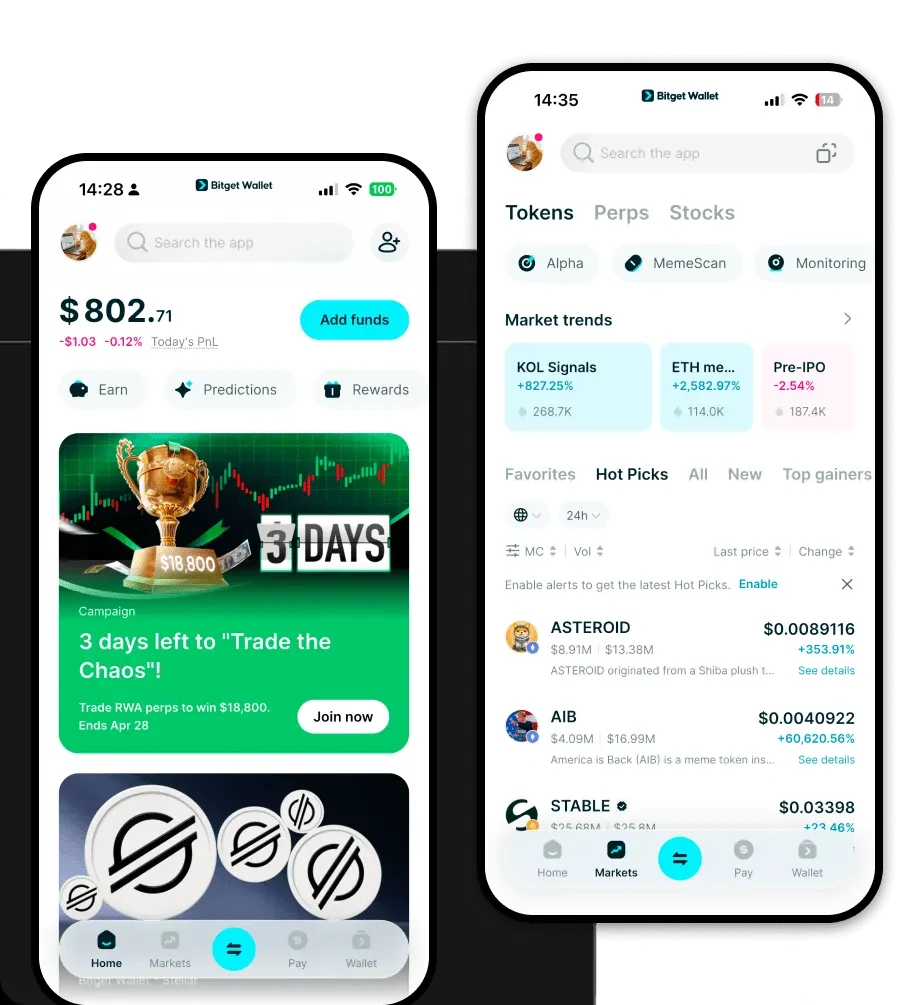
What is a $MCP Wallet?
A $MCP wallet is a specialized digital interface designed to interact with the $MCP token, which operates on the EVM (Ethereum Virtual Machine) blockchain. Because $MCP is built on EVM-compatible infrastructure, it requires a wallet that can interpret smart contracts and manage Ethereum-based assets effectively. Bitget Wallet provides a reliable and secure platform for managing $MCP, trusted by 40 million users for exploring the Web3 ecosystem.
Using a non-custodial wallet for $MCP means you retain full ownership of your private keys, ensuring that you—and only you—have control over your tokens. As part of the broader DeFi landscape, $MCP utilizes the robust security and interoperability of the EVM ecosystem, making it essential to use a wallet that seamlessly integrates with decentralized applications, protocols, and liquidity pools.
Download Bitget $MCP Wallet
To begin your journey with $MCP, you need a robust gateway that simplifies complex blockchain interactions. We recommend users download Bitget Wallet to experience a seamless interface that supports full private key self-custody. Whether you are using an iOS device, an Android smartphone, or a desktop browser extension, the wallet provides a unified experience across all platforms.
Bitget Wallet stands out by offering native multi-chain support, allowing you to manage $MCP alongside assets from over 130 other mainstream blockchains. By choosing this wallet, you gain access to a platform that prioritizes user experience without compromising on the decentralized nature of Web3, ensuring that your $MCP assets are always accessible, secure, and ready for use.
Why Choose Bitget $MCP Wallet?
When dealing with EVM-based DeFi tokens like $MCP, your choice of wallet directly impacts your efficiency and security. Bitget Wallet is engineered to optimize your experience:
- Seamless EVM Compatibility: Perfectly synced with Ethereum and EVM-compatible networks, ensuring smooth execution of smart contract-based transactions for $MCP.
- High Interoperability: Easily connect with hundreds of decentralized exchanges (DEXs) and cross-chain bridges to maximize your liquidity and asset utility.
- Enterprise-Grade Security: Backed by a $300 million User Protection Fund, providing an additional layer of safety for your decentralized asset management.
- Aggregated DeFi Access: Navigate the complex DeFi landscape through an intuitive DApp browser that highlights the most reliable protocols for $MCP staking and yield farming.
How to Create a $MCP Wallet
Setting up your wallet is a straightforward process designed to get you into the DeFi ecosystem in minutes:
1. Download and Install: Visit the official website to download Bitget Wallet for your preferred device (iOS, Android, or browser extension).
2. Create a New Wallet: Open the app and select 'Create Wallet.' You will be prompted to set a strong password to protect your local access.
3. Backup Your Seed Phrase: The app will generate a 12 or 24-word recovery phrase. Write this down on paper and store it offline; this is the master key to your $MCP assets.
4. Verify Your Phrase: Confirm the recovery phrase in the app to ensure you have recorded it correctly.
5. Add $MCP to Your Dashboard: Once your wallet is set up, search for $MCP using the token contract address or ticker symbol to enable it on your home screen, allowing you to view your balance and transaction history.
What Can You Do With a $MCP Wallet?
A $MCP wallet is more than just a storage vault; it is a gateway to active participation in the DeFi economy:
- Trading: Use the built-in DEX aggregator to swap $MCP for other assets with minimal slippage and optimal price routing across multiple liquidity pools.
- Staking: Commit your $MCP tokens to decentralized staking protocols directly through the wallet to earn yield and contribute to network security.
- Holding Assets: Utilize the wallet's secure, non-custodial architecture to hold $MCP long-term, keeping your private keys offline and away from centralized exchange vulnerabilities.
- Cross-Chain Transfers: Leverage the wallet's integrated bridging technology to move $MCP or related assets between different EVM chains efficiently, avoiding the friction of manual bridging processes.
How $MCP Wallets Are Different from Other Crypto Wallets
The primary difference between a purpose-built wallet like Bitget and generic storage solutions lies in the handling of the EVM environment. Unlike wallets designed for UTXO-based chains (like Bitcoin), which focus on transaction output management, a $MCP wallet is optimized for the account-based model of Ethereum and its L2s. This means it manages gas fees, nonce values, and smart contract approvals in real-time, which is essential for active DeFi users.
Furthermore, while some wallets are slow to update or lack liquidity aggregation, Bitget Wallet is built for speed and high interoperability. By integrating directly with hundreds of DEXs, it eliminates the need to jump between different websites, providing a consolidated view of your $MCP portfolio performance and gas costs, which is significantly more efficient than using standard, non-integrated wallets.
