





What is a GPT TOKEN Wallet?
A GPT TOKEN wallet is a specialized digital interface that allows users to interact with the GPT TOKEN ecosystem securely. Because GPT TOKEN operates on the EVM (Ethereum Virtual Machine) blockchain, it requires a wallet that is compatible with Ethereum-based standards, allowing for seamless integration with decentralized applications and smart contracts. As noted in the project documentation, GPT Token is a digital asset often associated with AI-integrated blockchain projects. Users can manage, store, and trade their GPT tokens securely using reliable platforms like Bitget Wallet, which provides a gateway to explore Web3 ecosystems. By using a compatible wallet, you essentially gain a private portal to the blockchain, where your tokens are stored on the ledger while you retain full control via your private keys.
Download Bitget GPT TOKEN Wallet
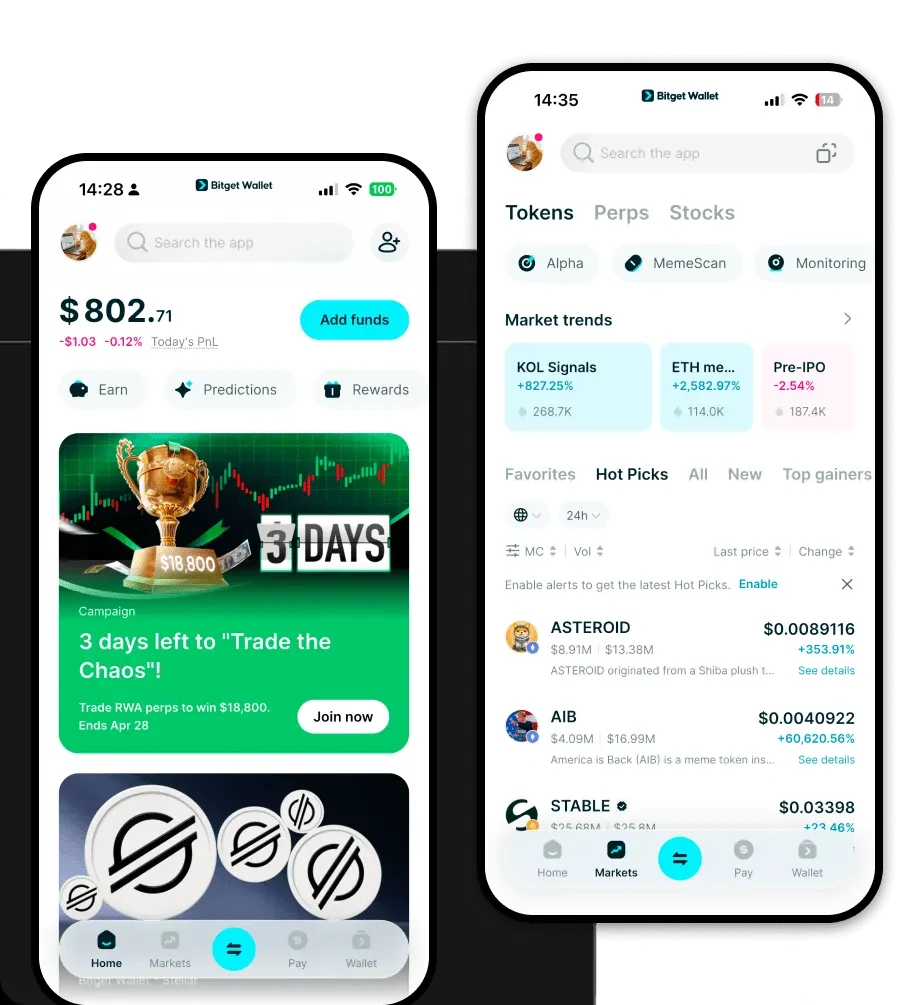
Getting started with your assets shouldn't be complicated. To begin, you can download Bitget Wallet, which serves as a comprehensive tool designed for both beginners and advanced users. The application offers robust multi-chain support, ensuring that you can manage your GPT TOKEN alongside a vast array of other digital assets without switching between different apps. It prioritizes user autonomy through private key self-custody, meaning you are the sole controller of your funds. Whether you prefer managing your portfolio on the go via iOS and Android devices or require the convenience of a browser extension for desktop interactions, Bitget Wallet provides a unified, fluid experience across all platforms.
Why Choose Bitget GPT TOKEN Wallet?
Choosing the right wallet for your EVM-based assets is crucial for both security and efficiency. Bitget Wallet stands out as the best wallet for GPT TOKEN due to the following reasons:
- Native EVM Compatibility: Designed specifically for the Ethereum Virtual Machine, it ensures flawless interaction with smart contracts and dApps, making it the best wallet for GPT TOKEN transactions.
- Advanced Security Infrastructure: With a dedicated $300 million user protection fund, Bitget Wallet provides an extra layer of defense for your assets against unforeseen ecosystem risks.
- Low-Friction Gas Management: As an EVM-centric wallet, it optimizes gas fee estimations, helping you execute transactions more cost-effectively during periods of network congestion.
- Integrated AI Ecosystem Access: Given the focus of GPT TOKEN, the wallet’s built-in DApp browser allows for seamless interaction with AI-integrated blockchain services, bridging the gap between infrastructure and application.
- Seamless Cross-Chain Capabilities: It aggregates hundreds of DEXs and cross-chain bridges, allowing you to swap your assets into other chains without leaving the interface.
How to Create a GPT TOKEN Wallet
Setting up your wallet is a straightforward process that grants you immediate access to the EVM ecosystem. Follow these five steps:
1. Install the Application: Visit the official website to download Bitget Wallet for your preferred device (iOS, Android, or Browser Extension).
2. Create a New Wallet: Upon opening the app, select 'Create Wallet'. You will be prompted to set a strong password to protect the local app interface.
3. Backup Your Seed Phrase: The app will generate a 12-word recovery phrase. Write this down on paper and store it offline; never share this with anyone, as it is the master key to your GPT TOKEN wallet address.
4. Verify Your Backup: Enter the recovery phrase in the correct order as requested to confirm that you have saved it accurately.
5. Add GPT TOKEN: Once your wallet is set up, go to the asset management section, click 'Add Token', and import the GPT TOKEN contract address to view your balance and manage your holdings.
What Can You Do With a GPT TOKEN Wallet?
Once your wallet is active, you can leverage the full utility of the GPT TOKEN ecosystem. Here are the primary use cases:
- Trading: You can engage in decentralized trading by swapping your GPT tokens for other EVM-compatible assets directly within the Bitget Wallet interface.
- Staking: By connecting your wallet to authorized staking protocols, you can lock up your tokens to help secure the network and earn potential yield or rewards.
- Governance Voting: Participate in the decentralized governance of the project by using your wallet to cast votes on proposals, directly influencing the future development of the AI-integrated ecosystem.
- Accessing AI Services: Use your GPT tokens to pay for or gain premium access to specific AI-integrated blockchain services provided within the platform's ecosystem.
- Liquidity Provision: You can contribute your GPT tokens to liquidity pools on decentralized exchanges, helping facilitate trades for others while earning a share of the transaction fees.
How GPT TOKEN Wallets Are Different from Other Crypto Wallets
Understanding the architecture is key to choosing the right tool. Unlike wallets designed for UTXO-based chains (like Bitcoin), where the focus is on unspent transaction outputs and specific address management, a GPT TOKEN wallet is built for the Account Model used by EVM chains. In the EVM model, your balance is stored as a specific state associated with your address. Furthermore, while some chains require complex resource models (like CPU/NET/RAM in EOS), EVM wallets like Bitget focus primarily on gas fee optimization and smart contract interaction. This makes the GPT TOKEN wallet significantly more efficient for users who want to interact with DeFi protocols, execute complex transaction logic, and participate in decentralized governance without the technical overhead of legacy blockchain structures.
