





What is a FWOX Wallet?
A FWOX wallet is a specialized digital interface that allows you to interact with the FWOX token on the Ethereum Virtual Machine (EVM) ecosystem. Because FWOX operates on EVM-compatible networks, it benefits from the robust infrastructure, security, and interoperability that define the Ethereum space. FWOX is a crypto asset supported by Bitget Wallet, a secure and reliable platform trusted by 40 million users for exploring Web3. Bitget Wallet provides a seamless environment for managing, trading, and interacting with FWOX and other digital assets. Whether you are a newcomer to the crypto space or an experienced DeFi user, having the right wallet is the first step toward engaging with this unique digital asset.
Download Bitget FWOX Wallet
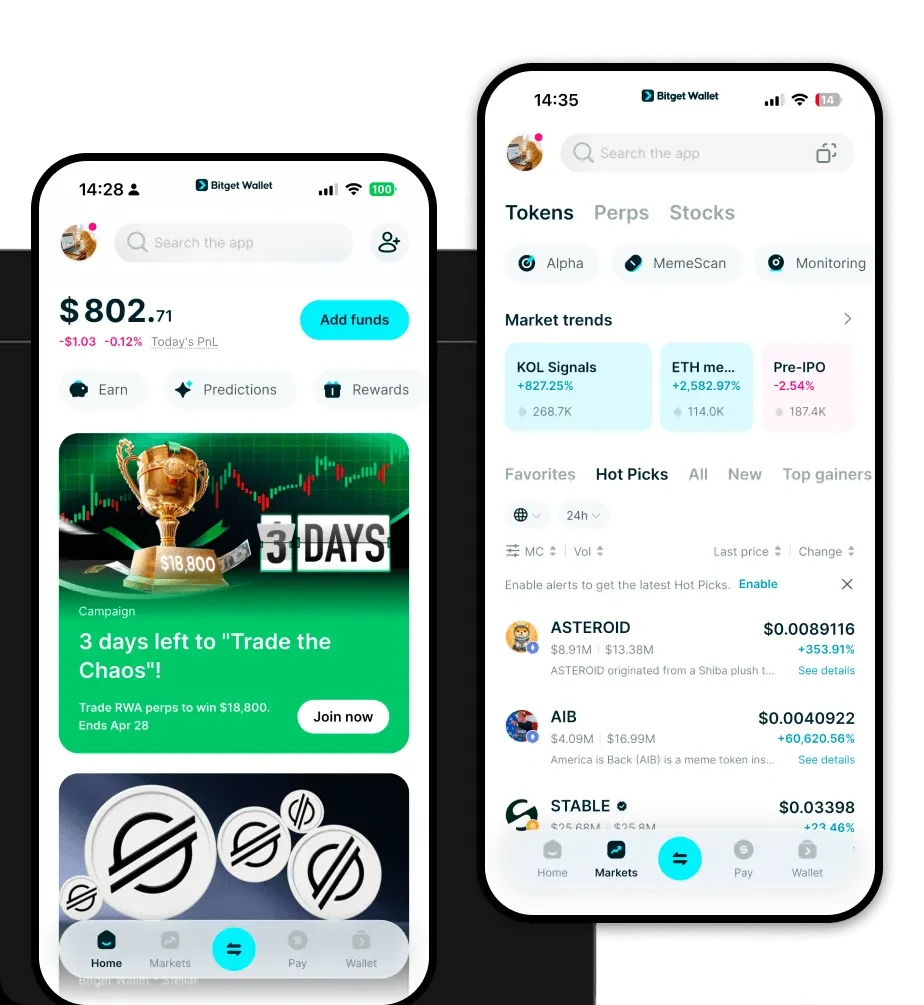
Getting started with your FWOX journey requires a reliable entry point into the Web3 world. Bitget Wallet stands out as a premier choice, offering a comprehensive suite of features designed for both power users and beginners. By choosing to download Bitget Wallet, you gain access to a non-custodial solution that puts you in full control of your private keys and assets.
Bitget Wallet is built for flexibility, providing full cross-platform accessibility across iOS, Android, and browser extensions. It supports over 130 mainnets, ensuring that you can manage your FWOX tokens alongside a diverse portfolio of other digital assets without switching between multiple apps. The interface is optimized to make navigation intuitive, allowing you to manage your funds with confidence.
Why Choose Bitget FWOX Wallet?
Selecting the right wallet for FWOX is critical, especially when dealing with the high-velocity nature of Meme coins. Bitget Wallet offers distinct advantages tailored to the EVM ecosystem:
- Seamless EVM Compatibility: Bitget Wallet is natively designed for EVM chains, ensuring that interacting with smart contracts, dApps, and decentralized exchanges is smooth and error-free.
- Community-Driven Support: As a Meme coin, FWOX thrives on community activity; Bitget Wallet provides real-time market data and social trends to keep you connected to the pulse of the market.
- High Liquidity Access: The wallet aggregates hundreds of DEXs and cross-chain bridges, allowing you to swap FWOX with minimal slippage and optimal price execution.
- Robust Security Architecture: With a $300 million user protection fund, Bitget Wallet provides an extra layer of security, giving you peace of mind while exploring volatile assets.
- Comprehensive Asset Management: You can easily track your portfolio performance, view historical transactions, and manage multiple sub-accounts within a single, unified dashboard.
How to Create a FWOX Wallet
Setting up your wallet is a straightforward process that takes only a few minutes. Follow these steps to get started:
- Download and Install: Visit the official Bitget Wallet website to download the app for your mobile device or browser extension.
- Create a New Wallet: Open the application, select 'Create Wallet,' and ensure you back up your recovery phrase in a secure, offline location. Never share this phrase with anyone.
- Set Up Security: Configure your PIN or biometric authentication to protect your app access, adding an essential layer of local security.
- Add FWOX Token: Navigate to the asset management section, click on the plus icon, and add the FWOX token contract address. This will make your FWOX balance visible on your home screen.
- Receive FWOX: Tap on the FWOX asset to reveal your deposit address, which you can use to transfer tokens from an exchange or another wallet.
What Can You Do With a FWOX Wallet?
A FWOX wallet is more than just a storage space; it is a gateway to active participation in the crypto economy. Here is how you can maximize your experience:
- Trading: You can engage in frequent trading of FWOX against other assets using the built-in decentralized exchange aggregator to find the best market prices instantly.
- Holding for Speculation: Use the secure, non-custodial storage features to hold your FWOX tokens long-term while maintaining full custody of your private keys.
- Liquidity Provision: You can contribute your FWOX tokens to decentralized liquidity pools, helping to power the ecosystem while potentially earning trading fees from other users.
- Portfolio Management: Utilize the wallet's advanced analytics tools to track your overall position, monitor market trends, and manage your risk exposure across your entire crypto holdings.
How FWOX Wallets Are Different from Other Crypto Wallets
Not all wallets are created equal, especially when dealing with EVM-based Meme tokens. Unlike wallets designed for UTXO-based chains like Bitcoin—which focus on unspent transaction outputs and specific address structures—a FWOX-compatible wallet like Bitget is built on an account-based model. This model is essential for the EVM environment, as it allows for the complex interactions required by smart contracts.
Furthermore, while some legacy wallets struggle with high gas fees or network congestion, Bitget Wallet optimizes your transactions by suggesting the best gas settings in real-time. This ensures that your FWOX transactions are processed efficiently, even during periods of high network demand, providing a superior user experience compared to standard or basic wallet interfaces.
