





What is a Doggo Inu Wallet?
A Doggo Inu wallet is a digital interface that allows you to store, send, and manage your Doggo Inu tokens securely. Because Doggo Inu operates on the EVM (Ethereum Virtual Machine) blockchain, it requires a wallet that is compatible with Ethereum-based standards. This ensures that you can interact seamlessly with smart contracts and decentralized applications within the ecosystem.
As described in the project documentation, Doggo Inu is a community-driven cryptocurrency project. Users can manage and interact with their Doggo Inu assets securely using wallets like Bitget Wallet, which supports exploring the broader Web3 ecosystem. By using a specialized wallet, you maintain full custody of your private keys, ensuring that your assets remain under your control rather than being held by a centralized exchange.
Download Bitget Doggo Inu Wallet
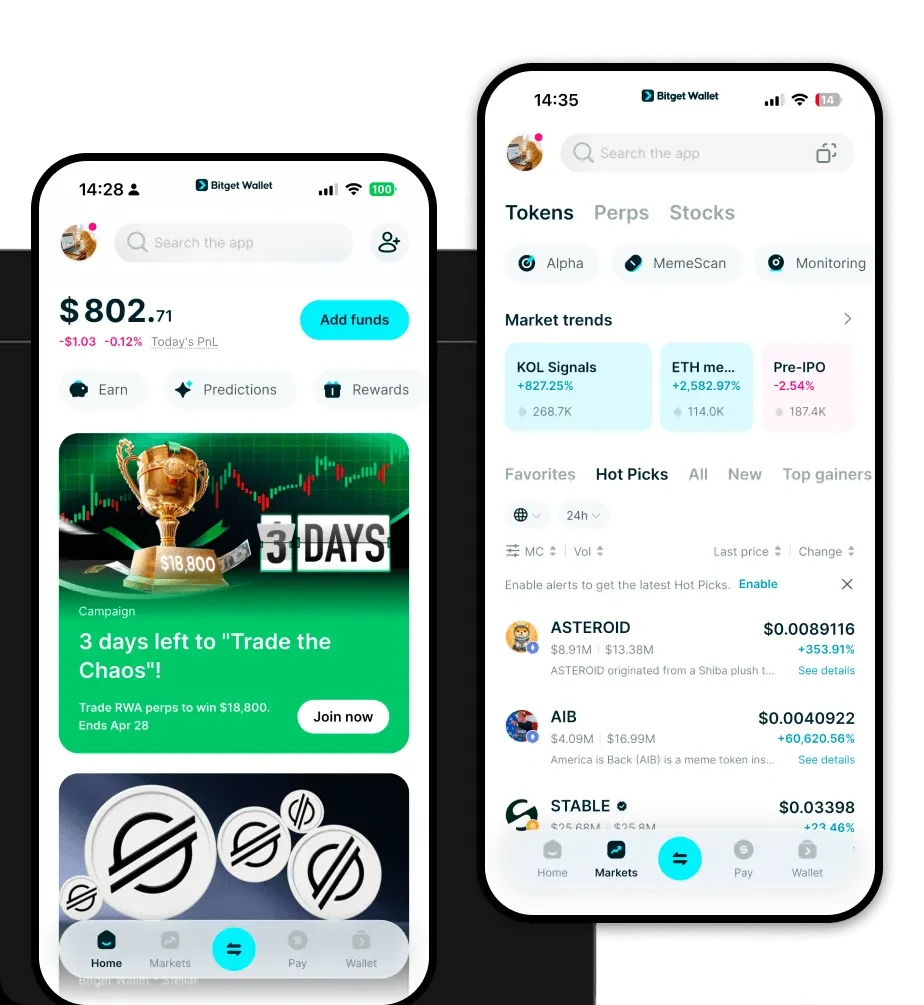
Getting started with your Doggo Inu journey is straightforward when you choose the right tools. We recommend using Bitget Wallet, a versatile solution designed for the modern Web3 user. It offers a comprehensive suite of features, including full support for hundreds of mainnets and millions of assets, ensuring your Doggo Inu tokens are always accessible.
You can download Bitget Wallet directly to your mobile device or desktop. Whether you prefer the convenience of an iOS or Android app, or the browser-based functionality of a Chrome/Edge extension, Bitget Wallet provides a consistent, user-friendly experience. It is a non-custodial wallet, meaning you retain complete ownership of your private keys and seed phrases, which is the gold standard for self-custody in the crypto space.
Why Choose Bitget Doggo Inu Wallet?
Selecting the right wallet for a meme-based, EVM-compatible token is crucial for both security and utility. Bitget Wallet stands out for several reasons:
- EVM Ecosystem Integration: As an EVM-compatible wallet, it offers native support for Ethereum-based tokens, ensuring that gas fee calculations and transaction speeds are optimized for your Doggo Inu trades.
- Advanced Security Infrastructure: With a dedicated $300 million protection fund, Bitget Wallet provides an extra layer of security that goes beyond standard wallet offerings, safeguarding your assets against unforeseen risks.
- DApp Browser Access: Easily connect to decentralized exchanges and community platforms directly through the built-in DApp browser, making it simple to participate in community-driven initiatives without leaving your wallet.
- Seamless Multi-Chain Management: If you diversify your portfolio, you will appreciate how Bitget Wallet aggregates hundreds of DEXs and cross-chain bridges, allowing you to swap tokens across different chains with minimal friction.
- User-Centric Design: The interface is built to be accessible for beginners while providing the deep functionality required by experienced crypto traders, making it the ideal choice for managing meme coins.
How to Create a Doggo Inu Wallet
Setting up your wallet to hold Doggo Inu is a simple, five-step process:
- Download and Install: Visit the official website to download Bitget Wallet. Install the application on your preferred mobile device or browser extension.
- Create a New Wallet: Open the app and select 'Create Wallet.' You will be prompted to set a strong, unique password for the application.
- Back Up Your Seed Phrase: This is the most critical step. Write down your 12-24 word recovery phrase on paper and store it in a secure, offline location. Never share this with anyone.
- Add Doggo Inu Token: Once your wallet is set up, navigate to the asset list. Click the '+' icon and search for 'Doggo Inu' (or add it via its contract address) to make it visible in your dashboard.
- Receive Tokens: Click on the 'Receive' button to display your wallet address. Copy this address to send Doggo Inu tokens from an exchange or another wallet to your new, secure storage.
What Can You Do With a Doggo Inu Wallet?
Holding Doggo Inu is just the beginning. A specialized wallet unlocks the full potential of this meme token:
- Trading: Use your wallet to connect to decentralized exchanges (DEXs) to swap Doggo Inu for other assets quickly and efficiently.
- Speculative Investment: Actively manage your portfolio by monitoring market fluctuations and timing your buy or sell orders based on community sentiment.
- Community Participation: Engage directly with the Doggo Inu ecosystem by participating in governance votes or community-driven events that require wallet connection.
- Holding for Long-term Potential: Keep your tokens safe in your self-custodial wallet, allowing you to HODL your investment securely while waiting for potential future growth.
How Doggo Inu Wallets Are Different from Other Crypto Wallets
Not all wallets are created equal, especially when dealing with meme tokens on the EVM chain. Unlike traditional banking apps or custodial exchange accounts, a Doggo Inu wallet like Bitget Wallet operates on a non-custodial model. This means you do not rely on a third party to hold your assets; you are your own bank.
Because Doggo Inu is an EVM-based token, your wallet must be able to handle 'Gas' fees, which are the transaction costs required to process trades on the Ethereum network. Bitget Wallet excels here by providing clear, real-time gas fee estimates, preventing failed transactions. Furthermore, while some wallets are limited to a single chain, Bitget Wallet’s support for 130+ chains means you can manage your Doggo Inu alongside other assets without needing multiple, fragmented applications, providing a superior user experience compared to legacy wallets.
