





What is a CGC Wallet?
A CGC wallet is a digital interface designed to interact with the Chibi Galaxy Coin (CGC) token, which operates on the EVM-compatible blockchain. CGC (Chibi Galaxy Coin) is a utility token primarily used within the Chibi Galaxy ecosystem, designed to facilitate in-game transactions, rewards, and character upgrades. As a gaming-focused asset, it allows players to interact with the project's Web3 gaming environment. Because CGC functions within an EVM framework, a compatible wallet serves as your personal gateway to holding these assets, managing your balance, and interacting with smart contracts that power the Chibi Galaxy gaming experience.
Download Bitget CGC Wallet
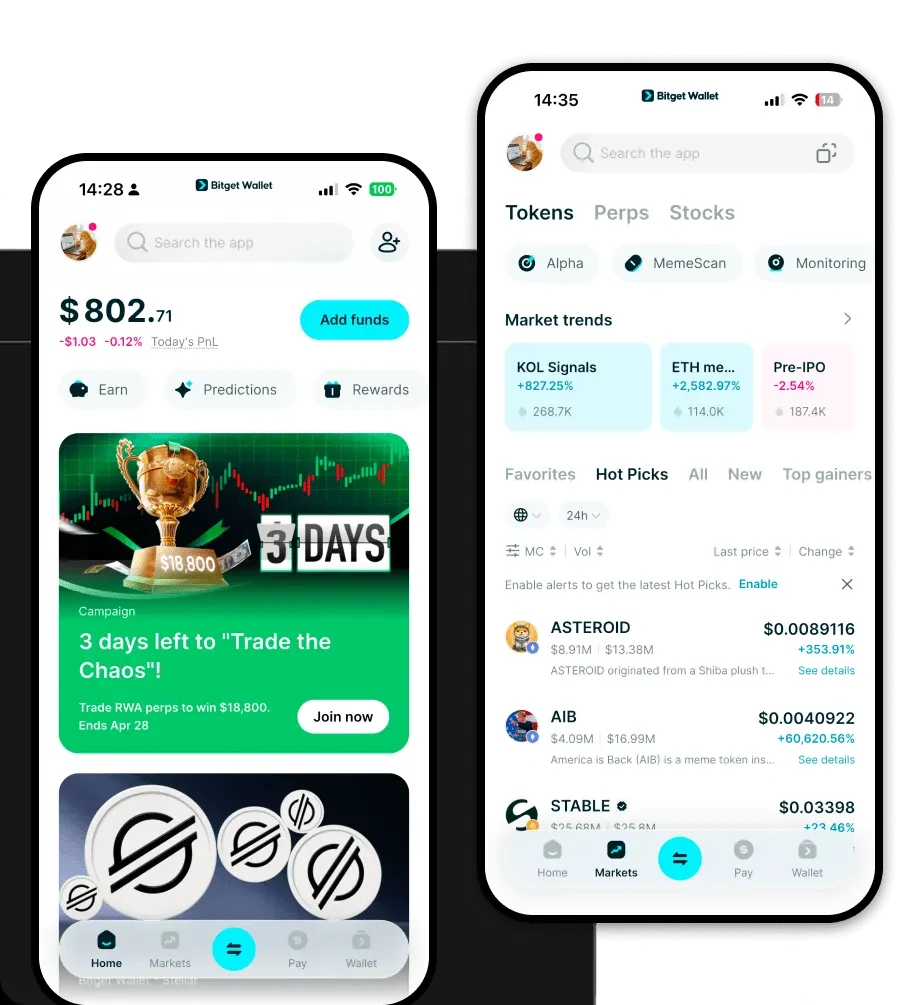
To start your journey, you need a reliable interface. The Bitget Wallet app provides a seamless experience for users looking to manage their CGC tokens. Whether you are using an iPhone or an Android device, or prefer using a browser extension on your desktop, Bitget Wallet ensures your assets remain under your total control through self-custody. By choosing to download Bitget Wallet, you gain access to a robust platform that supports over 130 public chains, ensuring that your CGC tokens and other multi-chain assets are managed in one secure location. The platform is designed for both beginners and advanced users, offering an intuitive interface that removes the complexity often associated with Web3 gaming wallets.
Why Choose Bitget CGC Wallet?
When selecting the best wallet for CGC, Bitget Wallet stands out due to its deep integration with the EVM ecosystem and its commitment to user security. Here is why it is the preferred choice:
- EVM Compatibility: As a token built on the EVM standard, CGC requires a wallet that perfectly understands smart contract interactions; Bitget Wallet is architected for exactly this, ensuring smooth transactions with the Chibi Galaxy ecosystem.
- Low Transaction Latency: In the fast-paced world of Web3 gaming, speed is critical. Bitget Wallet is optimized to broadcast transactions quickly, allowing you to react instantly during gameplay or market shifts.
- Comprehensive Security: With a 300 million USD user protection fund, Bitget Wallet provides an extra layer of safety, protecting your assets against unforeseen platform risks.
- Cross-Platform Interoperability: Whether you are switching from your mobile phone to your desktop, the wallet synchronizes effortlessly, ensuring you never miss an opportunity to trade or upgrade your in-game assets.
- Ecosystem Integration: Beyond simple storage, the wallet is built to connect directly to the dApps and gaming platforms where CGC is utilized, making it easier to stake and earn rewards.
How to Create a CGC Wallet
Setting up your wallet to manage CGC is straightforward. Follow these steps to get started:
- Download and Install: Visit the official website to download the Bitget Wallet app on your preferred mobile device or browser.
- Create a New Identity: Open the app and select 'Create Wallet'. This will generate your unique wallet address.
- Secure Your Seed Phrase: You will be given a recovery phrase. Write this down on paper and store it in a safe, offline location. Never share this with anyone.
- Add CGC Token: Navigate to the asset management section, click on the '+' icon, and search for CGC. Add it to your home screen to monitor your balance.
- Start Transacting: You are now ready to receive, send, or use your CGC for gaming activities.
What Can You Do With a CGC Wallet?
Your CGC wallet is more than just a storage container; it is an active tool for your gaming and financial journey. Here is how you can utilize it:
- In-game Asset Purchasing: Use your CGC to directly acquire rare skins, weapons, or character upgrades within the Chibi Galaxy game, enhancing your competitive edge.
- Staking for Yield Rewards: By locking your CGC in supported DeFi protocols, you can earn yield rewards, allowing your gaming assets to grow passively over time.
- Trading on Decentralized Exchanges: Use your wallet to connect to various DEXs to swap your CGC for other tokens, ensuring you always have liquidity when you need it.
- Participating in Ecosystem Governance: Use your holdings to vote on community proposals, allowing you to have a say in the future development and direction of the Chibi Galaxy project.
- Earning Play-to-Earn Rewards: Connect your wallet to the game to securely receive the rewards you earn through gameplay, directly depositing them into your self-custody account.
How CGC Wallets Are Different from Other Crypto Wallets
Not all wallets are created equal. Unlike wallets designed for Bitcoin's UTXO (Unspent Transaction Output) model, which focuses primarily on simple peer-to-peer transfers, a CGC wallet is built on an account-based model designed specifically for the EVM. This means it handles complex smart contract interactions, which are essential for the DeFi and gaming utility that CGC offers. While Bitcoin wallets prioritize simple, static storage, your CGC wallet is dynamic—it allows you to interact with dApps, manage gas fees for fast execution, and engage in cross-chain activities that are simply not possible on non-EVM chains. This makes Bitget Wallet the superior choice for users who want to engage with the full breadth of the Chibi Galaxy ecosystem rather than just holding a static asset.
