


What is an arm Wallet?
An arm wallet is a secure digital interface designed to help you interact with the arm token, a distinctive meme asset built on the Solana blockchain. Unlike traditional financial tools, an arm wallet acts as your gateway to the decentralized web, allowing you to hold, track, and transact your tokens directly on the Solana ledger. The ARM.exe token itself originates from the 'infected window' narrative, an intriguing concept popularized by an anonymous account on X. With a total supply of 1,000,000,000 tokens, the project focuses on a unique retro operating system horror aesthetic that sets it apart from standard meme coins. Because the token lives on Solana, your arm wallet must be compatible with the Solana network to effectively manage your assets. The project roadmap includes community expansion, web mini-games, airdrops, and leaderboard incentives, making it more than just a speculative asset but a participatory experience for meme culture enthusiasts.
Download Bitget arm Wallet
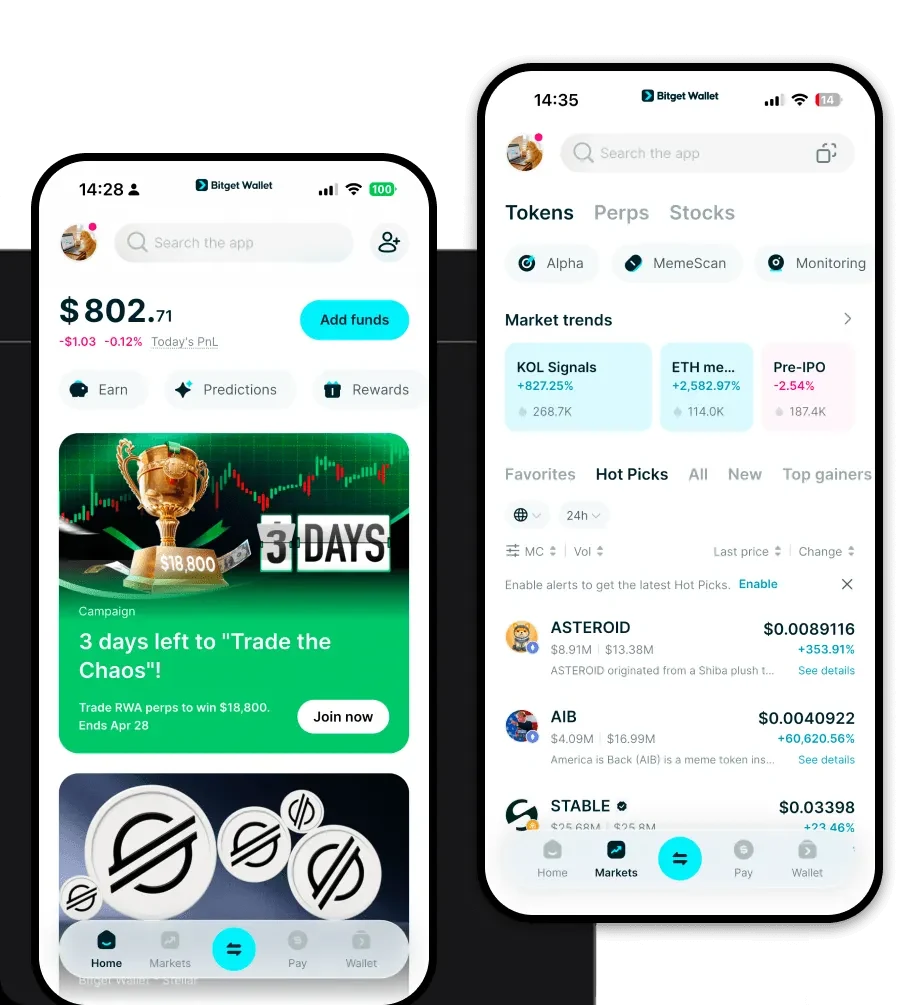
To begin your journey with the arm token, you need a robust, non-custodial wallet that supports the high-speed Solana ecosystem. Bitget Wallet is widely recognized as the premier choice for this purpose, offering a seamless experience for both beginners and advanced crypto users. Bitget Wallet provides full, non-custodial control, meaning you hold your own private keys and maintain complete custody of your assets. Whether you are using an iOS device, an Android smartphone, or a desktop web browser, Bitget Wallet is built to handle the complexities of multi-chain assets while keeping the user interface intuitive. It is essential to use a secure, verified application to avoid phishing risks. You can get started by visiting the official source to 'download Bitget Wallet' at https://web3.bitget.com/zh-CN/wallet-download. Once installed, the application allows you to manage thousands of tokens across 130+ blockchains, ensuring that your arm tokens are always accessible alongside your other digital assets.
Why Choose Bitget arm Wallet?
Choosing the right wallet for the arm token is critical, especially when interacting with a high-throughput network like Solana. Bitget Wallet offers several distinct advantages tailored for this ecosystem:
- High Throughput Support: Solana is designed for speed, and Bitget Wallet is optimized to handle high-frequency transactions without lag, ensuring your arm trades execute instantly.
- Low Transaction Fees: Given Solana's cost-efficient architecture, Bitget Wallet helps you maximize your capital by minimizing the gas fees associated with every move you make.
- Enhanced Security: With over $300 million in user protection funds, Bitget Wallet provides a robust safety net, giving you peace of mind while exploring the volatile world of meme tokens.
- DApp Integration: The built-in browser is perfectly suited for the retro aesthetic web mini-games associated with the arm project, providing a smooth, integrated experience without needing to switch apps.
- Community-Driven Governance: Bitget Wallet makes it easy to participate in community votes and governance proposals, aligning with the project's focus on decentralized interaction.
How to Create an arm Wallet
Creating your arm wallet on Bitget is a straightforward process designed to prioritize your security while getting you ready for the Solana ecosystem in minutes.
Step 1: Download and install the Bitget Wallet app from the official website or your app store.
Step 2: Open the app and select 'Create a Wallet'. You will be prompted to set a strong security password for your device.
Step 3: Secure your recovery phrase. This is the most critical step. Write down your 12-24 word seed phrase on paper and store it offline. Never share this with anyone, as it is the master key to your funds.
Step 4: Once the wallet is initialized, navigate to the asset list and click the '+' or 'Add Token' button. Search for the arm token contract address to import it, ensuring you are selecting the correct Solana-based token.
Step 5: Your arm wallet address is now active. You can select 'Receive' to copy your public address and share it to receive arm tokens or other Solana assets.
What Can You Do With an arm Wallet?
Holding arm tokens in your Bitget Wallet unlocks a variety of use cases tied to the project’s gamified roadmap. Your wallet is not just a storage vessel but an active tool for engagement.
Trading: You can use your wallet to connect to decentralized exchanges (DEXs) on the Solana network to buy or sell your arm tokens efficiently, taking advantage of the high-speed execution.
Community Participation: Use your wallet to verify your holdings and join exclusive community channels or Discord groups, becoming an active part of the 'infected window' narrative.
Participating in Web Mini-Games: Access the official project mini-games directly through the Bitget DApp browser. Your wallet acts as your gaming profile, allowing you to interact with the retro-horror interface and potentially earn rewards.
Leaderboard Competition: Engage in competitive events where your wallet's transaction history or holding duration can help you climb the project's leaderboard for special incentives or airdrop eligibility.
How arm Wallets Are Different from Other Crypto Wallets
When dealing with a Solana meme token like arm, the underlying wallet technology differs significantly from Ethereum-based (EVM) wallets. EVM wallets are built around the Ethereum Virtual Machine, which often involves higher gas fees and slower block times. In contrast, an arm wallet operating on Solana leverages a high-performance, Proof-of-History consensus mechanism. This means that unlike the complex gas fee structures seen on Ethereum, Solana transactions are nearly instantaneous and cost fractions of a cent. Furthermore, while some wallets use complex account abstraction layers, a dedicated Solana wallet like Bitget allows for a streamlined experience that handles the unique way Solana manages token accounts and associated metadata. This focus on speed and low cost is essential for the rapid trading and frequent community interactions required by the arm project's gamification strategy.
