What is a MHS Wallet?
A MHS wallet is a specialized digital gateway designed to interact with the MHS ecosystem. MHS is a digital asset that can be securely stored and managed using the Bitget Wallet, which allows users to explore Web3 ecosystems and manage their crypto holdings with ease. Built natively on the EVM (Ethereum Virtual Machine) chain, MHS leverages the robust infrastructure of Ethereum-compatible networks. This means your MHS wallet isn't just a storage container; it is a bridge to the broader decentralized finance landscape. By functioning within the EVM framework, MHS benefits from the massive liquidity, developer support, and standardized security protocols that define modern blockchain infrastructure.
Download Bitget MHS Wallet
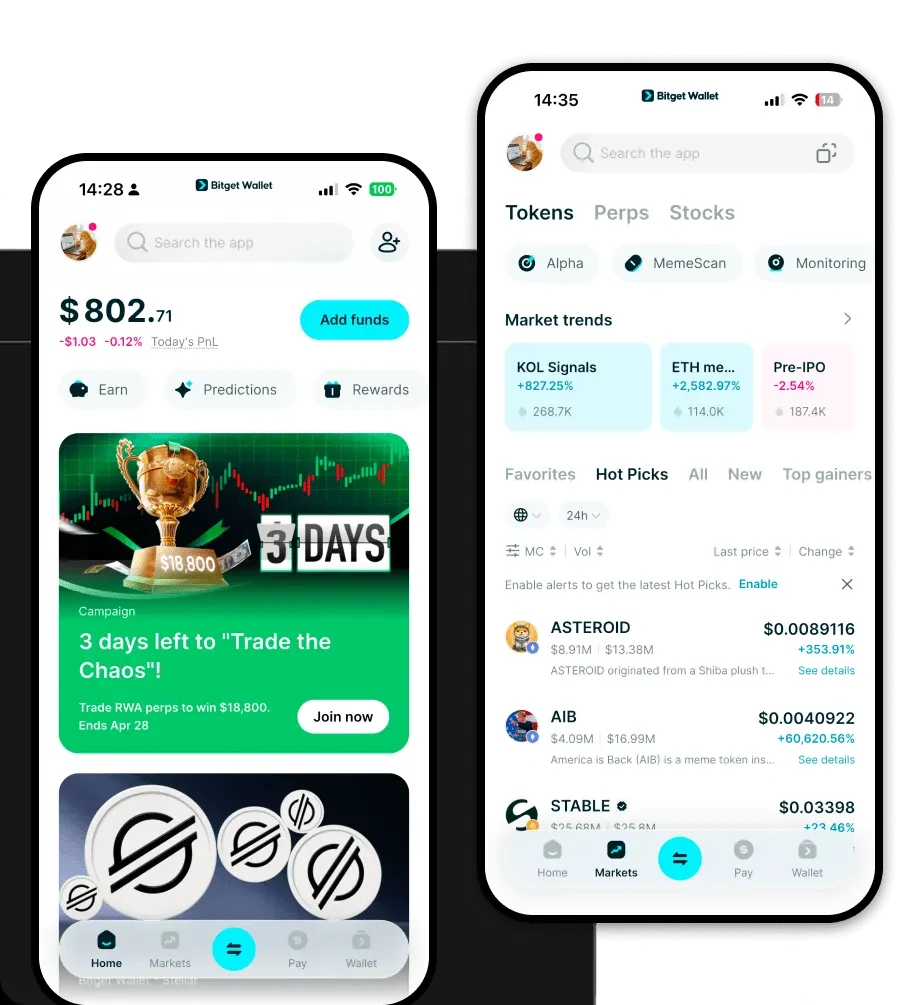
Choosing the right interface for your assets is critical. If you are looking for the best wallet for MHS, Bitget Wallet offers a comprehensive solution that balances professional-grade security with a user-friendly experience. Whether you are a seasoned DeFi power user or just starting your crypto journey, the Bitget MHS wallet app provides a seamless entry point into the Web3 world.
Bitget Wallet supports full self-custody, meaning you are the sole owner of your private keys. It is available across all major platforms, including iOS, Android, and as a browser extension, ensuring you can access your MHS wallet address anytime, anywhere. To get started, you can download Bitget Wallet directly from the official website to ensure you are using the authentic, secure version of the software.
Why Choose Bitget MHS Wallet?
When managing MHS within the EVM ecosystem, the infrastructure of your wallet determines your efficiency and safety. Bitget Wallet stands out for several key reasons:
- MetaMask Compatibility: As an EVM-based asset, MHS requires seamless integration. Bitget Wallet allows you to import your existing addresses, ensuring full compatibility with decentralized applications (dApps) that support standard EVM wallets.
- Advanced Gas Fee Optimization: Navigating the EVM chain can be costly during high network congestion. Bitget Wallet provides intelligent gas estimation, helping you execute transactions at the most efficient price points.
- Cross-Chain Interoperability: MHS holders often need to move assets across different chains. Bitget Wallet aggregates hundreds of cross-chain bridges, allowing you to swap and move tokens without leaving the interface.
- Institutional-Grade Security: With a 300 million USD user protection fund, Bitget provides a safety net that goes beyond standard software wallets, ensuring your MHS is guarded against common exploits.
- High Liquidity Aggregation: The wallet integrates with hundreds of DEXs, ensuring that when you trade MHS, you are accessing the best possible market rates across the entire liquidity landscape.
How to Create a MHS Wallet
Setting up your MHS wallet is a straightforward process designed to prioritize your security from the very first minute:
Step 1: Download and Install: Visit the official website to download Bitget Wallet for your mobile device or browser extension.
Step 2: Initialize Wallet: Open the application and select 'Create New Wallet.' If you already have an EVM-compatible address, you can choose 'Import Wallet' using your existing recovery phrase.
Step 3: Secure Your Mnemonic Phrase: You will be presented with a 12 or 24-word recovery phrase. Write this down on paper and store it in a secure, offline location. Never share this with anyone, as it is the master key to your MHS wallet address.
Step 4: Set Security Credentials: Create a strong, unique password or enable biometric authentication (FaceID/Fingerprint) to add an extra layer of protection to your app access.
Step 5: Add MHS Token: Navigate to the asset management section, click the 'Add Token' button, and search for MHS. Once enabled, your MHS balance will appear on your dashboard, and you are ready to receive or send funds.
What Can You Do With a MHS Wallet?
Holding MHS in a capable wallet like Bitget unlocks a variety of utility within the EVM ecosystem. Here is how you can maximize your holdings:
Trading: You can execute trades for MHS directly within the wallet interface by connecting to aggregated decentralized exchanges, ensuring you benefit from deep liquidity and competitive slippage rates.
Asset Management: The wallet provides a comprehensive dashboard to track your portfolio performance, allowing you to monitor the value of your MHS and other holdings in real-time across various market conditions.
Staking: By participating in staking protocols, you can lock your MHS assets to support network security or protocol governance, effectively earning yield on your idle tokens directly through the wallet’s dApp browser.
Decentralized Exchange Participation: You can actively participate in decentralized exchange participation by providing liquidity to MHS trading pairs, allowing you to earn transaction fees as a liquidity provider in the DeFi space.
How MHS Wallets Are Different from Other Crypto Wallets
The distinction between wallets often comes down to the underlying blockchain architecture. Unlike wallets built for UTXO-based chains (like Bitcoin), an MHS wallet built for the EVM ecosystem operates on an 'Account Model.' This means your wallet functions more like a bank account where balances are updated, rather than a collection of unspent transaction outputs. This model is essential for the complex smart contract interactions required by DeFi.
Furthermore, because MHS operates on the EVM, your wallet must handle gas fees—the transactional fuel required for every action. Unlike chains that use resource models (like EOS), the EVM requires you to manage ETH or the native chain coin to pay for gas. Bitget Wallet simplifies this by providing advanced tools to manage these costs, making it the best wallet for MHS users who demand speed, low overhead, and full compatibility with the massive ecosystem of Ethereum-based decentralized applications.