





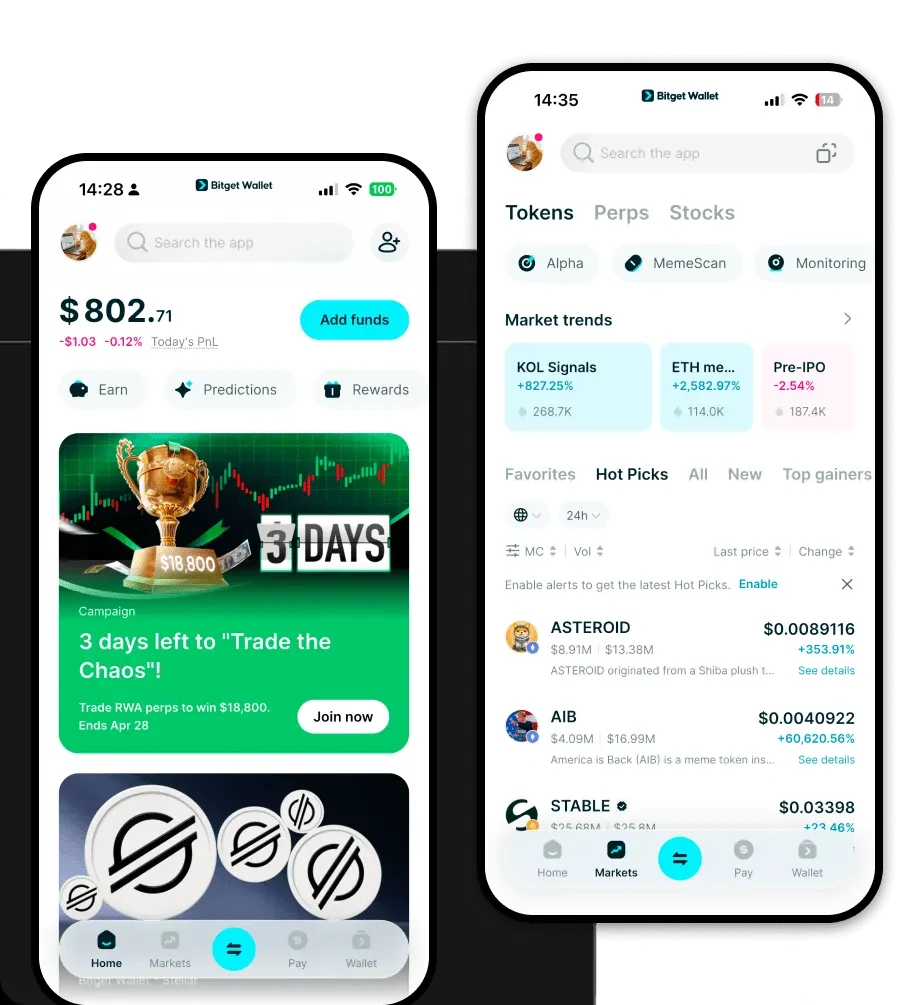
What is an ll Wallet?
An ll wallet is a digital interface that allows you to interact with the ll ecosystem, which operates on the EVM (Ethereum Virtual Machine) blockchain. Because ll resides within the EVM environment, it requires a wallet capable of handling Ethereum-standard tokens, smart contracts, and decentralized protocols. Bitget Wallet provides a reliable and secure crypto wallet solution for the LL ecosystem. Trusted by 40 million users, it serves as a gateway to explore Web3, manage assets, and interact with decentralized applications seamlessly.
Download Bitget ll Wallet
Getting started with your ll journey begins with choosing a secure and versatile gateway. Whether you are a desktop power user or a mobile-first trader, Bitget Wallet is designed to meet your specific needs. It offers comprehensive multi-chain support, ensuring that your ll tokens are always accessible alongside your other digital assets. Most importantly, it functions as a non-custodial wallet, meaning you retain full control over your private keys and seed phrases at all times.
You can easily download Bitget Wallet across all major platforms, including dedicated iOS and Android mobile apps, as well as a robust browser extension for Chrome and other compatible browsers. This cross-platform availability ensures that you can monitor your ll balance and manage your DeFi positions wherever you are.
Why Choose Bitget ll Wallet?
- EVM Compatibility: As an EVM-native infrastructure, Bitget Wallet offers seamless interaction with the vast ecosystem of decentralized finance, ensuring full compatibility with all ll smart contracts.
- Non-Custodial Security: You own your private keys, providing you with true ownership of your ll tokens and protection against third-party platform risks.
- High-Speed Transaction Processing: Our optimized infrastructure ensures that your transactions, from simple transfers to complex smart contract interactions, are processed with minimal latency.
- Seamless dApp Integration: Connect to decentralized exchanges, lending protocols, and NFT marketplaces directly through the built-in browser without needing to switch windows.
How to Create an ll Wallet
Setting up your wallet is a straightforward process designed for both beginners and experienced traders:
- Download and Install: Visit the official website to download the Bitget Wallet application for your mobile device or browser.
- Create a New Wallet: Open the app and select 'Create a Wallet'. You will be prompted to set a strong, unique password for the application.
- Backup Your Seed Phrase: The app will generate a 12-word recovery phrase. Write this down on paper and store it in a secure, offline location; never share this with anyone.
- Verify and Setup: Confirm your recovery phrase to ensure you have backed it up correctly, then complete the initial setup.
- Add ll to Your Wallet: Navigate to the asset list, use the search function to locate ll, and add it to your dashboard so it appears on your home screen.
What Can You Do With an ll Wallet?
Beyond simple holding, an ll wallet acts as your personal command center for the ecosystem:
- Asset Storage: Safely hold your ll tokens using enterprise-grade encryption that keeps your funds protected from unauthorized access.
- Token Swapping: Utilize the built-in DEX aggregator to exchange your ll tokens for other assets at the best market rates with low slippage.
- dApp Interaction: Engage directly with decentralized applications (dApps) to participate in governance or utilize DeFi services within the ll ecosystem.
- NFT Management: View, store, and manage your NFT collections directly within the wallet interface, keeping your digital collectibles organized alongside your tokens.
- Cross-Chain Bridging: Move your assets efficiently between the ll ecosystem and other supported blockchains using integrated cross-chain bridge technology.
How ll Wallets Are Different from Other Crypto Wallets
Unlike wallets designed for UTXO-based chains like Bitcoin, an ll wallet is built specifically for the account-based model of the EVM. While UTXO wallets focus on managing unspent transaction outputs, an ll wallet manages state changes, smart contract interactions, and gas fee estimations unique to the EVM environment. Furthermore, Bitget Wallet optimizes for the specific gas fee dynamics of the ll chain, providing real-time fee suggestions to ensure your transactions are neither overpaid nor stuck in the mempool. This specialized approach offers a superior user experience compared to generic multi-coin wallets that may lack granular control over EVM-specific settings.
