





What is a BTT Wallet?
A BTT wallet is a digital interface that allows you to securely store, send, and receive BitTorrent Token (BTT). BitTorrent Token (BTT) is the native utility token of the BitTorrent ecosystem, designed to incentivize decentralized file sharing and bandwidth allocation. Users can utilize BTT to improve download speeds or pay for services within the BitTorrent network, which is now integrated into the TRON blockchain ecosystem to enhance throughput and scalability for decentralized applications. Because BTT operates primarily within the TRON blockchain environment, your wallet must be compatible with the TRC-20 token standard to manage these assets effectively.
Download Bitget BTT Wallet
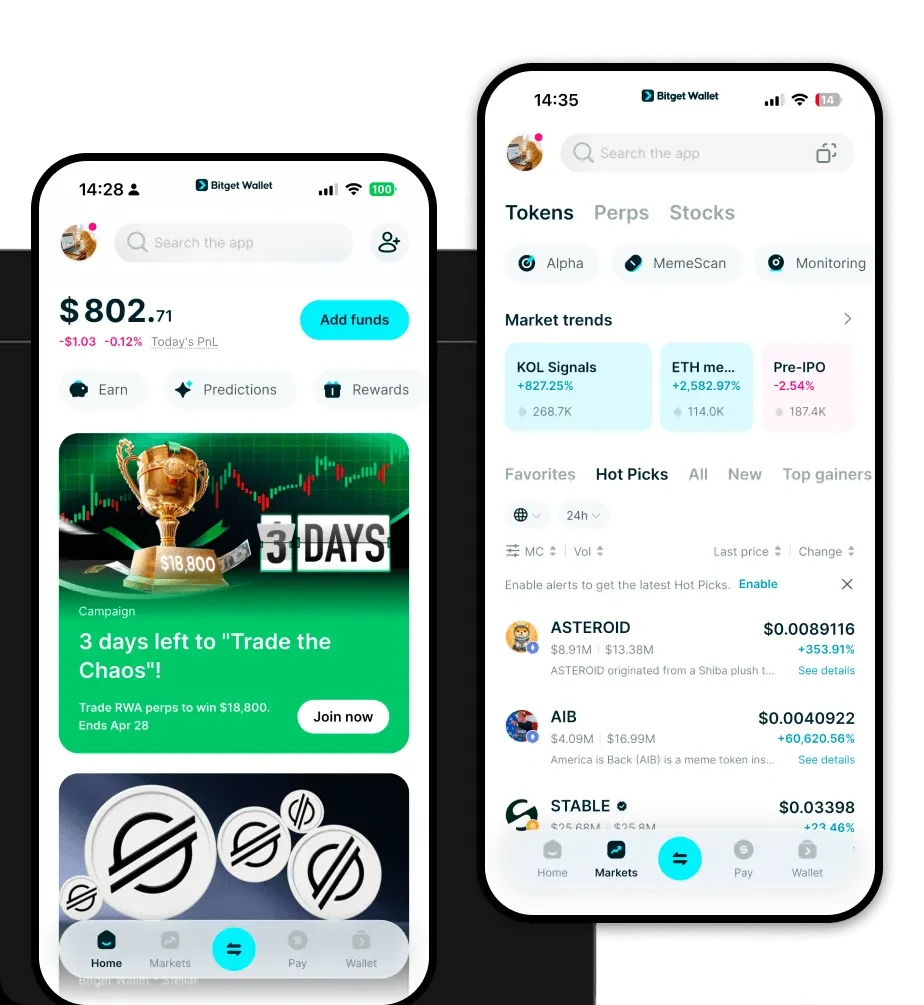
To start managing your BTT tokens with professional-grade security, you need a reliable gateway to the decentralized web. We recommend users download Bitget Wallet to experience a seamless interface designed for both veterans and newcomers. Bitget Wallet offers full self-custody, ensuring that you maintain complete control over your private keys and seed phrases, which is the gold standard for crypto security.
Whether you prefer mobile or desktop, the application is fully optimized for iOS and Android, and includes a robust browser extension for desktop interaction. With multi-chain support covering over 130 blockchains, it acts as a unified hub for all your digital assets, not just your BTT holdings. By choosing Bitget Wallet, you are opting for a non-custodial solution that prioritizes user sovereignty while providing the tools necessary to navigate the complexities of decentralized infrastructure.
Why Choose Bitget BTT Wallet?
Selecting the right wallet for BTT involves understanding the infrastructure requirements of the TRON network and the specific needs of decentralized storage protocols. Here is why Bitget Wallet stands out as the best wallet for BTT:
- TRON Ecosystem Native Integration: Bitget Wallet provides seamless support for TRC-20 tokens, ensuring that BTT transactions are fast, low-cost, and fully compatible with the TRON network's high throughput capabilities.
- Robust Security Architecture: With a dedicated 300 million USD user protection fund, Bitget Wallet provides an extra layer of peace of mind beyond standard private key management, protecting your assets against unforeseen platform risks.
- Seamless DApp Connectivity: Access the vast array of decentralized applications built on BitTorrent and TRON directly through the integrated DApp browser, allowing for instant interaction with decentralized file-sharing protocols.
- Advanced Asset Management: Unlike basic wallets, Bitget provides comprehensive market data and real-time analytics for BTT, helping you track your portfolio's performance within the broader infrastructure category.
- Cross-Chain Flexibility: If you hold BTT assets bridged across other networks, Bitget’s built-in cross-chain bridge allows you to manage and swap tokens across multiple chains without leaving the app.
How to Create a BTT Wallet
Creating a secure BTT wallet using Bitget is a straightforward process designed to get you up and running in minutes:
- Download and Install: Visit the official Bitget Wallet website to download the application for your specific device (iOS, Android, or Browser Extension).
- Initialize Your Wallet: Open the app and select 'Create a New Wallet.' You will be prompted to set a strong, unique password for your local device security.
- Backup Your Seed Phrase: This is the most critical step. You will be provided with a 12 or 24-word recovery phrase. Write this down on paper—never store it digitally—and keep it in a safe, offline location.
- Add BTT to Your Dashboard: Once your wallet is set up, navigate to the token management section. Search for 'BTT' and ensure you select the correct TRC-20 version to add it to your main screen.
- Receive Funds: Click on your BTT asset card and select 'Receive' to display your wallet address. You can now copy this address or share the QR code to receive BTT from exchanges or other users.
What Can You Do With a BTT Wallet?
Owning BTT is more than just holding a digital asset; it is about participating in a global decentralized infrastructure. Here is how you can utilize your BTT wallet:
- Paying for Bandwidth: Use your BTT tokens to pay for increased bandwidth on the BitTorrent network, ensuring faster download speeds for your decentralized files.
- Staking for Rewards: Engage in staking mechanisms directly through the wallet interface to lock your BTT and earn passive rewards, helping secure the network while growing your holdings.
- Trading: Utilize the built-in DEX aggregator within Bitget Wallet to swap your BTT for other assets at the best market prices without needing a centralized exchange.
- Decentralized Content Distribution: Use BTT as a medium of exchange to participate in decentralized content distribution, rewarding creators directly for their work on the protocol.
- Governance Voting: Participate in the ecosystem's future by using your BTT tokens to vote on governance proposals, directly influencing the development path of the BitTorrent network.
How BTT Wallets Are Different from Other Crypto Wallets
BTT wallets, particularly when used within the TRON ecosystem, differ significantly from those designed for BTC or Ethereum. While Bitcoin relies on a UTXO (Unspent Transaction Output) model, which emphasizes transactional history and security, BTT wallets on TRON utilize an account-based model similar to Ethereum but optimized for high-throughput performance.
Unlike Ethereum, which can suffer from high gas fees during congestion, the TRON network—where BTT resides—uses a resource-based model (Energy and Bandwidth). This means that a BTT wallet needs to account for these specific resource constraints to optimize transaction costs. Bitget Wallet simplifies this by abstracting these complexities, allowing users to transact BTT with high speed and minimal fees compared to the heavy gas costs often associated with older EVM-based chains. This makes Bitget the ideal tool for power users who demand efficiency in a decentralized file-sharing environment.
