






1
/
4
How to deposit funds
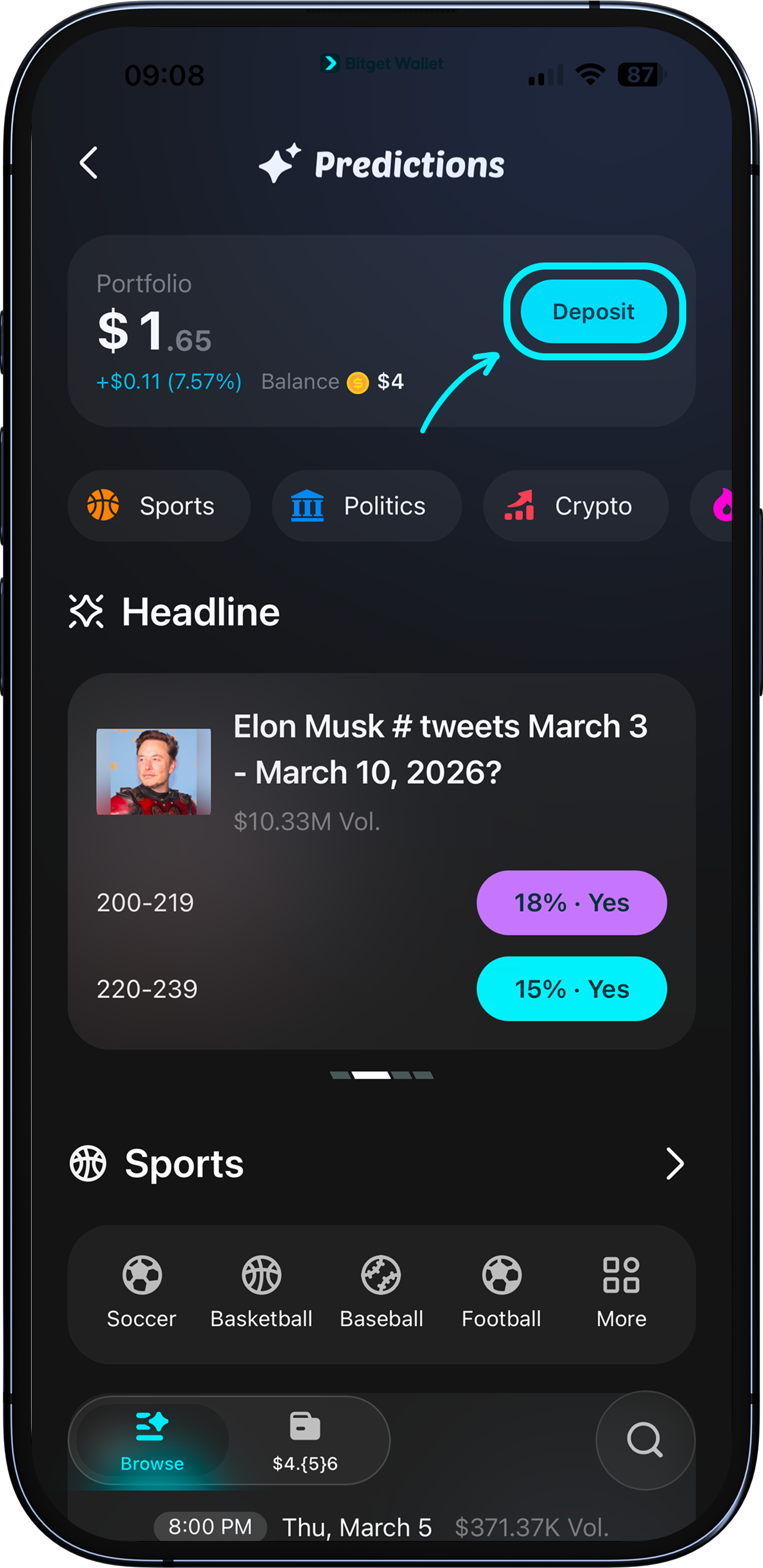
Tap "Deposit" on the Predictions home page or portfolio page to open the deposit screen.
You have three ways to add funds to your Predictions account: use your existing wallet balance, send funds via on-chain transfer, or buy crypto directly through the app.
Tap "Deposit" on the Predictions home page or portfolio page to open the deposit screen.
You have three ways to add funds to your Predictions account: use your existing wallet balance, send funds via on-chain transfer, or buy crypto directly through the app.
1
/
4
Depositing from your wallet balance
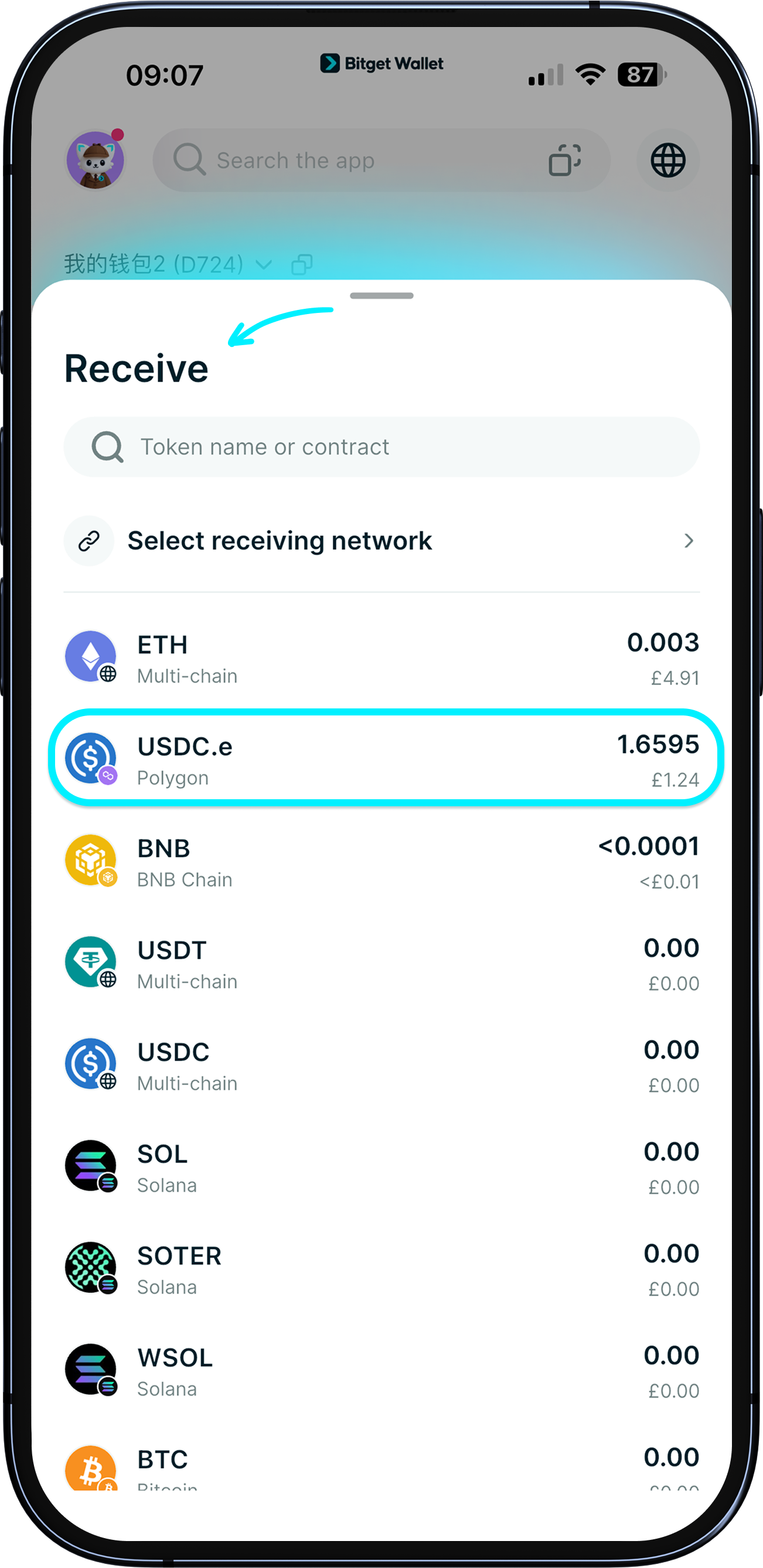
1. Tap "Deposit" and select "Wallet balance."
2. Choose your token (e.g., USDC.e, USDT, BNB, or POL).
3. Enter the amount and review the estimated fees and final received amount.
4. Tap "Next" to proceed and confirm. If you're depositing a token other than USDC.e (Polygon), it will be automatically swapped. A minimum deposit applies, depending on token type. Gas fees are covered by Bitget Wallet.
Note: a slippage of up to 0.05% may apply during the swap.
1
/
4
Depositing via on-chain transfer
1. Tap "Deposit" and select "On-chain transfer."
2. Choose your token from the list.
3. Copy the deposit address or scan the QR code and send funds from your external wallet.
1
/
4
Buying crypto and depositing directly
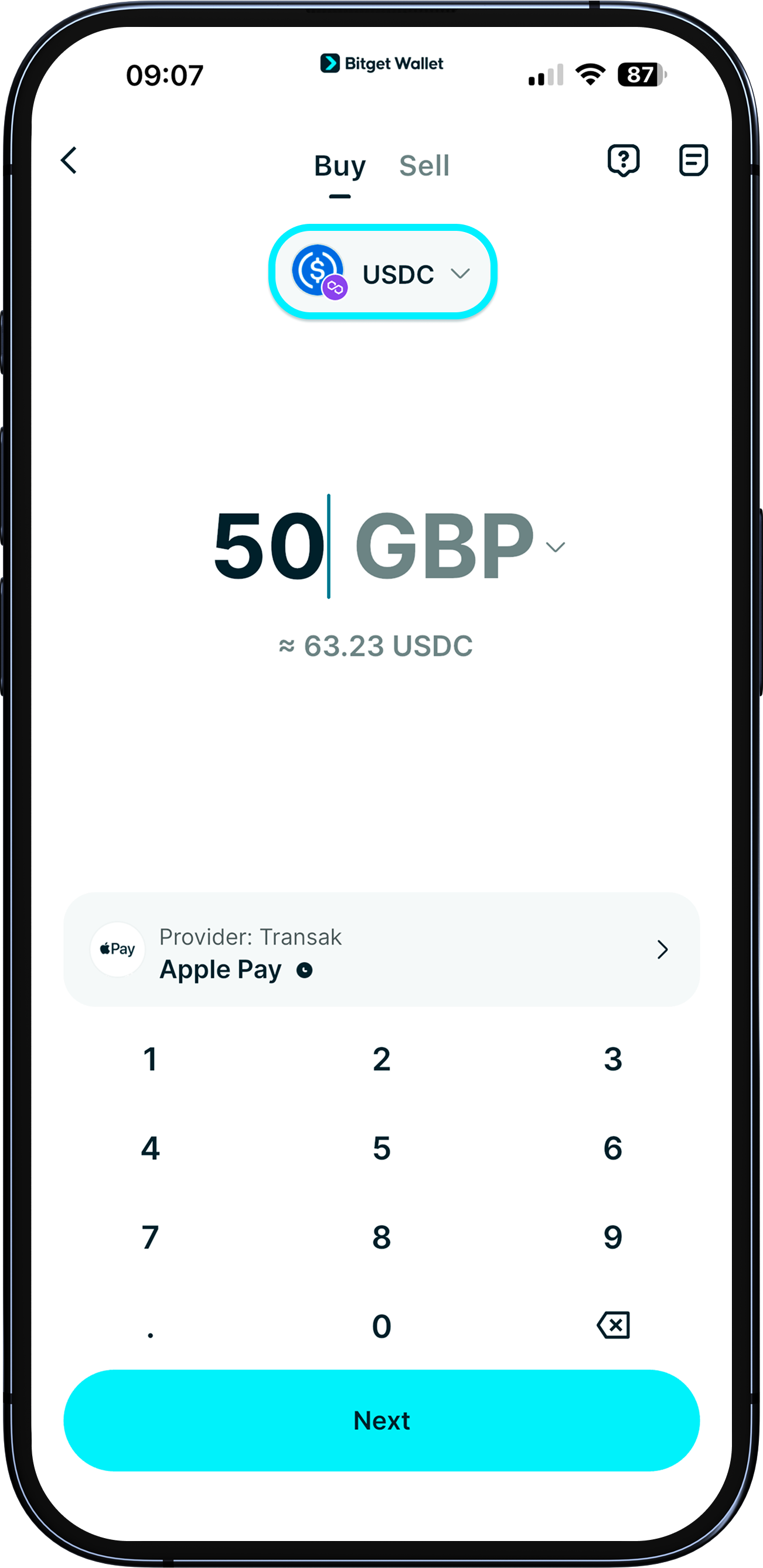
1. Tap "Deposit" and select "Buy crypto."
2. Complete your purchase – USDC.e (Polygon) is pre-selected.
3. Funds are deposited into your Predictions account automatically once the purchase is complete.