





What is a TKO Wallet?
A TKO wallet is a specialized digital interface designed to interact with the TKO token, the native utility asset of Tokocrypto, Indonesia's first regulated cryptocurrency exchange. Because TKO operates primarily on the EVM-compatible Binance Smart Chain, a TKO wallet is essentially a gateway that allows you to manage these assets securely on the blockchain.
Tokocrypto (TKO) is the native utility token of Indonesia's first regulated crypto exchange, providing users with benefits such as trading fee discounts, participation in TokoLaunchpad, and passive income through staking programs within the Tokocrypto ecosystem. By using a compatible wallet, you bridge the gap between centralized exchange benefits and decentralized on-chain autonomy.
Download Bitget TKO Wallet
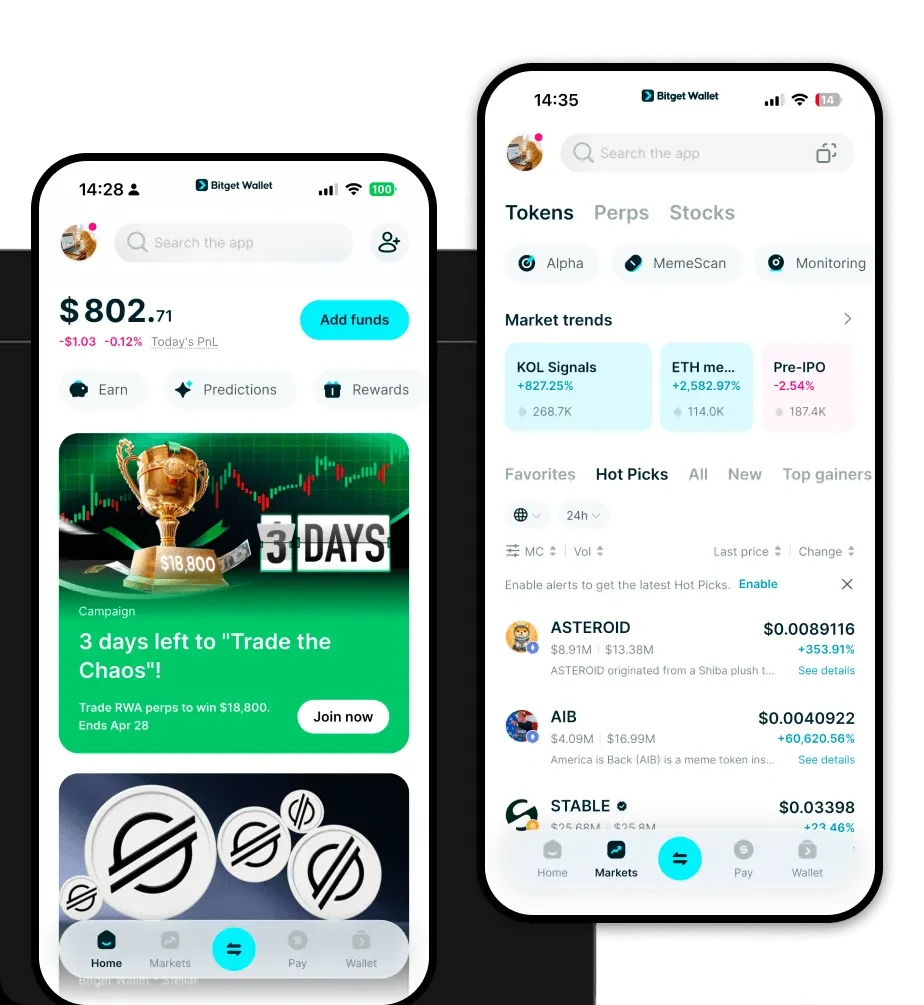
To start managing your assets securely, you need a robust interface that supports the full spectrum of EVM-based tokens. Bitget Wallet offers a seamless experience for TKO holders, providing a non-custodial environment where you are the sole owner of your private keys. Whether you are using an iOS device, an Android smartphone, or a desktop browser, Bitget Wallet ensures you have consistent access to your funds.
You can download Bitget Wallet today to experience a multi-chain platform that supports over 130 blockchains. It is designed to be the best wallet for TKO, offering an intuitive interface that makes navigation simple for beginners while maintaining the advanced features required by DeFi power users.
Why Choose Bitget TKO Wallet?
Choosing the right wallet is critical for managing EVM-based assets like TKO. Bitget Wallet stands out for several key reasons:
- EVM Compatibility: Built with native support for the Binance Smart Chain, ensuring that TKO transactions are processed smoothly with full compatibility for all smart contract interactions.
- Advanced DeFi Aggregation: Access hundreds of DEXs and cross-chain bridges directly within the app, allowing you to swap TKO or other assets at the best market rates without leaving your wallet.
- Enhanced Security Infrastructure: Benefit from a $300 million user protection fund and MPC (Multi-Party Computation) technology that eliminates single points of failure, protecting your TKO from unauthorized access.
- One-Stop Ecosystem Access: Seamlessly connect to DApps, staking platforms, and launchpads, allowing you to participate in the broader Tokocrypto ecosystem without constant wallet switching.
How to Create a TKO Wallet
Setting up your TKO wallet is a straightforward process designed to prioritize your security:
1. Download and install the Bitget Wallet app from the official website or your mobile app store.2. Select 'Create a Wallet' and set a strong, unique password to encrypt your local storage.3. Back up your Mnemonic Phrase (Seed Phrase) immediately. Write it down on paper and store it offline—never share this with anyone.4. Verify your backup by re-entering the words in the correct order as prompted by the app.5. Once your wallet is active, go to the asset management section, search for 'TKO', and add it to your dashboard. You will now see your TKO wallet address ready for receiving funds.
What Can You Do With a TKO Wallet?
Your TKO wallet is more than just a storage vault; it is an interactive tool for the Tokocrypto ecosystem. Here is how you can utilize your TKO effectively:
- Trading fee discounts: Hold TKO in your wallet to automatically qualify for reduced trading fees when using the exchange, effectively lowering your operational costs.
- Staking for rewards: Lock your tokens within the wallet’s staking interfaces to generate passive income through yield farming and reward programs.
- Participating in token launches: Use your TKO balance to gain whitelist access or early investment opportunities through TokoLaunchpad directly from your wallet.
- Governance voting: Engage in decentralized governance by voting on community proposals, allowing you to have a say in the future direction of the ecosystem.
- Paying for transaction fees: Use TKO to cover gas fees for on-chain interactions within the Binance Smart Chain ecosystem, ensuring your transactions are processed efficiently.
How TKO Wallets Are Different from Other Crypto Wallets
Not all wallets are created equal, especially when dealing with EVM-based tokens like TKO. A dedicated TKO wallet like Bitget is optimized for the Account Model used by the Binance Smart Chain, which differs significantly from UTXO-based chains like Bitcoin. While Bitcoin wallets focus on managing unspent transaction outputs, a TKO wallet is built to handle smart contract state changes, such as interacting with DeFi protocols or staking contracts.
Furthermore, Bitget Wallet optimizes for the gas fee structure inherent to EVM chains, providing real-time gas estimations so you never overpay for transactions. Unlike generic wallets that might struggle with custom token additions or DApp connectivity, a specialized TKO wallet ensures that you can see your balances, interact with DeFi protocols, and execute complex cross-chain swaps with minimal friction.
