




What is a Kiba Wallet?
A Kiba wallet is a digital interface that allows you to securely store, send, and receive Kiba (Kiba Dog), a prominent token operating on the Solana blockchain. Kiba originated from the on-chain new coin announcement released by the community account AutorunSOL, positioned as an experimental/derivative community token. The founding team is not disclosed, and it is primarily driven by early initiators and volunteers. The core revolves around canine IP and on-chain interactions as the medium, exploring community-driven governance and liquidity mechanisms, targeting on-chain communities and collectors, with the vision of building a lightweight community ecosystem and long-term participation paths.
Because Kiba lives on the Solana network, your wallet needs to be compatible with Solana's high-throughput architecture. Using a dedicated interface like Bitget Wallet ensures you can interact with the Solana ecosystem—where Kiba is native—without the friction found in legacy, multi-chain-only wallets. Whether you are a long-term collector or a newcomer to meme coins, having a reliable Kiba wallet is the first step toward engaging with this unique community-driven asset.
Download Bitget Kiba Wallet
To start your journey with Kiba, you need a wallet that combines advanced functionality with user-friendly design. Bitget Wallet stands out as the best wallet for Kiba due to its robust support for the Solana ecosystem and its commitment to decentralized, self-custodial asset management.
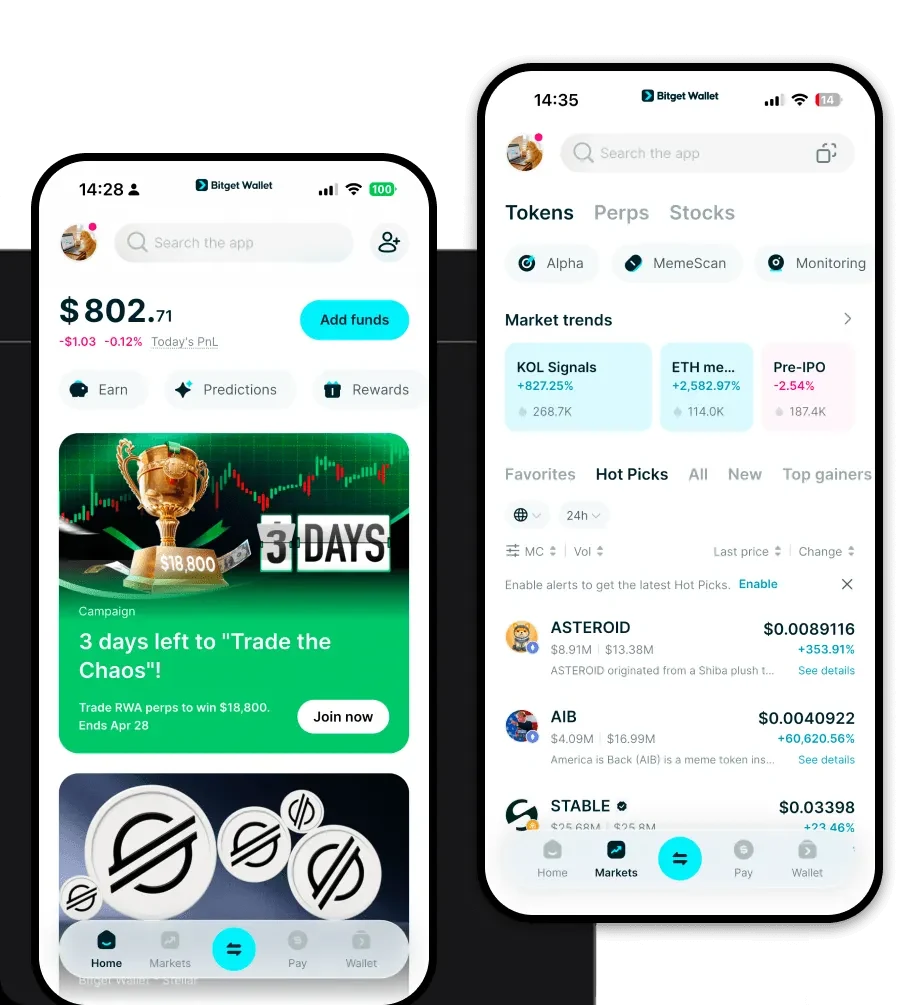
Bitget Wallet provides a seamless experience across all platforms, ensuring your Kiba tokens are always accessible. Whether you prefer managing assets on the go or from your desktop, the download Bitget Wallet link offers the official installation files for iOS, Android, and browser extensions.
Why choose this platform? It offers full self-custody, meaning you—and only you—hold the private keys to your Kiba wallet address. This is critical for meme token enthusiasts who prioritize sovereignty over their investments. With multi-chain support, you aren't just limited to Kiba; you can manage assets across 130+ blockchains, all within a single, streamlined interface.
Why Choose Bitget Kiba Wallet?
Selecting the right Kiba wallet app is essential for navigating the fast-paced Solana meme coin landscape. Here is why Bitget Wallet is the superior choice for Kiba holders:
- Native Solana Optimization: Unlike generic wallets, Bitget Wallet is engineered to handle Solana’s high-speed transactions and low-fee environment, ensuring your Kiba trades execute in milliseconds.
- Advanced Meme Token Tracking: The platform features specialized tools to monitor trending meme coins, allowing you to stay updated on Kiba’s market movements and community sentiment in real-time.
- Robust Security Architecture: With a $300 million user protection fund, Bitget Wallet provides an extra layer of defense against malicious DApps and phishing attempts, which are common in the highly experimental meme token sector.
- DApp Integration: Easily connect to Solana-based decentralized exchanges and NFT marketplaces directly through the built-in browser, making it easier to participate in the Kiba ecosystem without leaving the app.
- Intuitive Asset Management: The interface is designed for both beginners and power users, making it simple to view your portfolio, manage Kiba holdings, and track your on-chain history.
How to Create a Kiba Wallet
Setting up your Kiba wallet address is a straightforward process. Follow these steps to secure your assets:
1. Download and Install: Use the official link to download Bitget Wallet for your device (iOS, Android, or Browser Extension).
2. Create a New Wallet: Open the app and select 'Create a New Wallet.' You will be prompted to set a strong password to secure your local access.
3. Backup Your Seed Phrase: The app will generate a 12 or 24-word recovery phrase. Write this down on paper and store it offline—never share it with anyone. This is the only way to recover your Kiba wallet if you lose your device.
4. Activate Solana Network: Bitget Wallet supports many chains by default. Ensure the Solana network is enabled in your asset list so that your Kiba tokens are visible.
5. Receive Kiba: Click on your Solana wallet address or the 'Receive' button to copy your public address. You can now send Kiba tokens to this address from an exchange or another wallet.
What Can You Do With a Kiba Wallet?
Once your wallet is set up, you unlock the full potential of the Kiba ecosystem. Bitget Wallet acts as your gateway to various on-chain activities:
- Trading: Use the built-in DEX aggregator to swap SOL or other tokens for Kiba instantly, ensuring you get the best market rates with minimal slippage.
- Community Participation: Engage with Kiba’s experimental governance models by using your wallet to interact with community-led proposals and voting mechanisms.
- Liquidity Provision: Contribute your Kiba tokens to decentralized liquidity pools, helping to stabilize the market while potentially earning transaction fee rewards.
- Social Speculation: Leverage the wallet's fast transaction speeds to engage in social speculation, allowing you to react quickly to community announcements and market trends.
How Kiba Wallets Are Different from Other Crypto Wallets
Not all wallets are created equal, especially when dealing with high-performance chains like Solana. Understanding the technical nuances is key to choosing the right Kiba wallet.
Account Models vs. UTXO: While Bitcoin uses the UTXO (Unspent Transaction Output) model, Solana—and therefore your Kiba wallet—uses an account-based model. This allows for significantly faster transaction processing and complex smart contract interactions, which is vital for the experimental tokenomics Kiba employs.
Resource Efficiency: Unlike EVM-based wallets where you constantly worry about fluctuating gas fees, a Kiba wallet on Solana interacts with a system designed for high concurrency. You will experience consistently low transaction costs, making it cheaper to move, trade, and interact with your Kiba tokens compared to Ethereum-based equivalents.
User Experience: Because Kiba is community-driven, the wallet you choose must support rapid on-chain interaction. Bitget Wallet excels here by providing a smooth, lag-free interface that handles the high transaction volume of the Solana network, ensuring you never miss a beat in the volatile meme coin market.
