What is a SW Wallet?
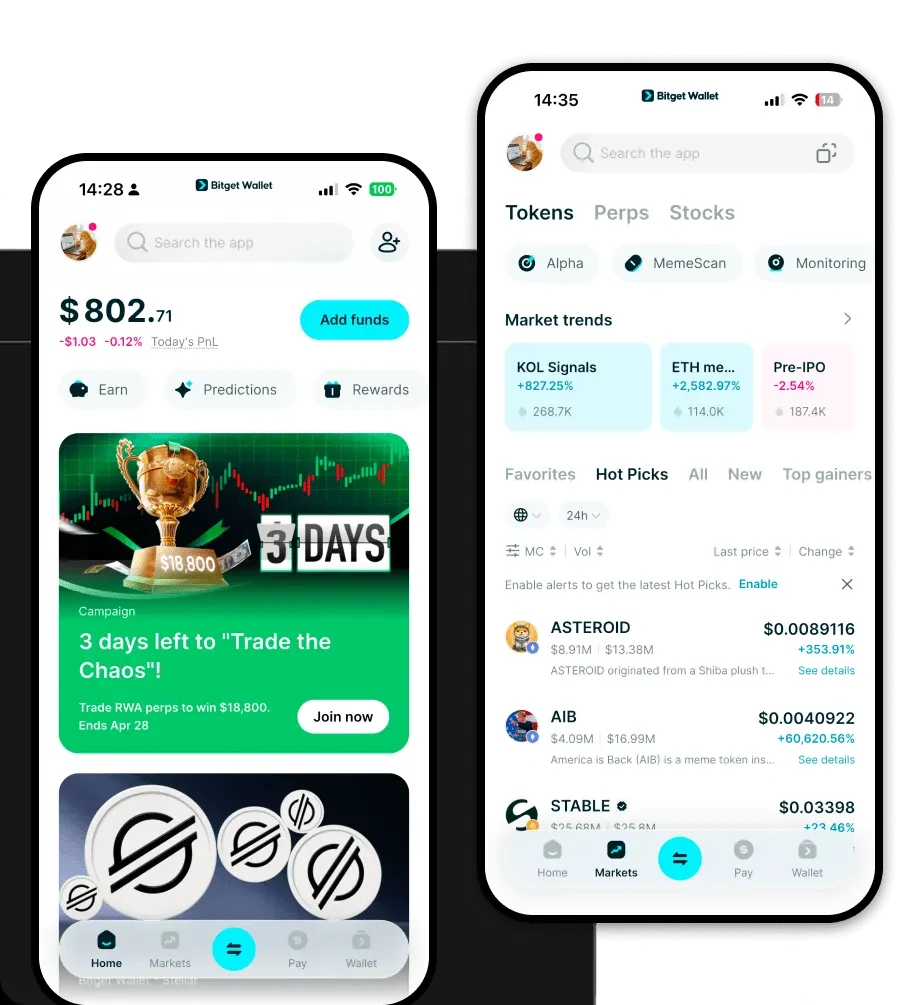
A SW wallet serves as your personal gateway to the decentralized ecosystem where the SW token operates. As an EVM-based asset, SW requires a wallet that is fully compatible with the Ethereum Virtual Machine standards to ensure that transactions are processed efficiently and securely. Bitget Wallet provides a reliable and secure crypto wallet solution for the SW token. Trusted by 40 million users, the platform allows users to freely explore the Web3 ecosystem, manage assets, and trade securely. By acting as a bridge between your digital assets and the blockchain, a dedicated wallet ensures you have full control over your private keys and transaction history.
Download Bitget SW Wallet
Accessing your SW tokens should be a seamless experience, regardless of whether you are on the move or at your desktop. To get started with a secure and feature-rich interface, you can 'download Bitget Wallet' at https://web3.bitget.com/zh-CN/wallet-download. The application is available for iOS, Android, and as a browser extension, ensuring that your wallet is always synchronized across all your devices. By choosing a reputable platform, you ensure that your SW wallet app is regularly updated with the latest security patches and performance improvements.
Why Choose Bitget SW Wallet?
Choosing the right tool for your assets is critical in the EVM space. Bitget Wallet stands out by providing an infrastructure that prioritizes user sovereignty and technical efficiency:
- EVM Compatibility: Designed specifically for the Ethereum Virtual Machine ecosystem, ensuring instant compatibility with all EVM-based tokens and dApps.
- Non-custodial Security: You retain complete ownership of your private keys, meaning your assets remain in your control, not the platform's.
- Integrated Web3 Browser: Navigate the decentralized web directly through your wallet, allowing for easy access to DeFi protocols and NFT marketplaces.
- Cross-chain Interoperability: Effortlessly bridge and swap assets across different blockchain networks, reducing the complexity of multi-chain management.
- User Protection Fund: Access a robust $300 million protection fund that provides an extra layer of security for your digital assets.
How to Create a SW Wallet
Setting up your wallet is a straightforward process designed for both newcomers and seasoned crypto enthusiasts:
Step 1: Download the Bitget Wallet app from the official source to ensure you have the authentic version.
Step 2: Open the app and select 'Create Wallet' to generate a new set of credentials for your EVM-based assets.
Step 3: Carefully record your mnemonic seed phrase on a physical piece of paper; never store this digitally or share it with anyone.
Step 4: Verify your backup by re-entering the words in the correct order to confirm your wallet is ready for use.
Step 5: Navigate to the asset management tab and select 'Add Token' to include SW in your dashboard, ensuring it is ready for sending or receiving.
What Can You Do With a SW Wallet?
A SW wallet is more than just a storage tool; it is an active hub for your Web3 engagement. Here is how you can maximize your experience:
- Secure asset storage: You can keep your SW tokens safe in a non-custodial environment, shielding them from centralized exchange risks.
- Cross-chain swapping: Utilize the built-in decentralized exchange aggregators to swap your SW tokens for other assets across different chains without leaving the app.
- Web3 dApp interaction: Connect your wallet to various DeFi platforms to participate in liquidity provision or lending protocols seamlessly.
- NFT portfolio management: View, manage, and display your NFT collections directly within the wallet interface, keeping your digital collectibles organized.
- Staking participation: Lock your SW tokens into verified staking contracts to earn passive rewards and actively support the network's security.
How SW Wallets Are Different from Other Crypto Wallets
When dealing with SW, it is important to understand the specific architecture of the EVM. Unlike legacy UTXO-based chains (like Bitcoin), EVM wallets utilize an account-based model. This means your wallet functions more like a bank account where your balance is tracked at a specific address, allowing for more complex smart contract interactions. Furthermore, the gas fee model in an EVM wallet is dynamic, often requiring the wallet to estimate fees accurately to ensure your transactions are prioritized by the network. Bitget Wallet optimizes these gas estimates, ensuring that your SW transactions are not only fast but also cost-effective compared to standard, less-optimized wallet solutions.